15
Basic Seat Operation through R-net Control Panel
2
Normal
PROFILE
MODE
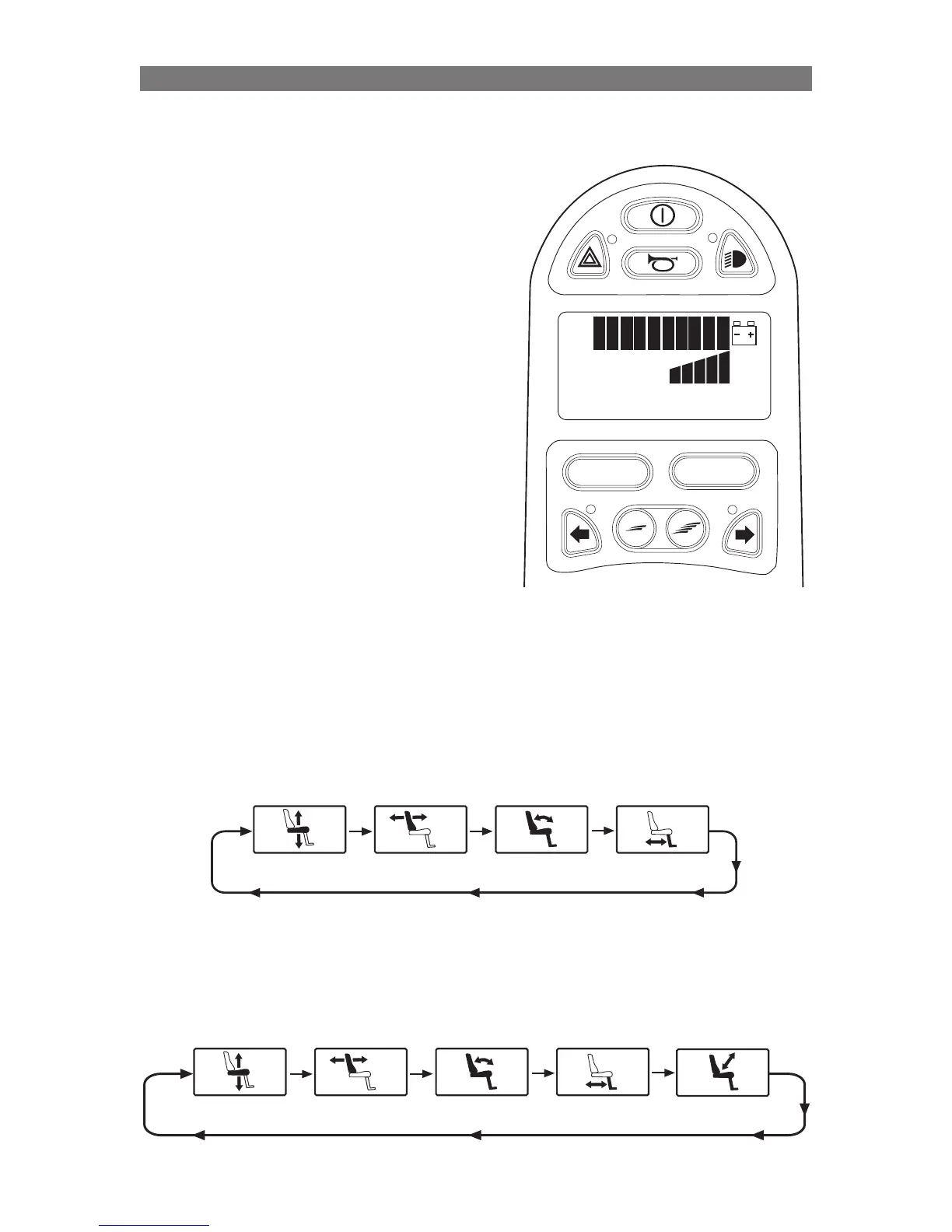
Press Mode Button to access Seat Menu
Seating System movement can be
performed using the Joystick in the Control
Panel that operates the wheelchair drive
motors.
Seating Control is accessed via the MODE
button on the Control Panel. Press and
release the MODE button until the seating
system icon appears in the LCD display.
Once the Seating System Icon appears
on the LCD display, push the joystick left
or right to select the seating function you
wish to control.
Once the desired seating function is
displayed on the LCD, push the joystick
forward or backward to operate the seating
function.
Below is an example of the icons that can used to control a typical Corpus seating
system. The seating system icons that are displayed in the LCD will vary by seating
system and installed options.
Seat Elevator
Recline Tilt
Legrest
Below is an example of the icons that can be used to control a typical VS seating
system. The seating system icons that are displayed in the LCD will vary by seating
system and installed options.
Seat Elevator Recline Tilt
Legrest
Stand A
Operation Basic Seat Operation through R-net Control Panel



 To Next Page