61
Configuring ICS through R-net control panel
Additional ICS configuration is possible using R-net’s OBP function. To enable OBP, a programming key
(R-net dongle) must be connected to the R-net system.
NB! OBP cannot be used with the R-net LED Joystick Module.
The following functions/adjustments can be configured in this way:
• Changing the seat function order in Seating Mode
• Limiting permitted seat function movements
• Adjusting when a seat position will reduce the chair’s speed
• Adding or removing seat functions when the seat’s physical configuration is changed (actuator
added or disconnected)
• Configuring functions for Alternative Switchbox
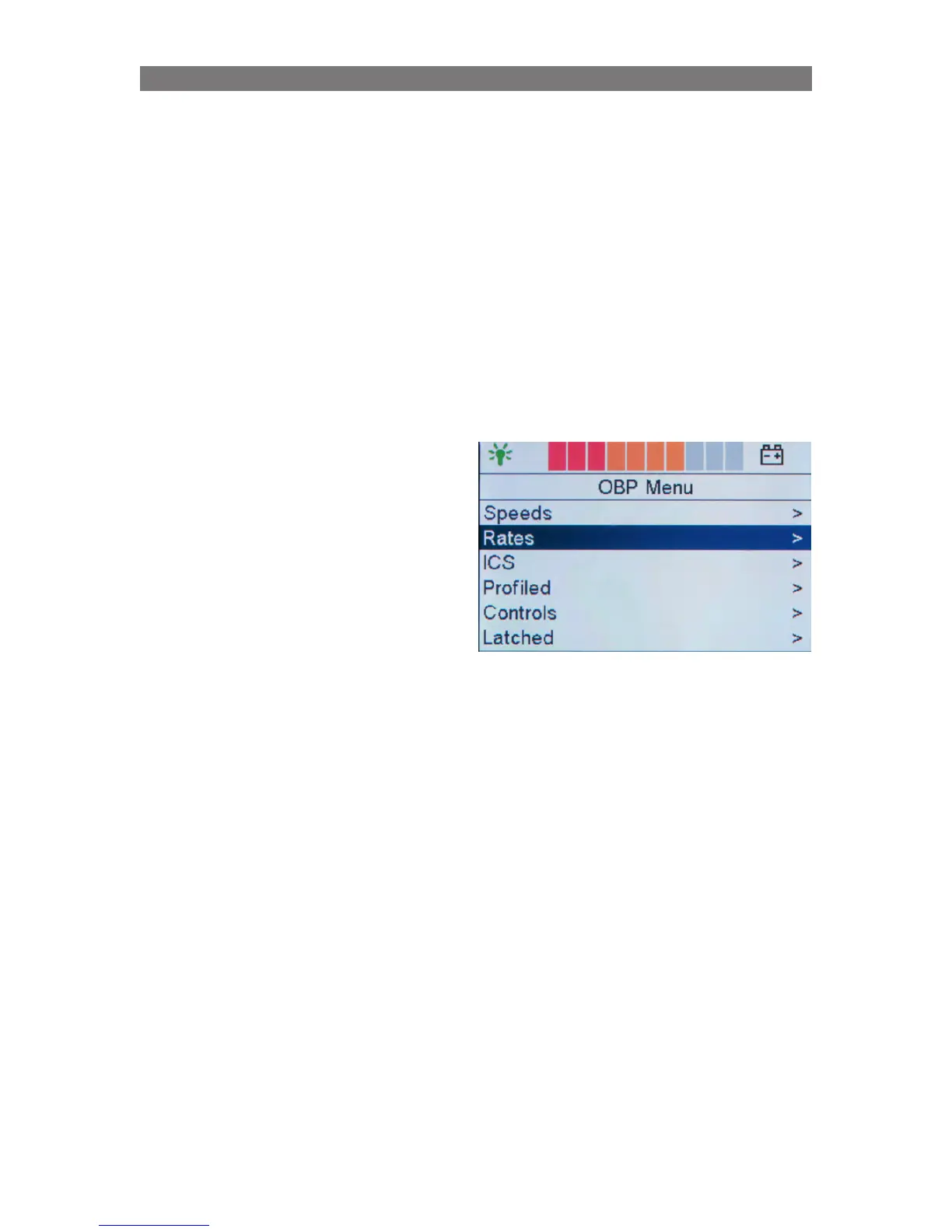
Enabling the ICS menu in OBP
To enable OBP, a programming key (PGDT R-net
dongle) must be connected to the R-net system.
Follow the sequence below:
1.
Switch off the system
2. Connect the dongle to the R-net system
3. Switch on the system
4. After start-up press the Mode button until the
OBP menu appears on the LCD display
5.
Select the ICS menu
Programming Configuring ICS through R-net control panel



 To Next Page