72
72
Servicing Smart Actuator Calibration
Smart actuator calibration
If a Smart actuator is not handled correctly prior to installation in the seating system (i.e. the actuator
screw being moved manually), the actuator’s position sensor and ram can become mismatched.
It is important that the screw end of a Smart actuator is held in place with delivery tape until just before
it is attached with bolts to the mounting brackets on the seating system.
If, however, the Smart actuator’s integral sensor and the actuator’s actual length become mismatched, it
is possible to calibrate the actuator automatically (preferred) and some also manually.
Manual calibration is performed by moving the seating system’s Smart actuator to a known position. The
“problem actuator” is now removed to enable manual adjustment of the ram position, ensuring a correct
value for the actuator’s actual length. Alternatively this can be done before the actuator is installed, if it is
known that the actuator screw has been moved manually or if actuator stroke is unexpectedly reaching
a hard endstop (flashing red on ICS Switchbox).
To select actuator calibration mode:
1.
Switch off the wheelchair.
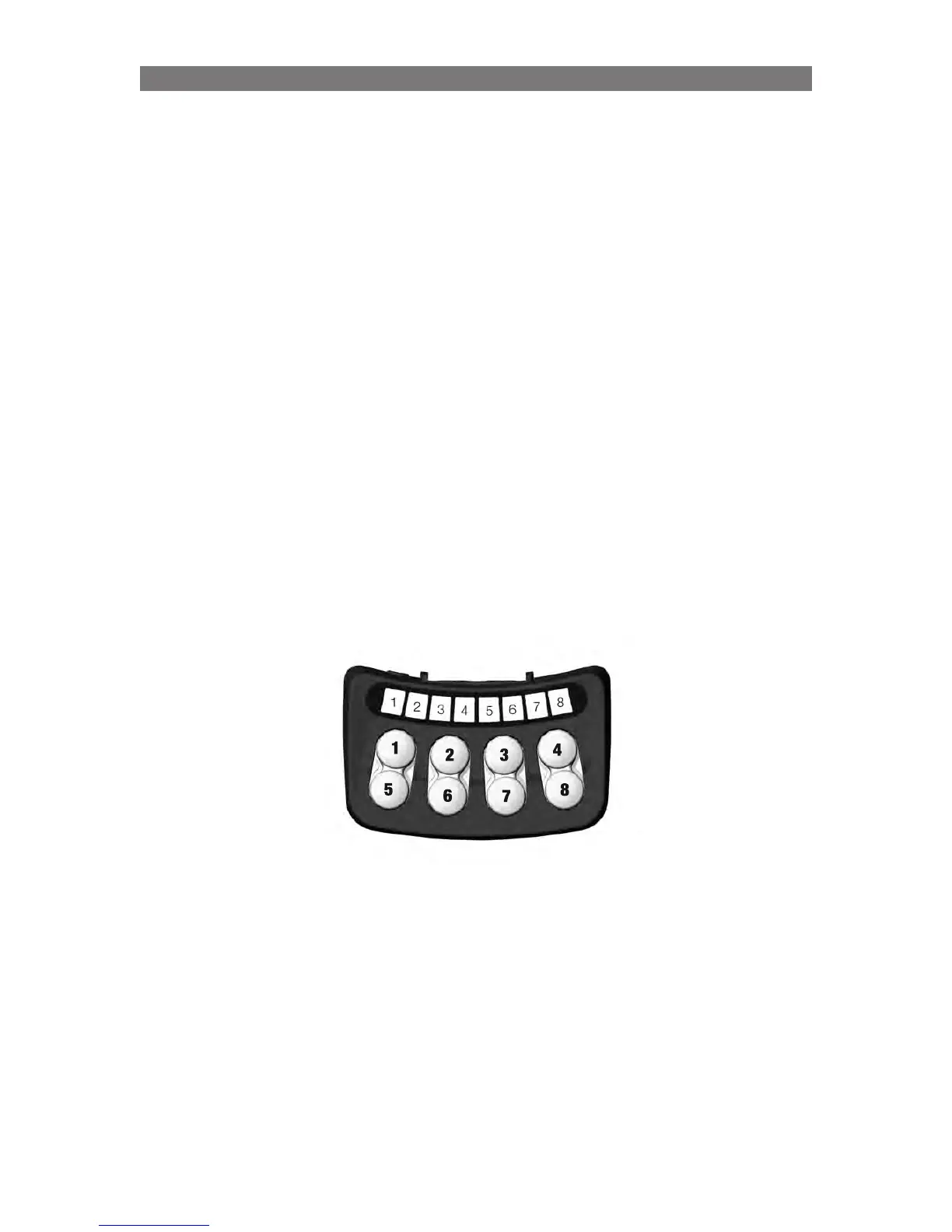
2. The system needs to be restarted by pressing and holding a combination of buttons: Press and hold
buttons 5, 6 and 3 on the ICS Switchbox. While doing this, switch the wheelchair on using the power
button on the joystick (or input device).
Once all the LEDs on the ICS Switchbox light up green, release buttons 5, 6 and 3.
- > LEDs 7 and 8 flash red to indicate actuator calibration mode.
If you want to perform a manual calibration by manually adjusting the length of the actuator, go to
point 8 under “Manual Calibration” on page 59. For automatic calibration, follow the instructions from
point 3 on page 57.



 To Next Page