53
53
K450 - Specific Attributes
Enabling Transport Position (WC19) Mode
The K450 can be equipped with an optional transportation kit. When the transportation kit is fitted, the ICS
must be programmed accordingly in order for the wheelchair to operate correctly. If the Transport Position
Mode is turned off, the user will not be able to place the K450 in the transportation position before entering
a vehicle.
This setting is programmed correctly when the wheelchair leaves the factory. Therefore, this setting only
needs adjustment when a Transportation Kit is added or removed in the field.
To change the Tranport Position Enabled setting:
To enter the Transport Position Enabled selection mode, the system needs to be started up with a
combination of pressed buttons: Press and hold Button 1, 2 and 7 on the ICS Switchbox, while holding
these buttons, turn on the wheelchair with the Power Button on the Joystick (or Input Device).
Once all LEDs on the ICS Switchbox turn green, release Buttons 1, 2 and 7.
• LED #7 flashes RED and LED #8 flashes GREEN to signify Transport Position Enabled selection
mode.
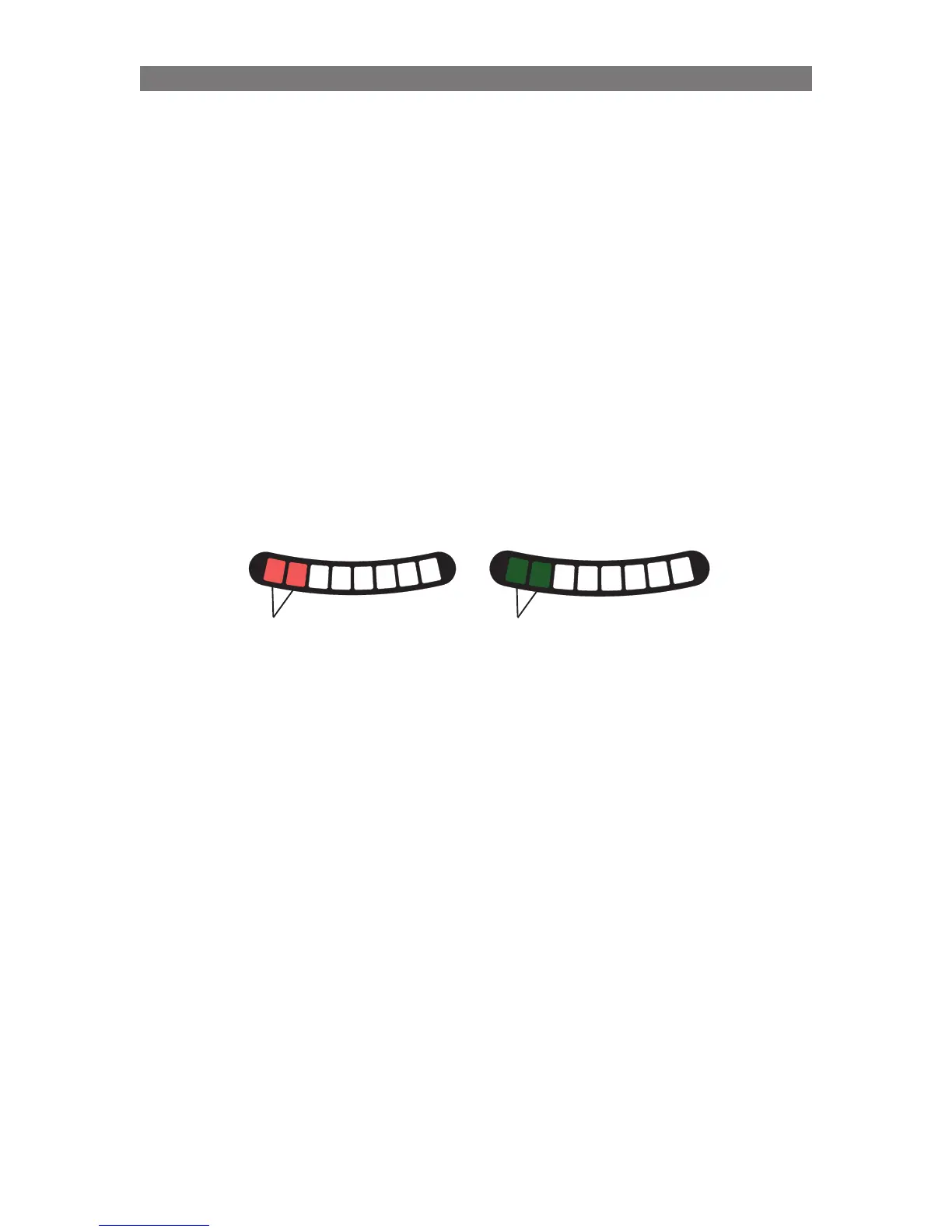
The setting is represented with LEDs 1, 2 on the ICS Switchbox. Ignore LEDs 3-6 when making this
adjustment.
Press Button 1 or Button 5 to change the Transport Mode Enabled setting.
After the desired setting is displayed with the LEDs, press and hold Button 8 for two seconds to save the
setting. Turn the wheelchair off and back on to continue normal usage.
1
2
3
4
5
6
7
8
1
2
3
4
5
6
7
8
Transport
Mode
OFF
Transport
Mode
ON
Solid Green
Solid Red
Programming K450 - Specific Attributes



 To Next Page