68
68
Seat Elevator Soft Pot Error Mode
The Seat Elevator fitted on the VS seating system is equipped with a Soft Pot positioning sensor. This
Soft Pot sensor enables the ICS system to determine the exact height of the seat elevator. The height
information is used to properly position the seat elevator during a standing sequence and enables storing
and recalling of seat position memories. If the information received from the Seat Elevator Soft Pot sensor
is incorrect, the seating system might be allowed to move to an unsafe position.
The ICS system routinely checks that it is receiving accurate information from the Soft Pot. If the system
detects that incorrect information is being received from the Soft Pot, it will enter a limited operation mode
to prevent the seating system from moving to an unsafe position. When the ICS system enters this limited
operation mode, it provides notification to the user.
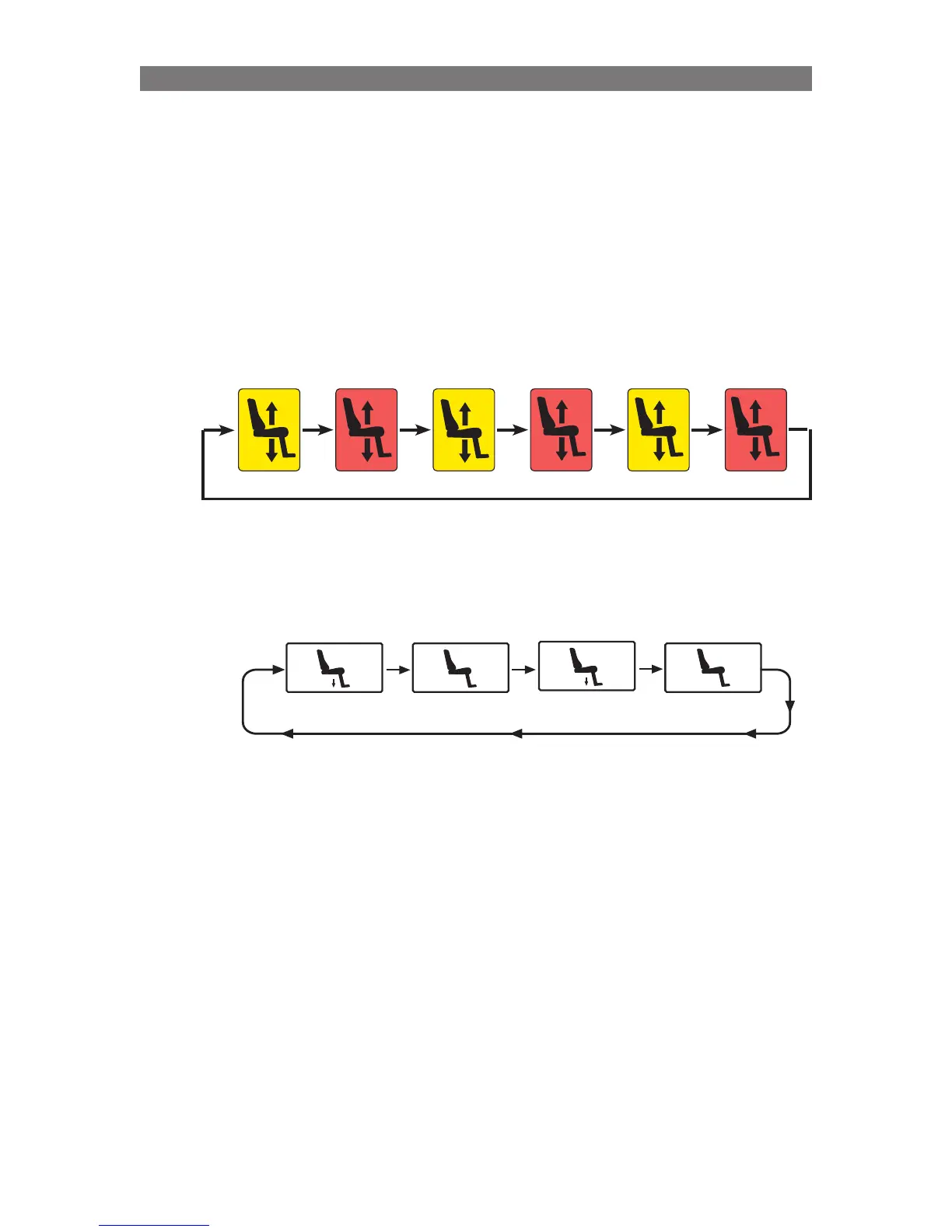
The system notifies the wheelchair user the Soft Pot Error Mode has been entered by flashing the Seat
Elevator icon on the ICS Switchbox with a yellow/red flash:
The system also notifies the wheelchair user the Soft Pot Error Mode has been entered by displaying a
flashing M8 in the R-net Joystick when the joystick is in Seating Mode:
Yellow/
Red
Flash
M8
M
8
M8
Flash
When the seating electronics are in the “Seat Elevator Soft Pot Error Mode”, the functionality of the seating
system and the driving system is limited in the following ways:
1.
Stand Up is not allowed. Stand Down is allowed to enable the user to return to a seated position.
2. Elevator Up is not allowed. Elevator Down is allowed enabling the user to attempt to reset the error.
3. The Seat Elevator will move at a reduced speed.
4. The chair will only drive at a maximum of half-speed.
Note that once the Stand Actuator is fully un-stood the legrest, backrest and tilt will function normally.
The fault that caused the Elevator Soft Pot Error may have been temporary, therefore, the user may be
able to reset the error mode by moving the seat elevator to its lowest position. Operate the seat elevator
down button until elevator movement stops. If the system is receiving the correct information from the Soft
Pot again, the Seat Elevator icon will return to a solid green color.
If the Seat Elevator is moved to its lowest position and the information from the soft pot is not correct, the
yellow/red flashing and M8 flash will continue. The user should contact their Service Provider and notify
them of the switchbox/joystick flashing so that a service technician can resolve the problem.
Once the Service Technician is with the wheelchair, the seating electronics can be placed in a special
mode that will enable the technician to access the seat elevator for troubleshooting and repair.
Yellow
Red
Yellow
Red
Yellow
Red
Programming Seat Elevator Soft Pot Error Mode



 To Next Page