52
52
Setting Optional Tilt
The VS Seat is available with an optional Power Tilt. When this powered seat function is fitted to the
seating system, the Intelligent Control System must be programmed accordingly in order for the wheelchair
to operate correctly.
The system is programmed correctly when it leaves the factory. Therefore, this setting only needs
adjustment is Power Tilt is added or removed from the seating system, in the field.
To change the Tilt Setting:
To enter the Tilt Selection mode, the system needs to be started up with a combination of pressed buttons:
Press and hold Button 1, 2 and 7 on the ICS Switchbox, while holding these buttons, turn on the wheelchair
with the Power Button on the Joystick (or Input Device).
Once all LEDs on the ICS Switchbox turn green, release Buttons 1, 2 and 7.
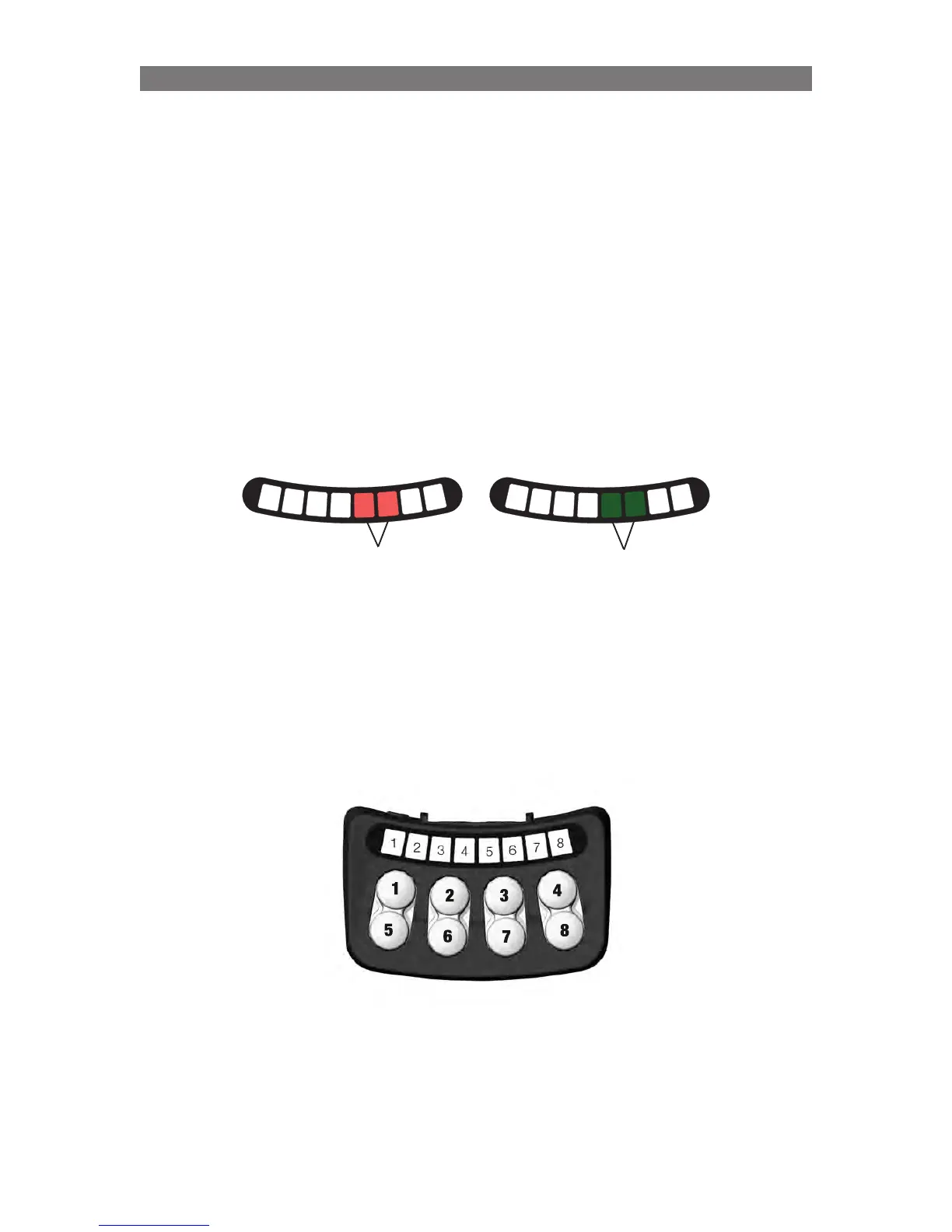
• LED #7 flashes RED and LED #8 flashes GREEN to signify Tilt Selection mode.
The Tilt status is represented with LEDs 5, 6 on the ICS Switchbox. Ignore LEDs 1-4 when adjusting this
setting.
1
2
3
4
5
6
7
8
1
2
3
4
5
6
7
8
NO
Tilt
Tilt
Installed
Press Button 3 or Button 7 to change the Tilt setting.
After the appropriate Tilt setting is displayed with the LEDs, press and hold Button 8 for two seconds to
save the setting. Turn the wheelchair off and back on to continue normal usage.
Solid Green
Solid Red
Programming VS - Specific Attributes



 To Next Page