24
Selecting the LED Indication Level
This programming mode is the same as the User Weight Entry mode. As such, this setting can be
completed at the same time.
The type of indication that is given by the LEDs inside the ICS Switchbox can be adjusted. If perhaps, a
user is easily distracted by the flashing indications, these can be hidden by selecting Indication Level 2.
NOTE: Flashing RED LEDs (Actuator Errors) are displayed in every Indication Level.
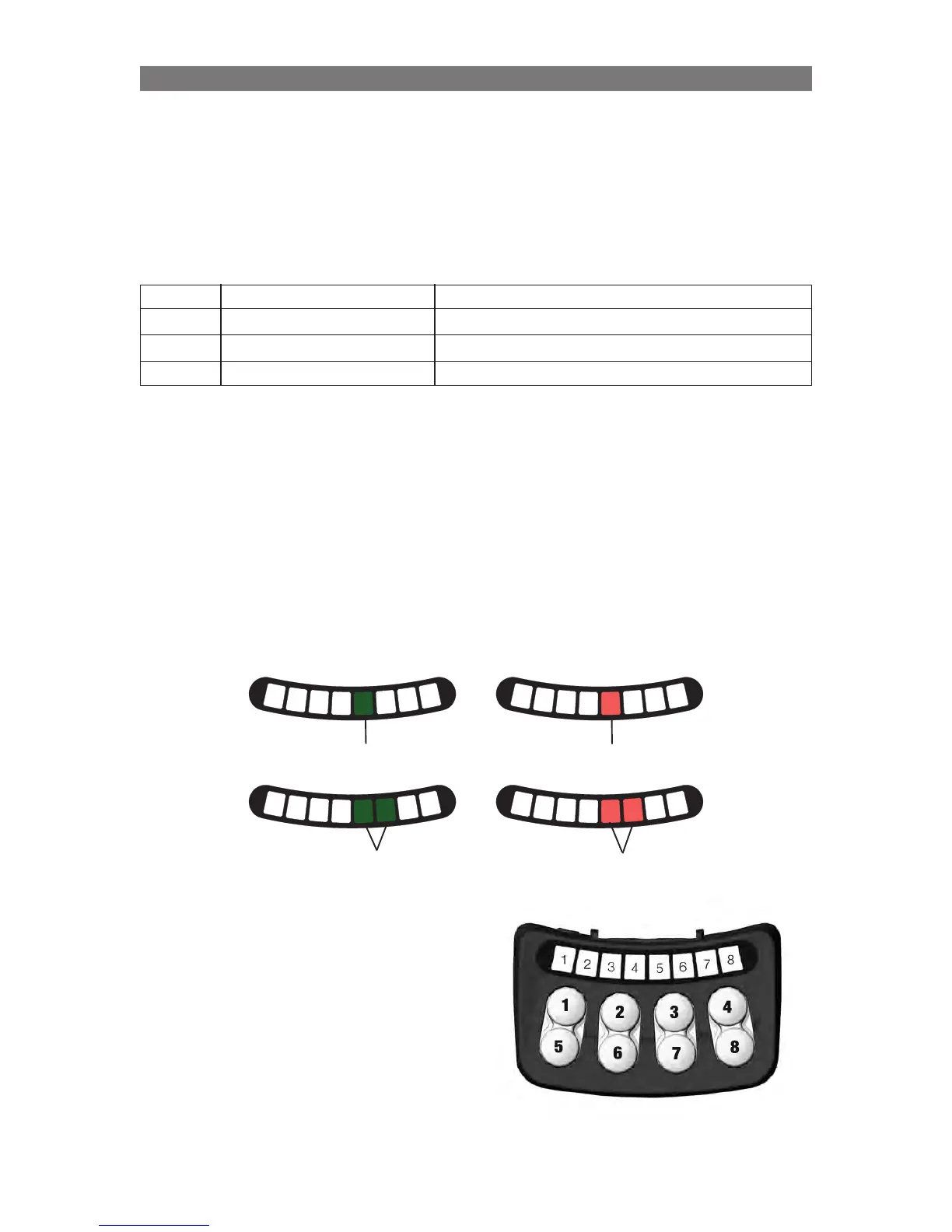
Available LED Indication Levels:
Level 1 All LEDs off. No indications. (Use with “single page” layouts.)
Level 2 Only displays Green LEDs No indication of Drive Speed or Actuator Limits.
Level 3 Only displays Solid LEDs No indication of Actuator Limits (Only Drive Speed.)
Level 4 All Indications Displayed (Default Setting)
NOTE: Flashing RED LEDs (Actuator Errors) are displayed in every Indication Level.
To set the LED Indication Level:
To enter the Indication Level Selection mode, the system needs to be started up with a combination of
pressed buttons: Press and hold Button 2 and Button 4 on the ICS Switchbox, while holding these buttons,
turn on the wheelchair with the Power Button on the Joystick (or Input Device).
Once all LEDs on the ICS Switchbox turn green, release Buttons 2 and 4.
• LED #8 will flash RED to signify Indication Level Selection mode.
The LED Indication Level is represented with LEDs 5, 6 on the ICS Switchbox.
Once in the Indication Level Selection mode, the
current indication level setting will be displayed.
Find the desired indication level in the chart above
and select this range using Button 3 and 7.
Press Button 3 to increase the Indication Level or
Button 7 to decrease the Indication Level.
After the appropriate indication level is displayed
with the LEDs, press and hold Button 8 for two
seconds to save the setting.
1
2
3
4
5
6
7
8
1
2
3
4
5
6
7
8
Indication
Level 2
Indication
Level 4
Solid Red
Solid Green
1
2
3
4
5
6
7
8
1
2
3
4
5
6
7
8
Indication
Level 1
Indication
Level 3
Solid Red
Solid Green
Programming Configuring using the ICS Switchbox



 To Next Page