9
Switchbox LEDs
In addition to the button symbols, the switchbox provides feedback through its built-in LEDs. Each
button and function has its own LED. The information presented by the LEDs is related to available seat
function, active seat function inhibit, active drive speed limit, active drive inhibit and system errors.
There are three light states that the LED above the switch can have, Off, Solid or Flashing. A solid LED
communicates drive-related information. A flashing LED communicates actuator-related information.
There are three colors that the LED above the switch can have, Green, Yellow or Red. A green LED
communicates “ok”, “ready” or “go” (i.e. full speed). A yellow LED communicates some kind of restriction.
(i.e. half speed). A red LED communicates some kind of stop or error. (i.e. drive inhibit).
The states and the colors of the LEDs give information about the system and the actual situation. Below
are some examples:
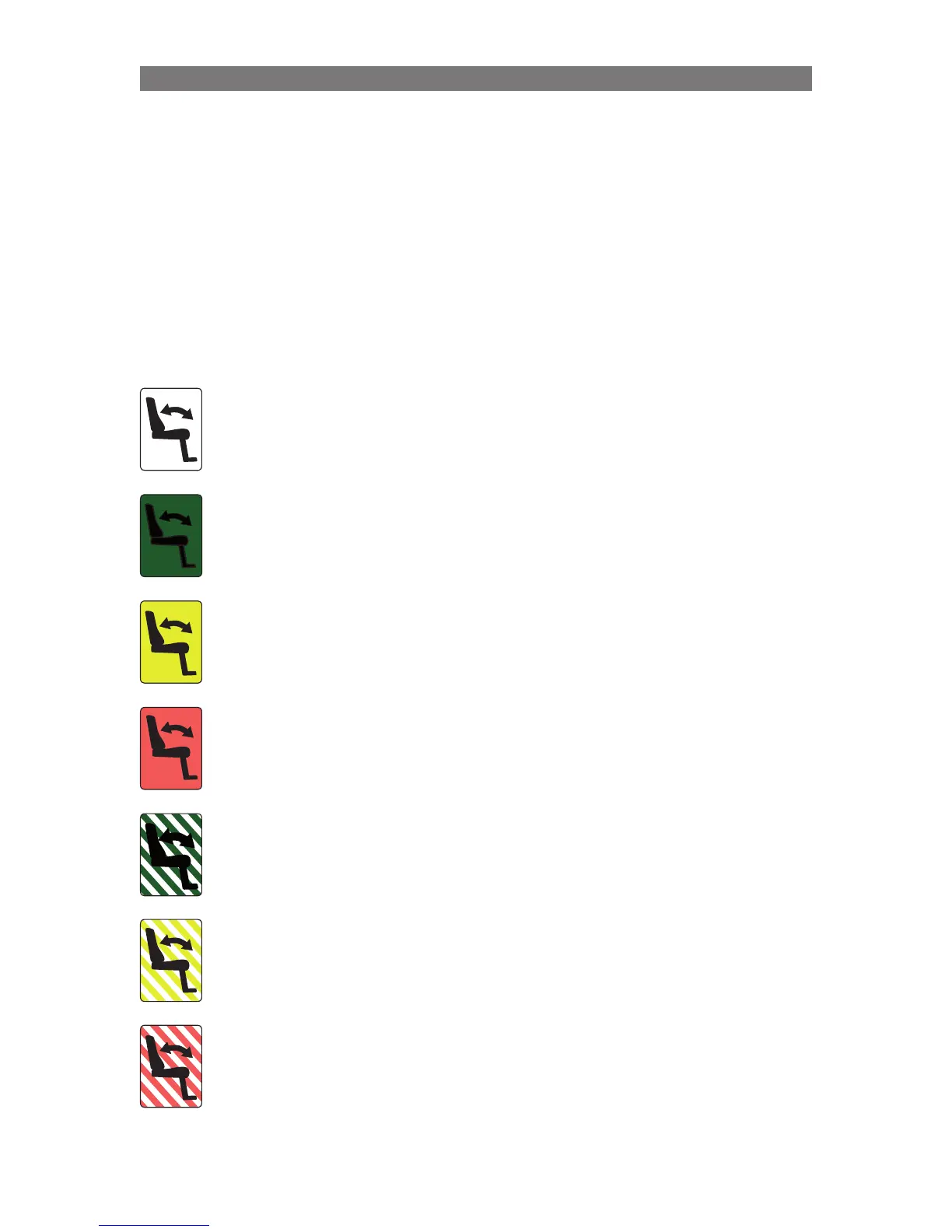
Seat Function Icon is “OFF”
This signifies that the seat function is not currently active.The selection of
the Left/Right seat functions is toggled with the Swap Switch.
Seat Function Icon is “GREEN” (solid)
This signifies that the seat function is responsive, activating the switch
below the icon will move the seat function. This also shows that this seat
function is not limiting the Drive Speed of the chair.
Seat Function Icon is “YELLOW” (solid)
This signifies that the seat function is responsive, activating the switch
below the icon will move the seat function. But, the chair Drive Speed is
Limited due to the position of this function.
Seat Function Icon is “RED” (solid)
This signifies that the seat function is responsive, activating the switch
below the icon will move the seat function. But, the chair Drive is Inhibited
due to the position of this actuator.
Seat Function Icon is “FLASHING GREEN”
This indication signifies a special or extended feature. i.e. Memory Mode.
Seat Function Icon is “FLASHING YELLOW”
The Seat Function is Inhibited in one direction, due to a safety limit.
This signifies that the seat function is responsive, however, activating the
switch below the icon will only move the seat function in the “safe” direction.
Seat Function Icon is “FLASHING RED”
This signifies that there has been an error detected with the Seat Function.
Since there are several error conditions, activating the switch below the
icon may not operate the seat function. It is recommended to note the
seat position and what occurred just before the RED Flash began, as this
information can aid your service representative.
Operation Controls and Feedback



 To Next Page