79
79
Operating Seat Functions Manually:
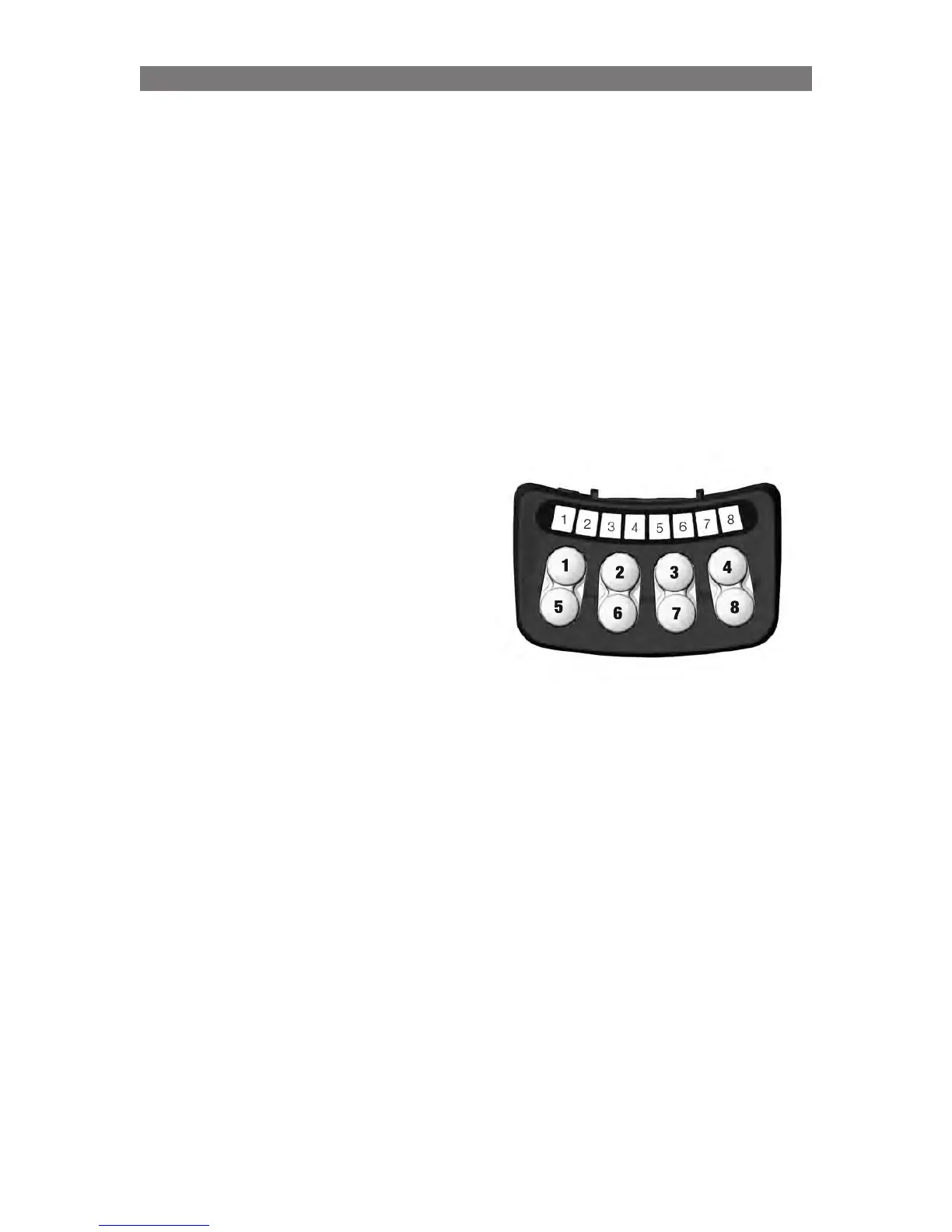
The seat functions that are assigned to the switchbox buttons are different from the programmed layout
while in the Manual Operation mode. During Manual Operation mode, the actuator operating speeds are
limited to 50% to make it easier to monitor the seating system’s movement visually. The button functions
are shown below:
Seat Elevator Operation:
Button #2 will raise the Legrest
Button #6 will lower the Legrest
Legrest Operation:
Button #4 will raise the Legrest
Button #8 will lower the Legrest
Recline Operation:
Button #3 will move the Backrest forward
Button #7 will move the Backrest backward
Stand Operation:
Button #1 will raise the Stand Actuator
Button #5 will lower the Stand Actuator
NOTE: In Manual Operation mode, the Standing
Sequence is not performed. Therefore, if the seating
system must be moved to a standing position,
the Seat Elevator, Legrest and Backrest must be
operated separately to prevent the Stand Actuator
from causing damage to the seating system or
chassis.
To exit Manual Operation mode:
1. Turn the wheelchair off.
Servicing Emergency Manual Operation Mode (Take Me Down)



 To Next Page