101XF Camera System Manual |
Hasselblad H-series Cameras
Phase One IQ Digital Backs incorporating a Hasselblad H mount can be fitted
to most early Hasselblad H-series cameras, including the Hasselblad H1 and H2.
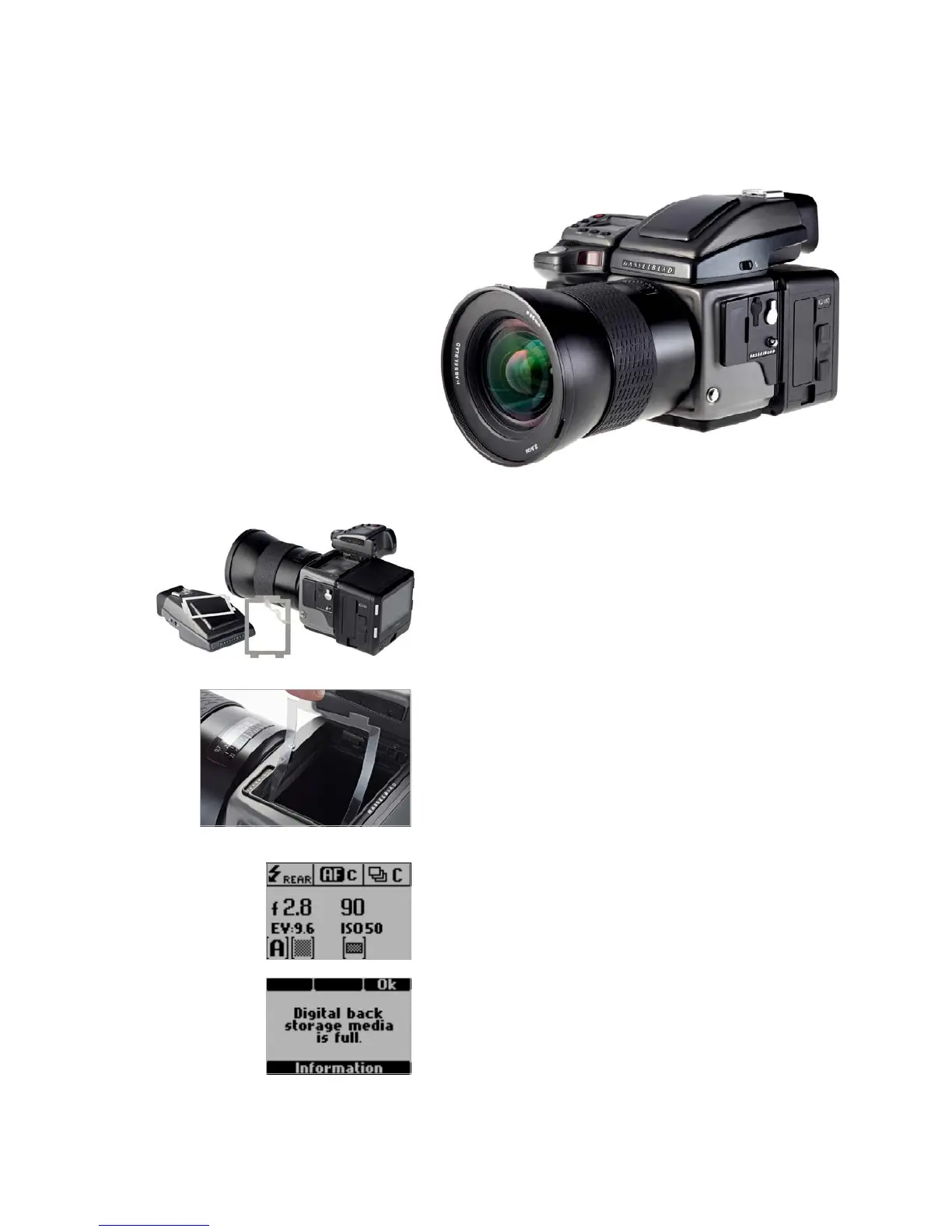
Viewfinder Masking
Please check the relevant Hasselblad H-series manual regarding how to detach
the viewfinder and remove the focusing screen. Masking is only required for
the 50MP or 40MP IQ Digital Backs.
1. Remove the protection tape from the mask.
2. Detach the Viewfinder and remove the focusing screen.
3. Place the viewfinder mask in the bracket that holds the focusing screen.
4. Re-mount the focus screen, followed by the viewfinder.
Hasselblad H-series Camera Display
The Hasselblad H-series grip-screen can display some information from the
Phase One IQ Digital Back. Information includes the ISO setting of the IQ
Digital Back and certain error messages, for example, ”Digital back storage
media is full”.
Please note, ISO settings should be set from the IQ Digital Back or in Capture
One Pro software when shooting tethered.
All the Hasselblad H-series camera auto exposure modes are fully supported
by the IQ Digital Back. Please check the relevant Hasselblad H-series manual
for more information on exposure modes.
Viewfinder Masking
Hasselblad H-series
Camera Display



 To Next Page