Mechanical Instructions
EN 11Q528.1A LA 4.
Important: For (older) FTV sets without these “mushrooms”, it
is obligatory to use the provided screws, otherwise it is possible
to damage the monitor inside!
4.3 Assy/Panel Removal ME7 styling
4.3.1 Rear Cover
Warning: Disconnect the mains power cord before you remove
the rear cover.
Warning: Most sets have additional doors located in the rear
cover. These are meant for disconnecting the flat cables to the
AmbiLight units in the rear cover, before the rear cover is
lifted from the set. The additional doors are not always
located at the same place for all sets, therefore the figures
below are only meant as indication.
It is mandatory to locate these additional doors first, open them,
and unplug connectors behind. Lifting the rear cover without
having done this, will result in damaging connectors inside!
Refer to next figures for details.
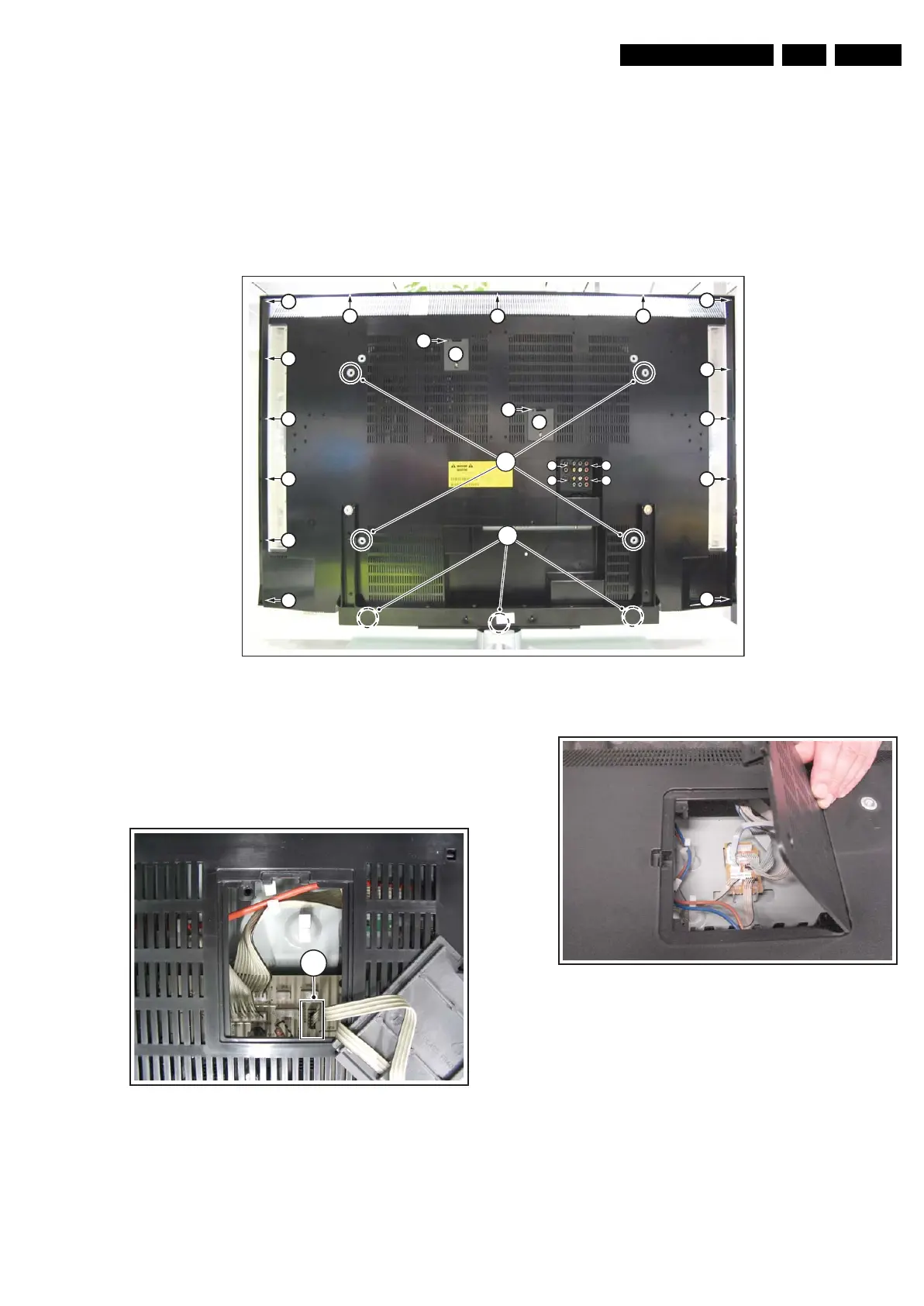
Figure 4-7 Rear Cover Removal
1. Remove the stand.
2. Remove the mushrooms [1].
3. Remove the screws [2].
4. Open the doors [3] on the back cover.
Refer to figures “Door Removal” for details.
Figure 4-8 Door Removal -1-
1. Unplug connector [4].
Figure 4-9 Door Removal -2-
1. Unplug connectors necessary for removing the backcover.
H_16770_081.eps
130707
2
2
2
2
2
2
2
2
3
3
2 2
2
2
2
2
2
2
2
2 2 2
1
2
H_16770_082.eps
130707
4
H_16770_084.eps
220307




 To Next Page