Service Modes, Error Codes, and Fault Finding
EN 45Q528.1A LA 5.
5.8.11 Display option code
Caution: In case you have replaced the SSB, always check the
display option code in SAM, even if you have picture. With a
wrong display option code it is possible that you have picture,
but that in certain conditions you have unwanted side-effects.
5.8.12 Upgrade EDID NVM
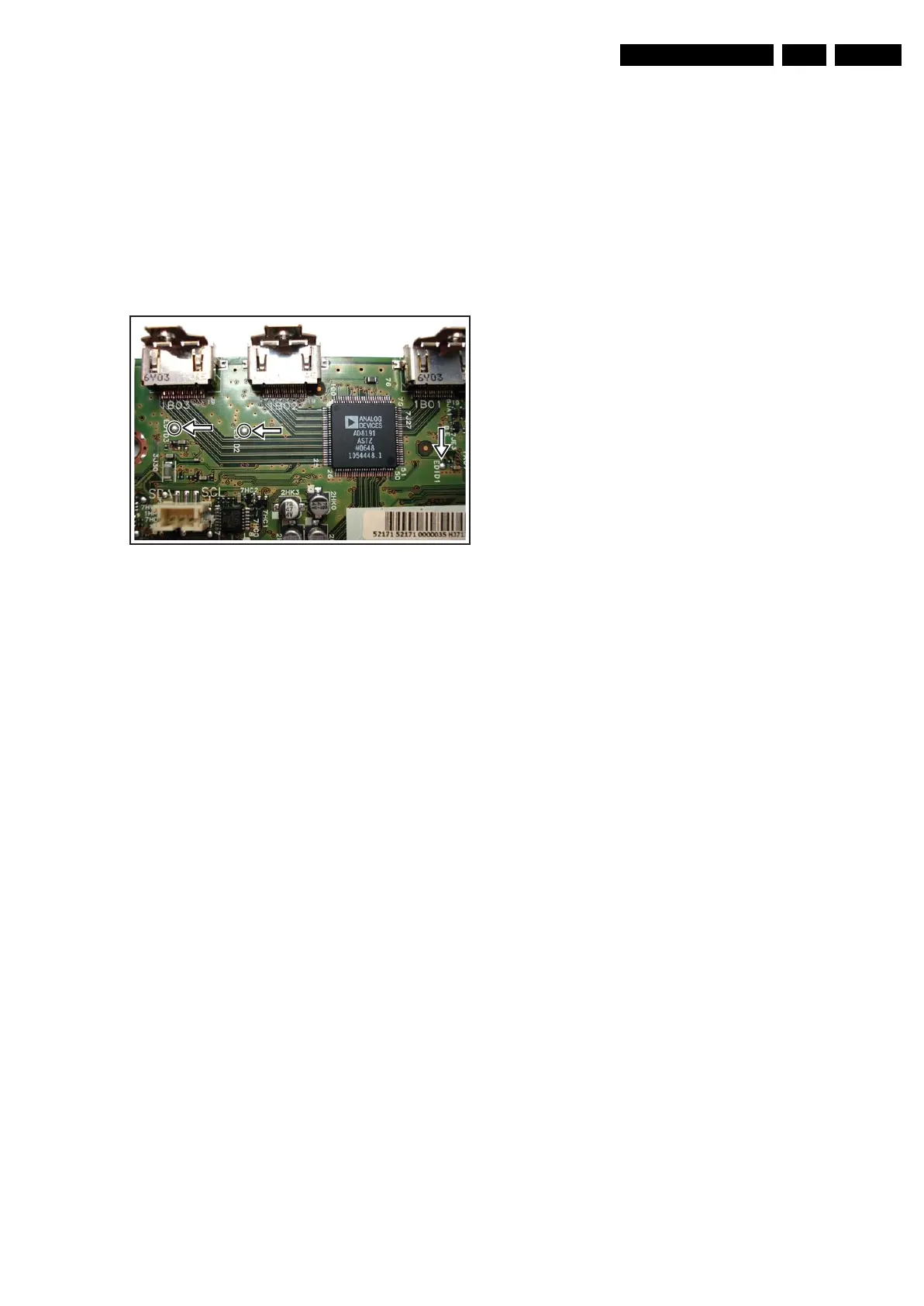
To upgrade the EDID NVM you must short circuit pin 7 of the
EDID NVM to ground. Therefore some test points (EDID1,
EDID2 and EDID3) are foreseen (figure “EDID-NVM pins”).
See ComPair for further instructions.
Figure 5-15 EDID-NVM pins
5.9 Software Upgrading
5.9.1 Introduction
The set software and security keys are stored in a NAND-
Flash, which is connected to the PNX85xx via the PCI bus.
It is possible for the user to upgrade the main software via the
USB port. This allows replacement of a software image in a
stand alone set, without the need of an E-JTAG debugger. A
description on how to upgrade the main software can be found
in the DFU.
Important: When the NAND-Flash must be replaced, a new
SSB must be ordered, due to the presence of the security
keys!!! (copy protection keys, MAC address, ...).
Perform the following actions after SSB replacement:
1. Set the correct option codes (see sticker inside the TV).
2. Update the TV software (see the DFU for instructions).
3. Perform the alignments as described in chapter 8 (section
“Reset of Repaired SSB”).
4. Check in CSM if the HDMI keys are valid.
5.9.2 Main Software Upgrade
The software image resides in the NAND-Flash, and is
formatted in the following way (refer to figure “NAND-flash
content”):
H_16800_122.eps
240707











 To Next Page