Mechanical Instructions
EN 23Q528.1A LA 4.
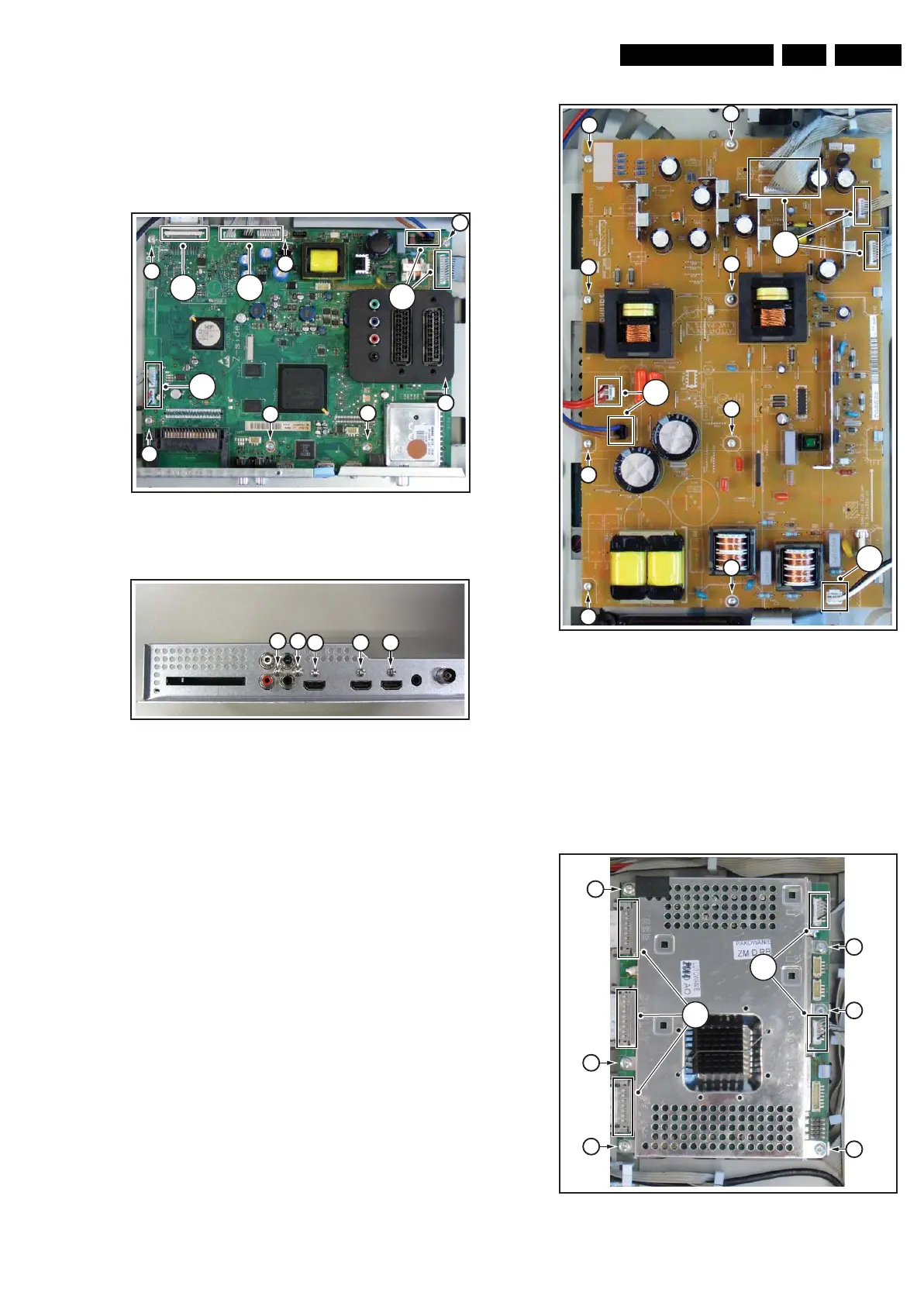
1. Unplug the LVDS connector [1].
Caution: be careful, as this is a very fragile connector!
2. Unplug the connectors [2].
3. Remove the screws [3].
4. Remove the parker screws [4].
5. Remove the tapping screws [5].
The SSB can now be taken out of the set.
Figure 4-36 Small Signal Board removal [1/2]
Figure 4-37 Small Signal Board removal [2/2]
4.4.13 Power Supply Unit (PSU)
Refer to next figure for details.
1. Unplug the connectors [1].
2. Remove the screws [2].
The PSU can now be taken out of the set.
Figure 4-38 PSU panel removal
4.4.14 Dynamic Frame Insertion panel (DFI)
Refer to next figures for details.
1. Unplug the LVDS connectors [1].
Caution: be careful, as these are very fragile connectors!
2. Unplug the other connectors [2].
3. Remove the screws [3].
The DFI panel can now be taken out of the set.
Figure 4-39 DFI panel removal
H_16801_126.eps
030907
3
3
3
3
3
3
3
1 2
2
2
H_16800_120.eps
240707
555
44
H_16801_127.eps
310807
2
2
2
2
2
2
2
2
1
1
1
H_16801_128.eps
310807
3
3
3
3
3
3
1
2










 To Next Page