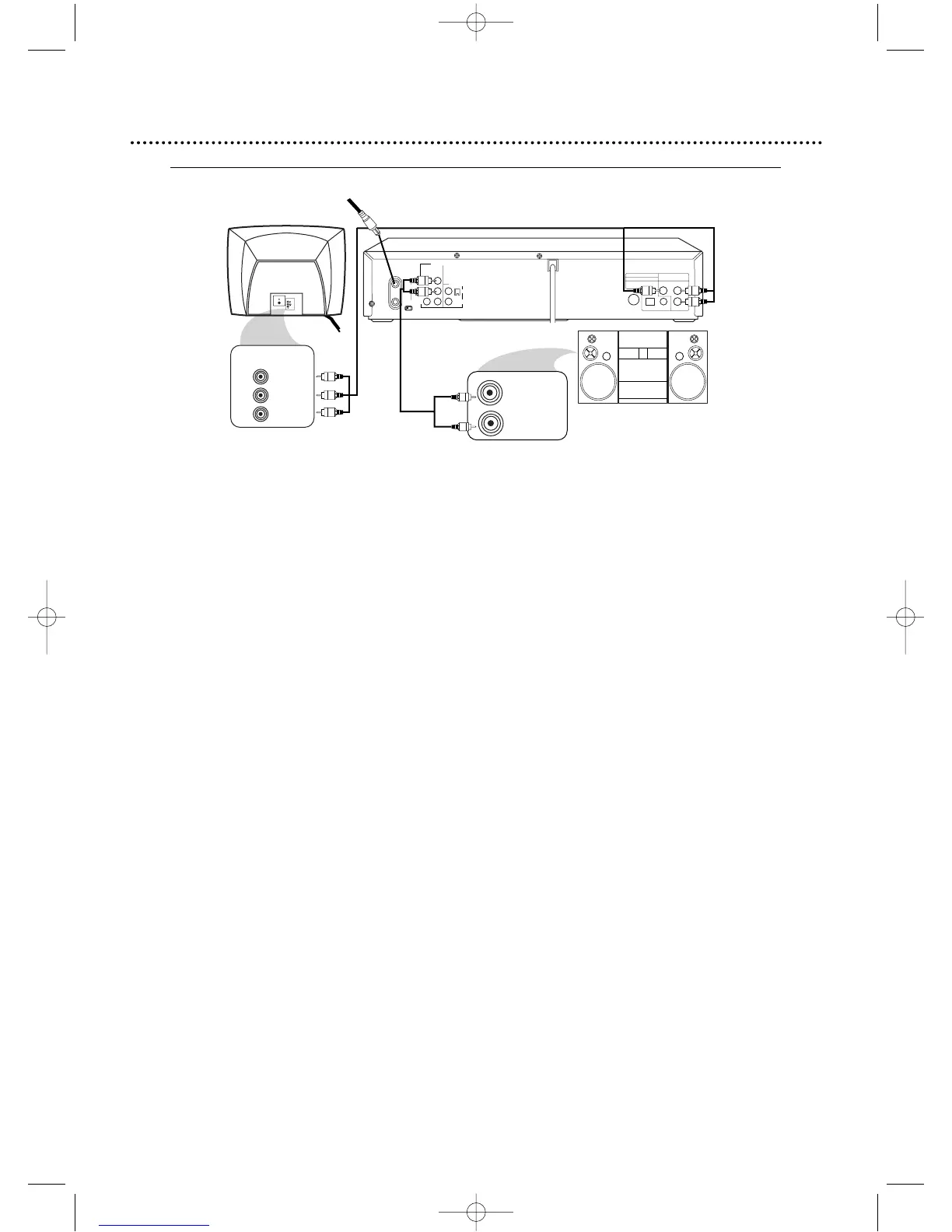
1
Connect the antenna or cable to the ANT-IN (Antenna In) jack of your DVD/VCR.
2
Connect the red and white audio cables to the red and white DVD/VCR AUDIO OUT Jacks on
the DVD/VCR and to the red and white AUDIO IN jacks on the Stereo,matching the cable colors
to the jack colors.
3
Connect an optional component video cable to the COMPONENT VIDEO OUT jacks on the
DVD/VCR and to the COMPONENT VIDEO IN jacks on the TV. The Component Video connection
only supplies video (picture) for the DVD Player of the DVD/VCR.Therefore,in order to use the VCR features or
view TV channels at the DVD/VCR,you still need to either connect the RF coaxial cable between the ANT-OUT jack of the
DVD/VCR and the TV’s Antenna In jack,or connect the yellow video cable.To connect the supplied RF coaxial cable,see
step 3 on page nine.To connect the supplied yellow video cable,see step 3 on page 12.
4
Connect the power cords of all the equipment to a power outlet. Turn on the Stereo and select
the Stereo’s Auxiliary IN station.Turn on the TV and set it to the Component Video In channel. If
you are using the RF coaxial cable for VCR playback,choose channel 3 or 4 at the TV.If you are using the
red/white/yellow audio/video cables for VCR playback,choose the Audio/Video In channel at your TV.Or,simply
continue changing channels at the TV until you see VCR or DVD playback on the TV screen.
5
You are ready to turn on the DVD/VCR.Go to page 16 before turning on the DVD/VCR.You must
complete the VCR setup before you can access the DVD Player, so it is important to complete
the steps on page 16.
6
After you complete the VCR setup as described on page 16,set Dolby Digital and DTS to Off on
the DVD/VCR. Details are on pages 72-73. If you play a DVD when the settings are wrong,the sound will be
distorted or you may damage the speakers.
3
2
Back of TV
(example only)
DVD/VCR
Back of Stereo
(example only)
1
antenna/cable signal
DV910(H9100).QX33 01.8.9 10:26 AM Page 13



 To Next Page