Track Playback 57
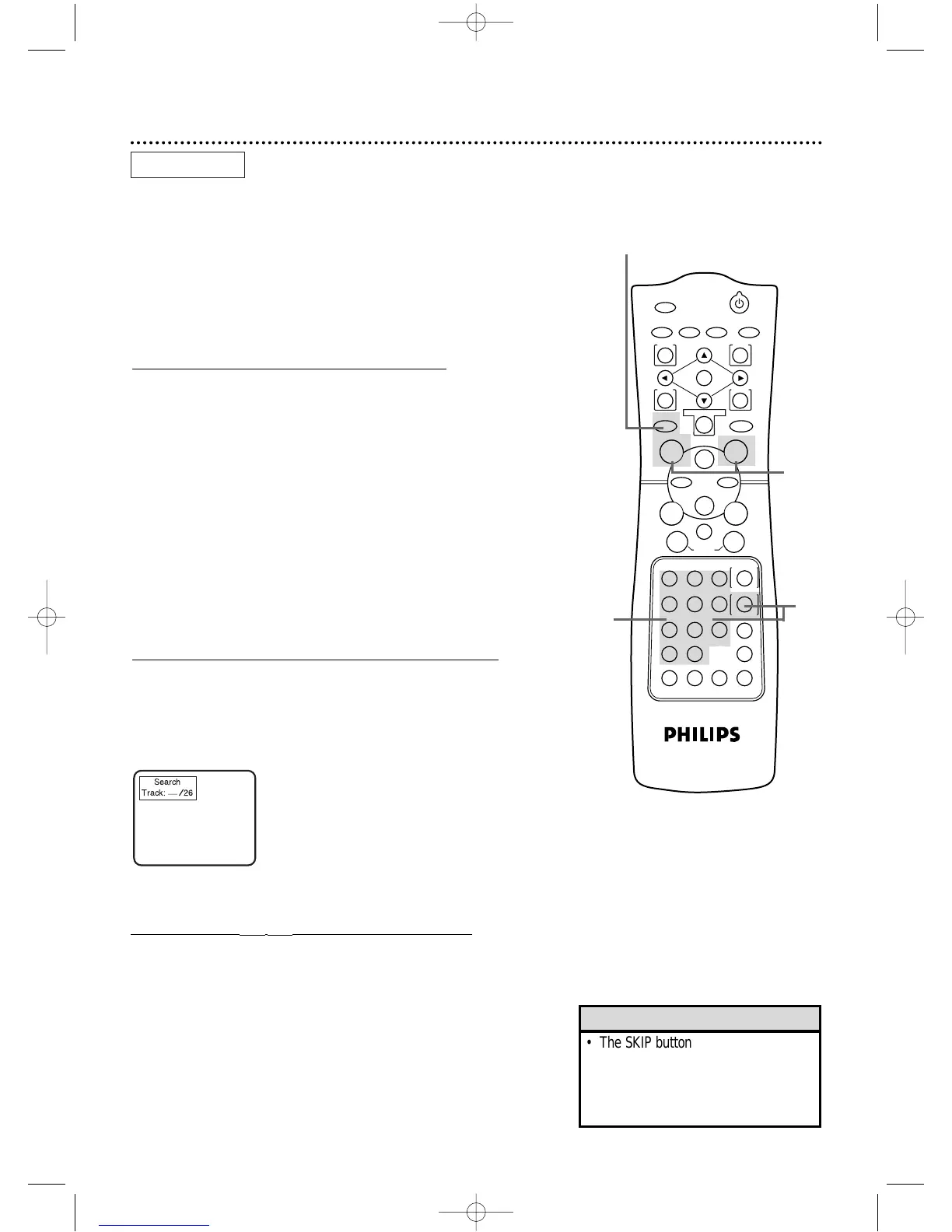
Starting Playback at a Specific Track
There are three ways to begin playback on an Audio CD at a specific
Track:Use the Number buttons,the SEARCH MODE button,or the
SKIP H G buttons.For details,read the information below.
● Before you begin,place the DVD/VCR in DVD mode.
Press the OUTPUT SELECT button so that the red DVD OUT-
PUT light appears on the front of the DVD/VCR.
A
Using the Number Buttons to Select a Track
During playback or when playback is stopped, press the
DVD button, then press the Number buttons to enter the
desired Track number.Playback will start at the selected Track.
For single-digit Tracks (1-9), press a single Number button.For exam-
ple,to play Track three,press the Number 3 button.
For Tracks 10 and above,press the +10 button so that the Search
display appears on the TV screen.Then press the Number button of
the first digit,then press the Number button of the second digit.
For example,to play Track 26,press the +10 button,then press the
Number 2 button,then press the Number 6 button.
If you enter a Track number that is not available on the Disc,playback
will not begin (or the current Track will continue to play). An “X”
will appear in the top right corner of the TV screen.
B
Using the SEARCH MODE Button to Select a Track
Press the DVD button,then press the SEARCH MODE but-
ton once so that the Track Search display appears.Within 30
seconds,press the Number buttons to select the Track num-
ber you desire. Playback will begin at the selected Track.For a sin-
gle-digit Track (1-9),enter a zero first.For example,to play Track 5,
press 0,5.
C
Using the SKIPH G Buttons to Select a Track
Press the DVD button,then press the SKIP
GG
button dur-
ing playback to skip the current Track and move to the next
Track.Press the SKIP
GG
button repeatedly to skip subse-
quent Tracks.The Track number will appear briefly on the
DVD/VCR display panel.
Press the SKIP
HH
button during playback to return to the
beginning of the current Track.Press the SKIP
HH
button
repeatedly to go to previous Tracks.The Track number will
appear briefly on the DVD/VCR display panel.
If you press a SKIP button when playback is paused,the selected Track
will begin playing automatically.
AUDIO CD
A
C
B
A-C



 To Next Page