18 Automatic Channel Setup (cont’d)
Adding/Deleting Channels
You may want to add or delete channels if your channel lineup
changes or if you no longer watch some channels.
● Before you begin,place the DVD/VCR in VCR mode.Press the
OUTPUT SELECT button so that the green VCR OUTPUT light
appears on the front of the DVD/VCR.Press the VCR/TV button
so that the VCR/TV light appears on the front of the DVD/VCR.
1
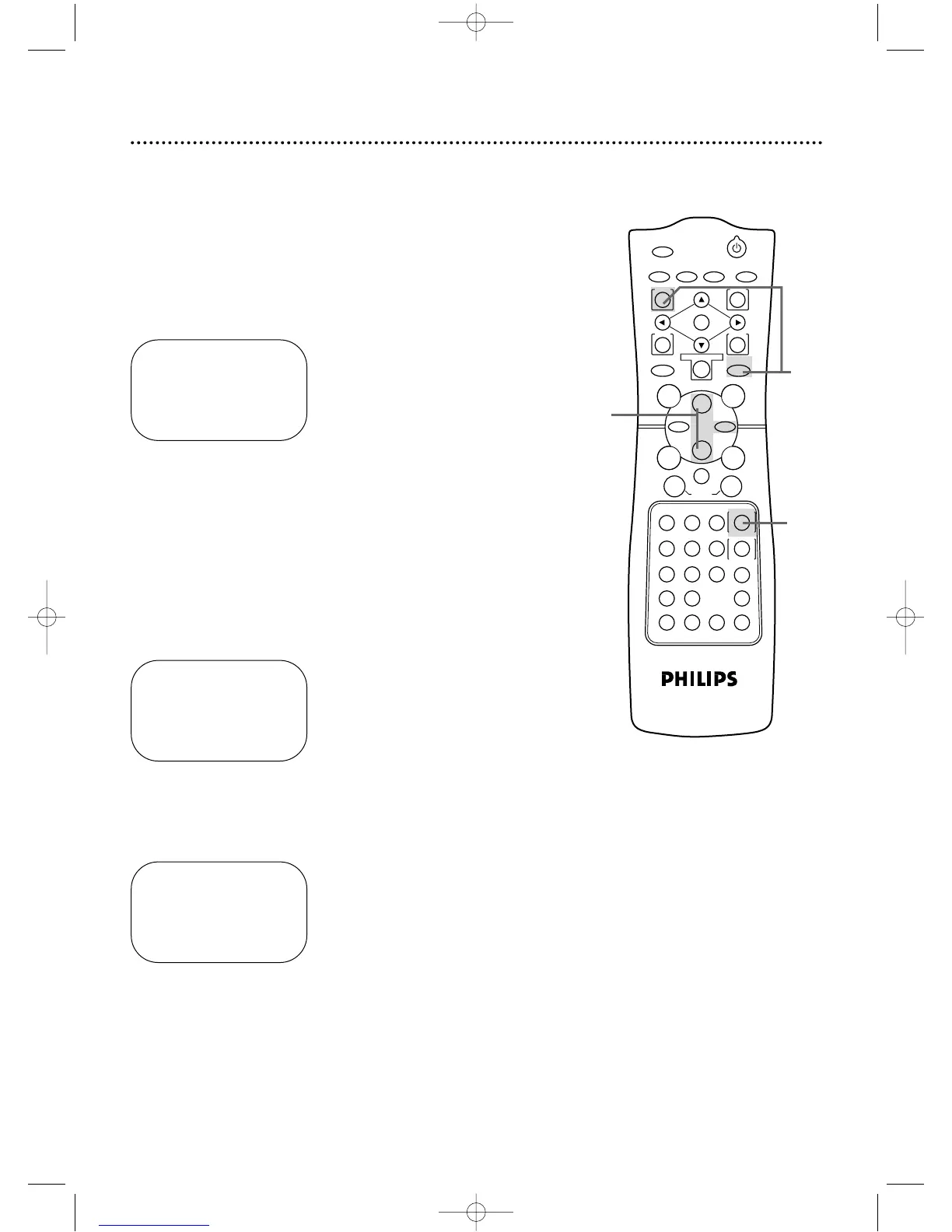
Press the VCR button,then press the MENU button.
SELECT op ADD/DELETE B
124 DELETED
125 DELETED
1 → DELETED
2 ADDED
3 ADDED
TO END PUSH EXIT
2
Press the Play B button or the Stop C button to select
TUNER SET UP,then press the Fast Forward g button.
3
Press the Play B button or the Stop C button to select
ADD/DELETE CH,then press the Fast Forward g
button.If you have an antenna,channel numbers 2-69 will appear on
the ADD/DELETE CH menu.If you have a cable connection,channels
1-125 will be available.
SELECT op ADD/DELETE B
16 DELETED
17 ADDED
18 → ADDED
19 ADDED
20 ADDED
TO END PUSH EXIT
5
Press the Fast Forward g button to select ADDED or
DELETED. Repeat steps 4 and 5 until you have added or deleted all
the channels you wanted to add or delete.
6
Press the DISPLAY/STATUS/EXIT button.
4
Press the Play B button or the Stop C button until the
channel number you want to add or delete appears beside
the arrow.
2-5
SELECT op CHOOSE B
→ PROGRAM
VCR SET UP
TUNER SET UP
SET CLOCK
TO END PUSH EXIT
1
6
DV910(H9100).QX33 01.8.9 10:26 AM Page 18



 To Next Page