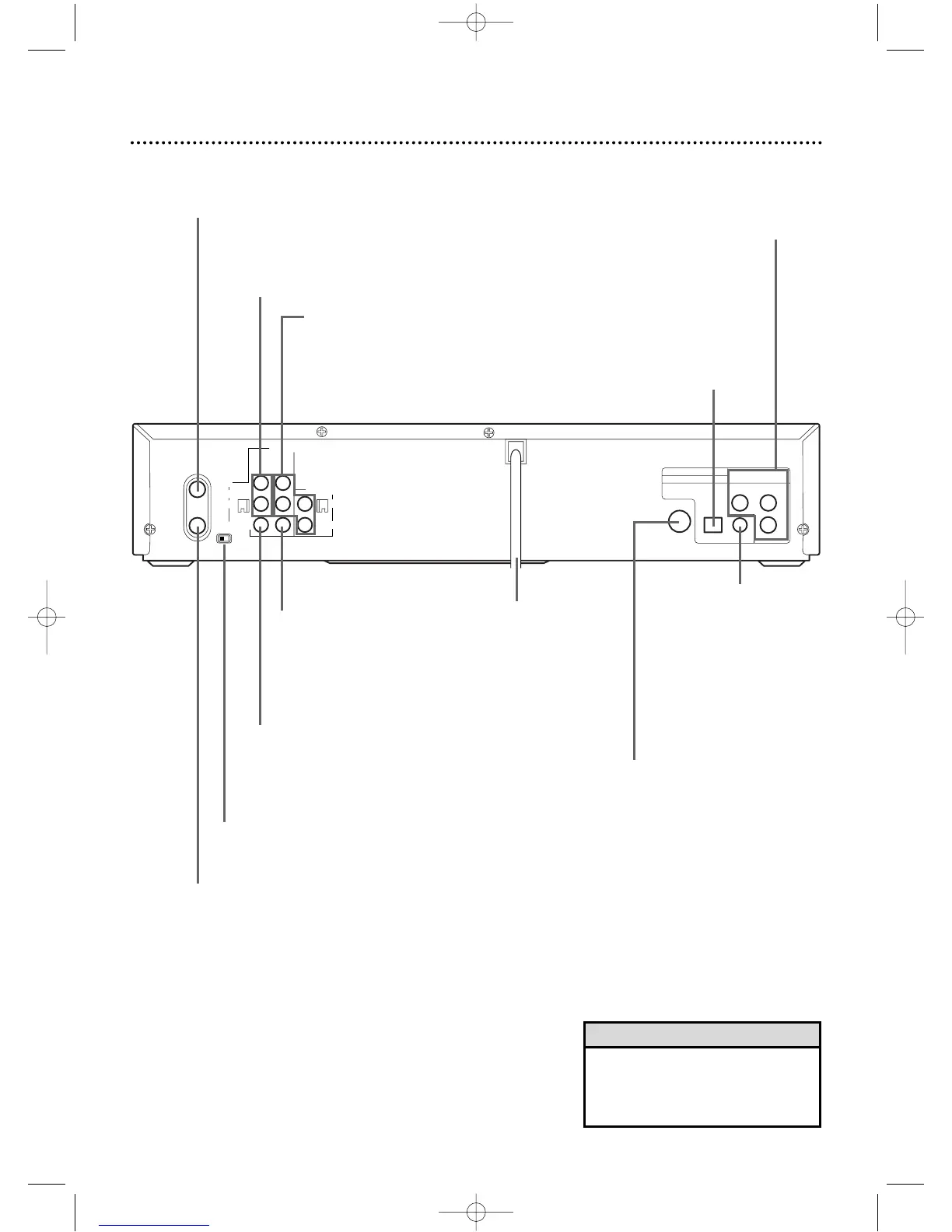
AC Power Cord
Connect to a stan-
dard AC outlet to
supply power to
the DVD/VCR.
OPTICAL Jack
Connect an optional audio optical
cable here and to the Optical
Digital Audio In jack of a decoder
or audio receiver.Details are on
page 14.When the OPTICAL jack
is not in use, make sure its protec-
tive cap is in place.
S-VIDEO OUT Jack
Connect an optional S-Video cable here
and to the S-Video In jack of a televi-
sion.Details are on pages 12 and 14.
DVD/VCR
VIDEO OUT Jack
Connect the yellow video cable
(supplied) here and to the TV’s
Video In jack.Details are on
pages 12 and 14.
DVD/VCR AUDIO OUT Jacks
Connect the supplied audio cables
here and to the Audio In jacks of a
television or other audio equip-
ment.Details are on pages 12-13.
COAXIAL Jack
Connect an optional
coaxial digital audio
cable here and to the
Coaxial Digital Audio
In jack of a decoder or
audio receiver.Details
are on page 14.
ANT-IN (Antenna In) Jack
Connect your antenna or cable here.
Details are on pages 8-14.
ANT-OUT (Antenna Out) Jack
Use the supplied RF coaxial cable to connect this jack to the
ANTENNA IN Jack on your TV, Cable Box,or Direct Broadcast
System.Details are on pages 8-14.
CH3/CH4 Switch
Set to channel 3 or 4 to use your TV with your
DVD/VCR.Details are on pages 8-14.
VIDEO IN Jack
Connect a cable coming from the video out jack
of a camcorder,another VCR,or an audio-visual
source (laser disc player, video disc player,etc.)
here.Details are on page 40.
AUDIO IN Jacks
Connect audio cables coming from the audio
out jacks of a camcorder,another VCR, or an
audio source here.Details are on page 40.
• The S-VIDEO OUT jack,COAXIAL
jack, OPTICAL jack, and
COMPONENT VIDEO OUT jacks
are only useful in DVD mode.
Helpful Hint
DV910(H9100).QX33 01.8.9 10:26 AM Page 27



 To Next Page