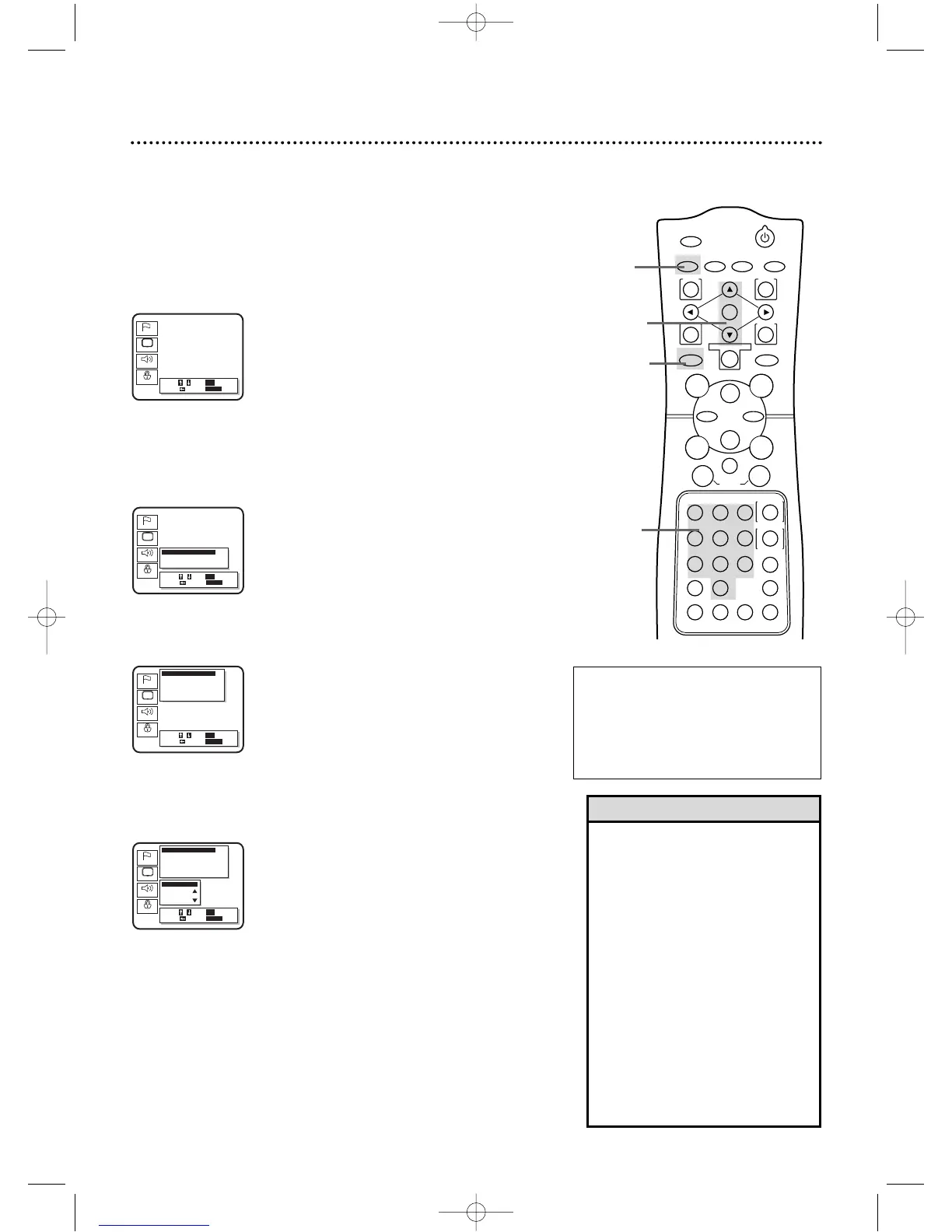
68 Parental Controls Levels
• Some DVDs are not compatible
with Parental Lock.Make sure the
DVD plays according to the Parental
Lock settings you have made.
• You can not change Parental
Controls settings until you enter the
correct password.
• When you play a Disc whose rating
exceeds the level you set,a message
will appear on the screen,indicating
the Disc cannot play.Eject the Disc,
then select a level that allows play-
back.Or,select All to turn off
Parental Controls.Load the Disc
again and begin playback as usual.
Some Discs may let you enter your
4-digit password,then begin play-
back.See the Disc for details.
Helpful Hints
RATING EXPLANATIONS
• NC-17 - Under 17 not admitted
• R - Restricted;under 17 requires
accompanying parent or adult guardian
• PG13 - Unsuitable for children under 13
• PG - Parental Guidance suggested
• G - General Audience
2
Press the Arrow
oopp
buttons to select Parental.Then, press
the OK button.The Setup/Parental Password screen will appear.
3
Press the Number buttons to enter your 4-digit password.
2,4,5
3
4
Press the Arrow
oopp
buttons to select Parental Level.Then,
press the OK button.
5
Press the Arrow op buttons to select the level you desire,
then press the OK button.For example,if you want to play Discs
rated PG13,you must select Level 4 or higher.The level you select
will appear on the screen beside Parental Level,beneath Parental
Controls at the top of the screen.
6
Press the SETUP button to remove the menu.
Follow these steps to set the rating level for your DVDs.Discs
whose ratings exceed the level you set will not play.
● Before you begin,place the DVD/VCR in DVD mode.
Press the OUTPUT SELECT button so that the red DVD
OUTPUT light appears on the front of the DVD/VCR.
1
While playback is stopped, press the DVD button,then press
the SETUP button.The setup screen will appear.
1,6
1



 To Next Page