30 Remote Control Buttons (cont’d)
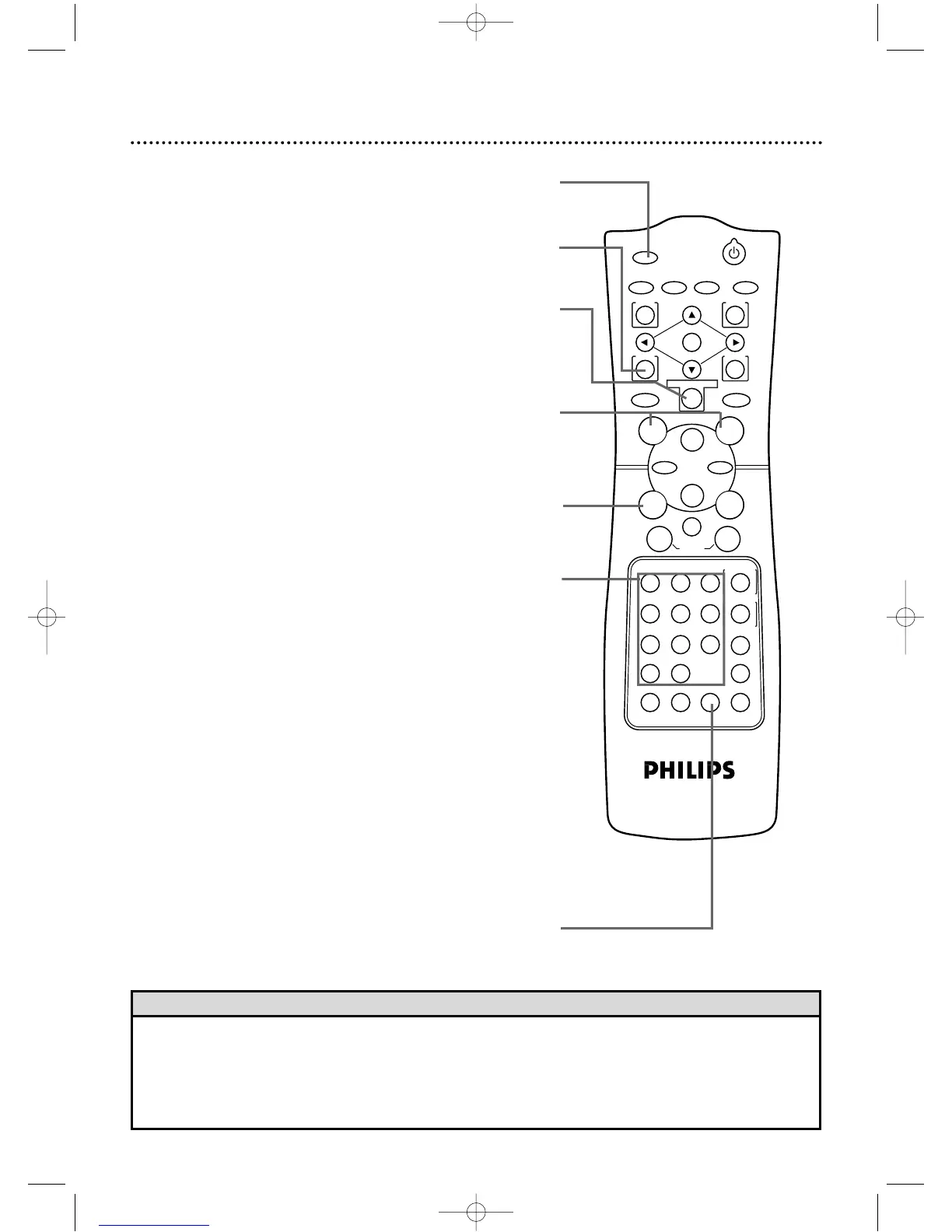
Number Buttons
DVD mode ●
Press to directly select a Track (Audio CD) for playback.
Details are on page 57.
Press to program Tracks (Audio CD) for playback.
Details are on page 62.
VCR mode ●
Use to set up VCR features (such as the clock).
Press to select TV channels at the DVD/VCR.
Cable Users:Enter channel numbers as a two-digit number for
the quickest results.For example,to select channel 6,press 0,6.If
you only press the Number 6 button,channel 6 will be selected
after a brief delay.(There also may be a brief delay when you
select channels 10,11,and 12.) If you want to select channels 100
and above,enter channel numbers as a three-digit number. For
example, to select channel 117, press number buttons 1,1,7.
Antenna Users:Enter channel numbers as a two-digit number
for the quickest results.For example,to select channel 5,press
0,5.If you only press the Number 5 button,channel 5 will be
selected after a brief delay.You may only select channels 2-69.
SKIP/CHANNEL Buttons
DVD mode ●
Press to skip Chapters or Tracks. Details are on pages 57-58.
VCR mode ●
Press to change TV channels at the DVD/VCR.
• To use the remote control to operate the DVD player and its features,press the DVD button on the remote control
before pressing other DVD buttons.Make sure the DVD/VCR is in DVD mode by pressing the OUTPUT SELECT but-
ton so that the red DVD OUTPUT light appears on the front of the DVD/VCR.
• To use the remote control to operate the VCR and its features,press the VCR button on the remote control before
pressing other VCR buttons.Make sure the DVD/VCR is in VCR mode by pressing the OUTPUT SELECT button so
that the green VCR OUTPUT light appears on the front of the DVD/VCR.
OUTPUT SELECT Button
Press to select DVD mode or VCR mode.The red DVD OUT-
PUT light will appear on the front of the DVD/VCR when it is
in DVD mode.The green VCR OUTPUT light will appear on
the front of the DVD/VCR when it is in VCR mode.
MODE Button
Press to set up programmed or random playback
for an Audio CD. Details are on pages 62-63.
MARKER Button
Press during disc playback to set a Marker,which will give you quick
access to points that you select on a Disc.Details are on page 71.
REC(ord)/OTR Button
Press once to start a recording.Details are on page 33.Or,press
repeatedly to start a One-Touch Recording.Details are on page 35.
MEMORY Button
Press to memorize a tape position at which the real-time counter
was set to 0:00:00.Details are on page 42.
Helpful Hints
DV910(H9100).QX33 01.8.9 10:26 AM Page 30



 To Next Page