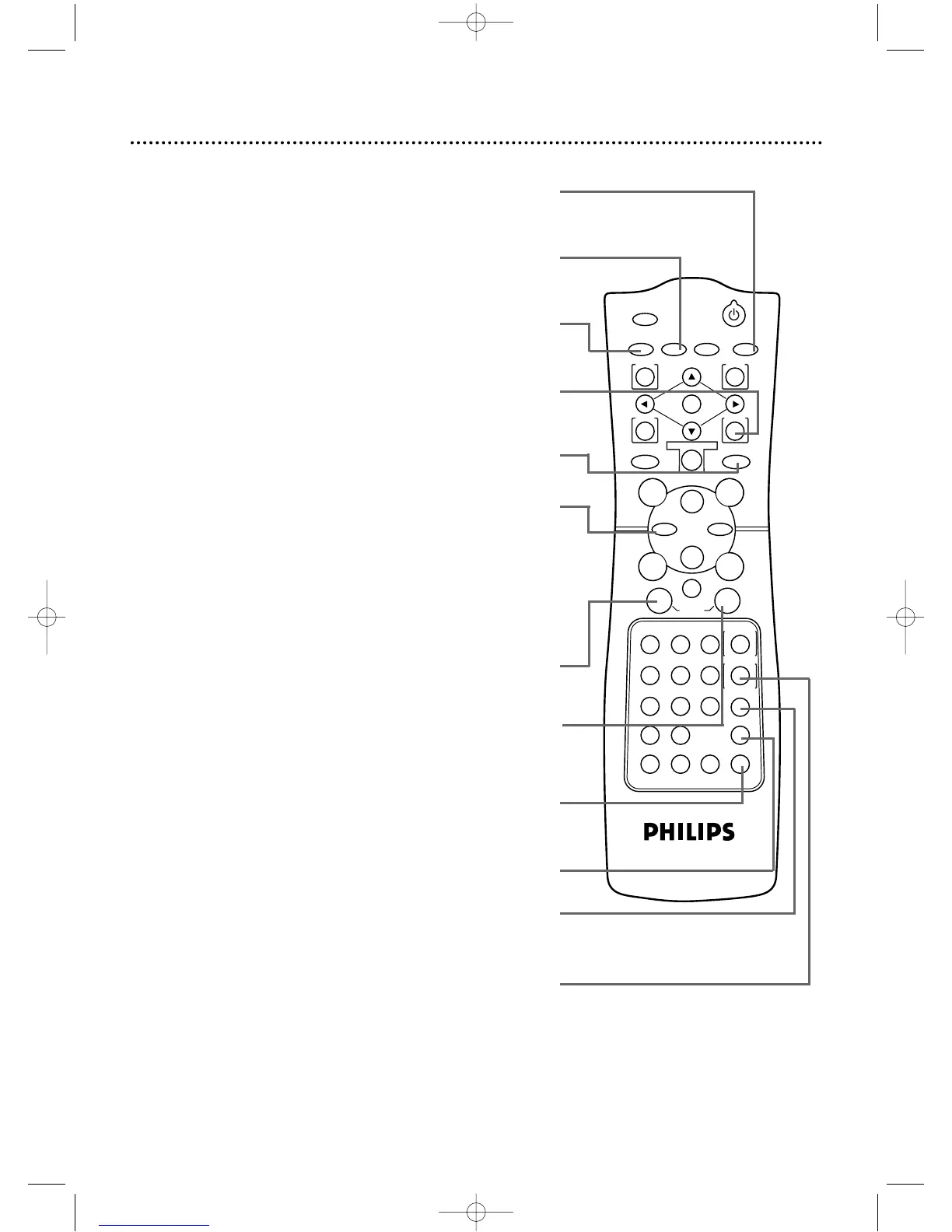
A-B REPEAT Button
Press to set up A-B Repeat Play, which repeatedly plays a specific
segment of a DVD or Audio CD. Details are on page 61.
REPEAT Button
Press to repeat playback of the current Audio CD or Track or
of the current DVD Title or Chapter. Details are on page 60.
RETURN Button
Press to return to the previous DVD Player’s Setup menu
or to remove the Setup menu from the TV screen.
ANGLE Button
Press to view the DVD picture from a different
angle (if available).Details are on page 66.
Rewind h Button
DVD mode ●
Press to view the DVD picture in fast reverse motion or to
reverse playback of an Audio CD. Details are on page 54.
VCR mode ●
When tape playback is stopped,press to rewind the tape at
high speed.During playback,press to rewind the tape while
the picture stays on the screen.Details are on page 44. Press
to return to a previous VCR menu.
VCR Button
Press before using the remote control for VCR features.
SPEED Button
Press to select the VCR’s recording speed
(SP or SLP).Details are on pages 38 and 86.
ZOOM Button
Enlarges the DVD picture during playback. Details are on page 56.
SLOW Button
During tape playback,press to view the video tape in slow
motion.Press again to resume normal playback. Details
are on page 44.This button does not affect DVD playback.
SEARCH MODE/TIME SEARCH Button
DVD mode ●
Press to access or remove the Search display,
which allows you to go directly to a specific
Title/Chapter/Track/Time. Details are on pages 57-59.
VCR mode ●
Press to fast forward or rewind the tape a
specific length of time. Details are on page 43.
AUDIO Button
Press to choose one of the audio languages or sound
modes available on the DVD.Details are on page 64.
SETUP Button
When Disc playback is stopped,press to access or remove the
DVD player’s Setup menu.Details are on pages 67-68 and 72-78.
DV910(H9100).QX33 01.8.9 10:26 AM Page 29



 To Next Page