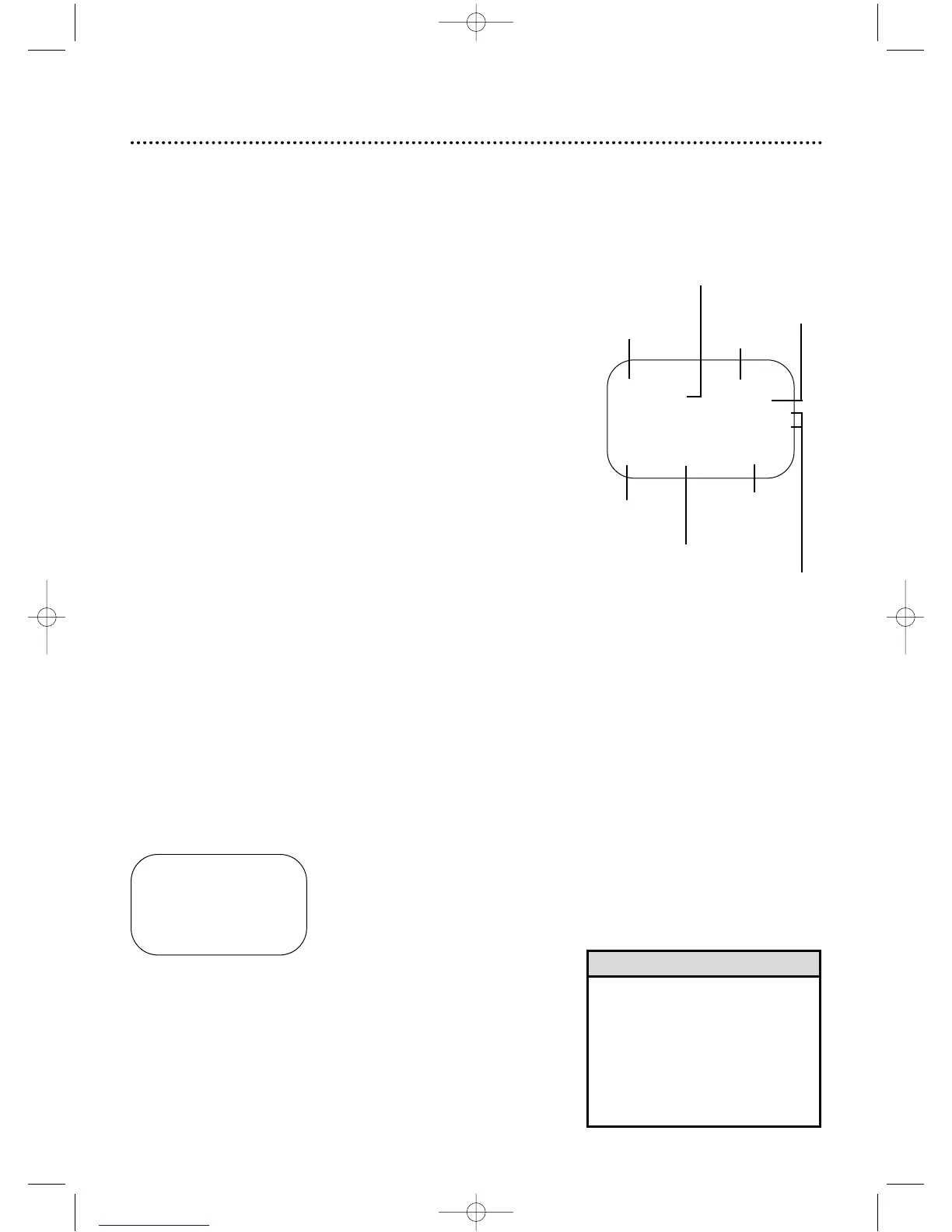
Tape
status
Time
Counter,
Counter
Memory
Tape
Speed
STOP 12:00 AM
TV STEREO CH10
STEREO
2ND AUD
SLP M 1:23:45 HIFI
Channel
SELECT op CHOOSE B
→ STATUS [ON]
COUNTER ONLY [OFF]
TO END PUSH EXIT
On-Screen Status Displays (VCR) 23
• You may not access a status display
when viewing a still picture, during
slow motion playback,or during for-
ward or reverse searching.
• The status display may not appear if
a weak channel is selected and
BLUE BACKGROUND is OFF.
Details are on page 49.
Helpful Hints
1
Press the VCR button,then press the MENU button.
A status display will appear when you press the
DISPLAY/STATUS/EXITbutton or certain function buttons.The con-
tents of the status display will vary.To choose the status display
mode,follow the steps below.
● Before you begin,place the DVD/VCR in VCR mode.Press the
OUTPUT SELECT button so that the green VCR OUTPUT light
appears on the front of the DVD/VCR.Press the VCR/TV button
so that the VCR/TV light appears on the front of the DVD/VCR.
If you select STATUS ON,then select COUNTER ONLY
ON:
● Whenever you press the Stop C button or the Play B button, the
status display will appear for five seconds.After five seconds,only
the counter will remain on the screen.You must press the DIS-
PLAY/STATUS/EXITbutton to remove it.Portions of the status
display also may appear when you press other function buttons.
If you select STATUS ON,then select COUNTER ONLY
OFF:
● Whenever you press the Stop C button or the Play B button, the
status display will appear for five seconds.Portions of the status
display also may appear when you press other function buttons.
If you select STATUS OFF:
● The status display will not appear when you press function but-
tons.You must press the DISPLAY/STATUS/EXIT button to see the
status display.
2
Press the Play B button or the Stop C button to select VCR
SET UP,then press the Fast Forward g button.
3
Press the Play B button or the Stop C button to select ON
SCREEN MODE,then press the Fast Forward g button.
5
If you set STATUS to OFF,go to step 6.If you set STATUS
to ON,press the Play B button or the Stop C button to
select COUNTER ONLY, then press the Fast Forward g
button so that OFF (or ON) appears beside it.
6
Press the DISPLAY/STATUS/EXIT button.
4
Press the Play B button or the Stop C button to select
STATUS, then press the Fast Forward g button so that
ON (or OFF) appears beside STATUS.
MTS
Broadcast
Available
Receiving,
Recording
Mode
Audio
Out
Mode
DV910(H9100).QX33 01.8.9 10:26 AM Page 23



 To Next Page