16
First-time DVD/VCR Setup
3
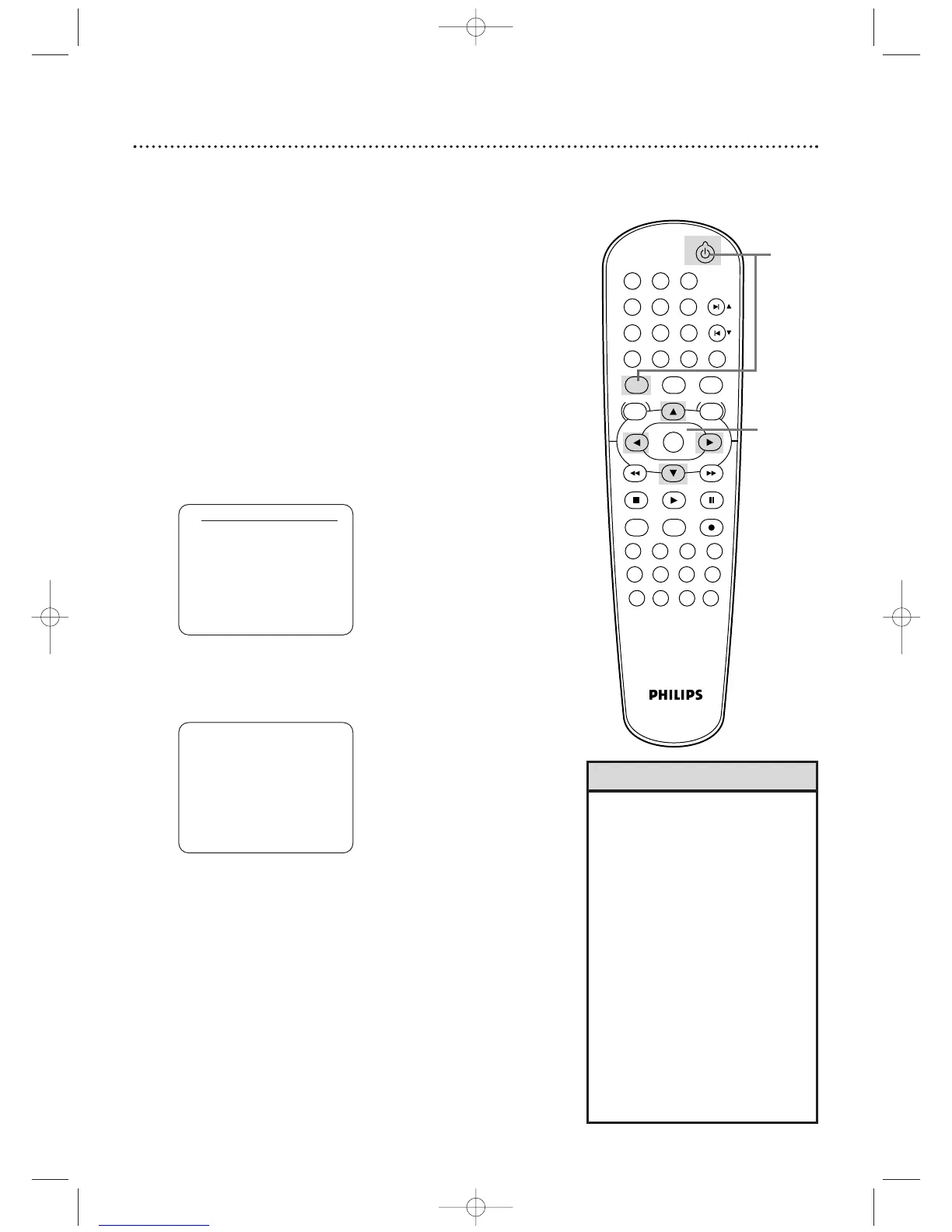
Press o or p to select English, French, or Spanish as
the language for VCR on-screen displays and menus.
Then,
press
B.
4
Press B to begin channel programming. AUTO
SETUP will flash on the TV screen during the channel
search.The DVD/VCR will memorize all available channels.
When channel programming is complete, the lowest
available channel will appear on the TV.
These channels will be available when you want to watch
TV while in VCR mode.To put the DVD/VCR in VCR
mode, press VCR so the VCR light appears. Use the SKIP
∑/CH o and SKIP w/CH p buttons to select memorized
channels.To select non-memorized channels, use the
Number buttons.
• To skip this feature and play a tape
immediately, insert a tape with its
record tab removed.
• To skip step 3, press
DISC/VCR/MENU.VCR menus and
displays will be in English.
• If you try to program channels
when there is no antenna or Cable
TV signal connected to the ANT-IN
jack of the DVD/VCR, programming
will stop.AUTO SET UP will stop
flashing. Connect an antenna or
Cable TV signal to the DVD/VCR’s
ANT-IN jack and press
B
again.
• Repeat this process if the power
fails.
•To stop the Channel Setup while
AUTO SET UP is flashing, press
DISC/VCR/MENU.
Helpful Hints
Before turning on your DVD/VCR, make sure batteries are in the
remote control and the DVD/VCR and TV are connected correctly.
You cannot program channels if you are using a Cable Box or a
Satellite Receiver.
These menus may not appear if you have already turned
on the DVD/VCR.
1
Turn on the TV. Set it to channel 3 or 4 or its
AUDIO/VIDEO IN channel, depending on how you
connected the DVD/VCR to a TV.
2
Press VCR, then press STANDBY-ON
yy
. The VCR light
will appear on the front of the DVD/VCR.The display shown
below will appear.
These menus may not appear if you have already turned on
the DVD/VCR.You may have turned on the DVD/VCR
before to find the Audio/Video In channel of the TV, for
example. If so, follow the steps on page 25 to set up
channels and page 29 to select a language for the VCR
menus.
1
Turn on the TV.
AUTO SET UP
PUSH
B












 To Next Page