• The sound will be mute during slow
motion play.
• The SLOW button on the remote
does not activate slow motion of
Discs.
• The x4 zooming is not active with
some Discs. Only x2 zooming is
available for Video CDs and JPEGs.
Helpful Hints
58
DVD Slow Motion, Zoom
Slow Motion
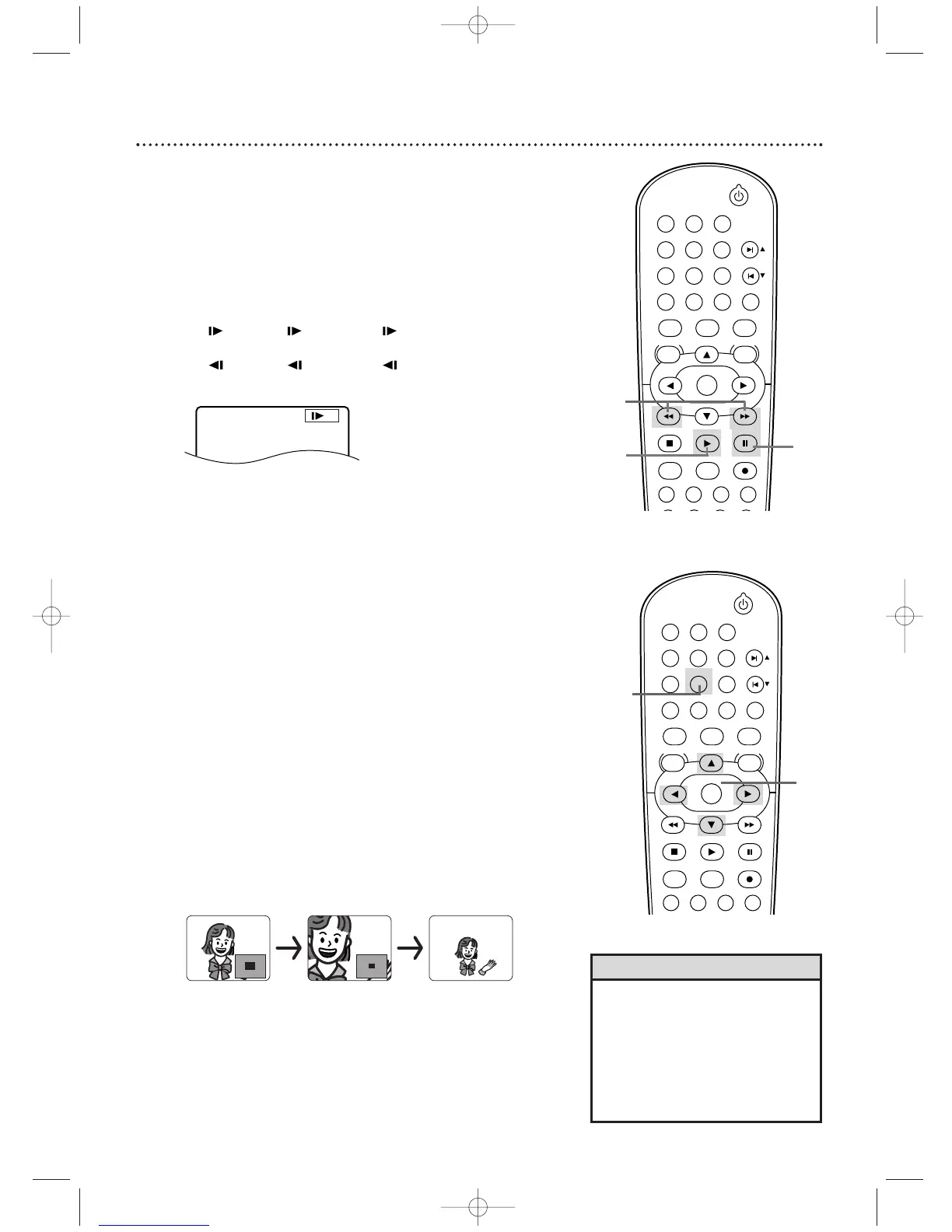
1
Press PAUSE F during DVD or Video CD play.
2
Press D or h. Slow motion play will begin. Press D
or h repeatedly during slow motion play to play a DVD
forward or backward at approximately 1/16, 1/8, or 1/2 the
normal speed. Reverse slow motion is not available on a
Video CD.
An 1 (1/16), 2 (1/8), or 3 (1/2) will appear
briefly on the TV screen to indicate slow forward play.
An 1 (1/16), 2 (1/8), or 3 (1/2) will indicate
slow reverse play.
3
Press PLAY B to return to normal play.
Example: Playing a DVD forward
at half the normal speed.
3
Zoom
You can enlarge a DVD,Video CD, or JPEG picture to two or four
times larger than normal.
1
Press ZOOM during playback or when play is
paused. The picture will appear twice as large. Press
ZOOM again to make the picture four times larger than
normal. Either x2 or x4 will appear beside the zoom icon
on the TV screen.
2
While the picture is enlarged, press o, p, s, or B
to move the zoomed image up, down, left, or right.
The gray box with an inner blue box that shows during
Zoomed playback is the position guide.To remove it or
show it, press OK.The position of the blue box inside the
gray box indicates the position of the zoomed image within
the overall picture.
3
To r eturn the picture to normal, press ZOOM.
STANDBY-ON
PLAY
DVDVCR VCR/TV
OK
MENU MENU
DISC/VCR
RETURN TITLE
A-B
CLEAR/RESET SLOW
SUBTITLE ZOOM
ANGLE
REPEAT REPEAT
AUDIO
SEARCH MODE
DISPLAY
SKIP / CH
SYSTEM
PAUSESTOP
MARKER RECORDTIMER SET
SPEED
1 2 3
STANDBY-ON
PLAY
DVDVCR VCR/TV
OK
MENU MENU
DISC/VCR
RETURN TITLE
A-B
CLEAR/RESET SLOW
SUBTITLE ZOOM
ANGLE
REPEAT REPEAT
AUDIO
SEARCH MODE
DISPLAY
SKIP / CH
SYSTEM
PAUSESTOP
MARKER RECORDTIMER SET
SPEED
1 2 3
H9622MD(EN)47_78.qx4 04.4.8 5:04 PM Page 59












 To Next Page