One-Touch Recording
33
OTR (0:30)
SP
One-Touch Recording (OTR) lets you set a timed recording 30
minutes to eight hours long of the current TV channel. Before you
begin:
● Place the DVD/VCR in VCR mode. Press VCR so the VCR light
appears on the front of the DVD/VCR.
● Select a recording speed (SP, SLP) with the SPEED button.
● Put a videotape in the cassette compartment. Make sure the
tape’s record tab is intact and the tape is long enough to record
the program(s).
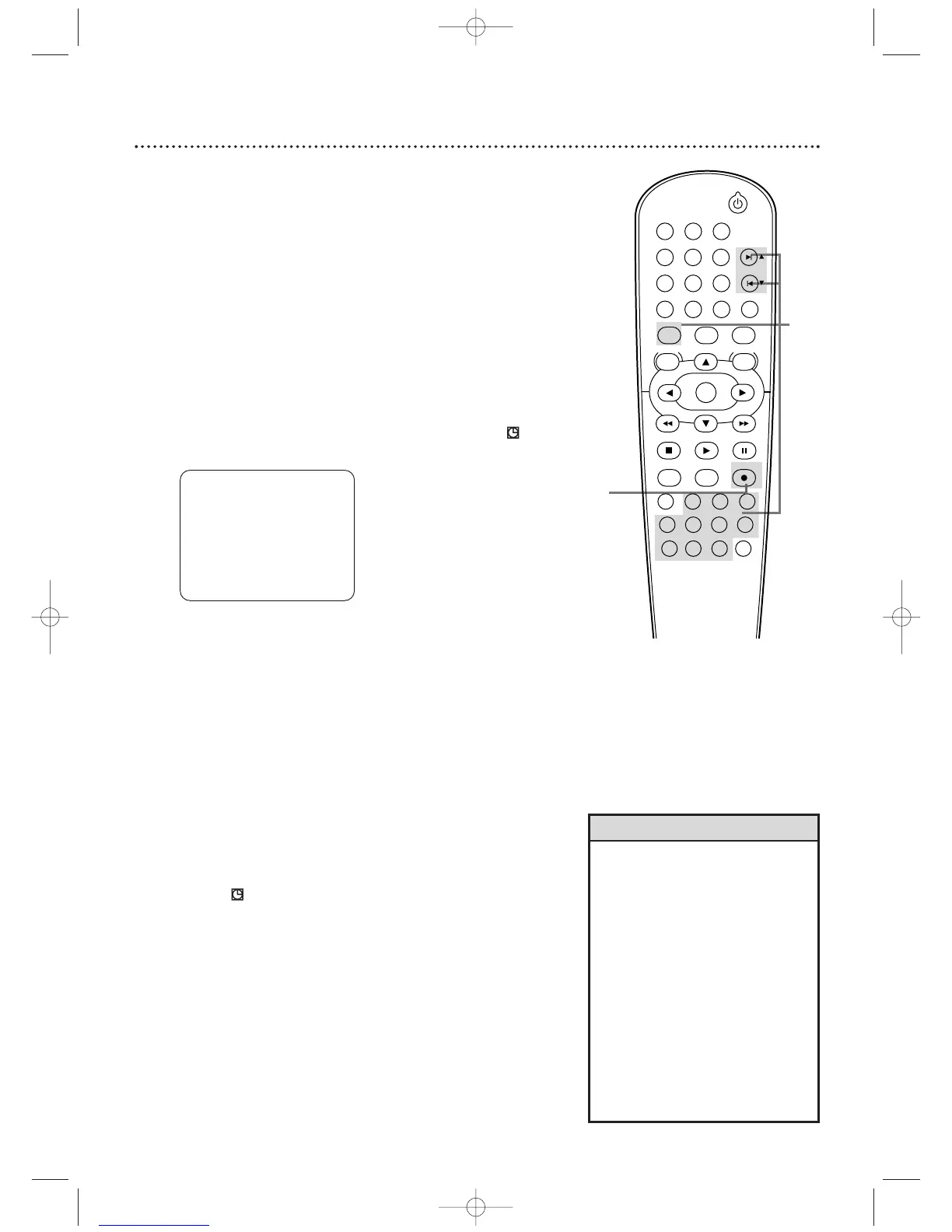
1
Press VCR, then press SKIP
∑∑
/CH
oo
or SKIP
ww
/ CH
pp
or the Number buttons to select the channel you
want to record.
2
Press RECORD I repeatedly until the desired
recording length (30 minutes to 8 hours) appears
on the TV screen. Recording will begin. REC and will
appear on the DVD/VCR’s display panel.
Stopping an OTR
To stop an OTR before recording is finished, press STOP C on the
remote control or STOP/EJECT C A (VCR) on the front of the
DVD/VCR.
To cancel the OTR but continue recording, press RECORD I
repeatedly until RECORD appears in the upper left corner of the
TV screen.
When an OTR finishes, the DVD/VCR will either switch to DVD
mode or turn itself off. If it changes to DVD mode, press
STANDBY-ON y to turn it off.
After an OTR, flashes because the VCR is still on standby for
timer recordings. Press TIMER SET on the remote or STOP/EJECT
C A (VCR) on the DVD/VCR to cancel timer standby and use the
VCR normally again.
• The remaining recording time will
appear on the display panel during
an OTR. Press DISPLAY to see it on
the TV screen.
• To change the recording length while
an OTR is in progress, press
RECORD I repeatedly.
• You cannot pause an OTR.
• If the preset time for a timer
recording comes up during an OTR,
the OTR has priority.The timer
recording will not take place.
• If the end of the tape is reached
during an OTR, the VCR will stop
recording, eject the tape, and
switch to DVD mode or turn off.
Helpful Hints
1
2












 To Next Page