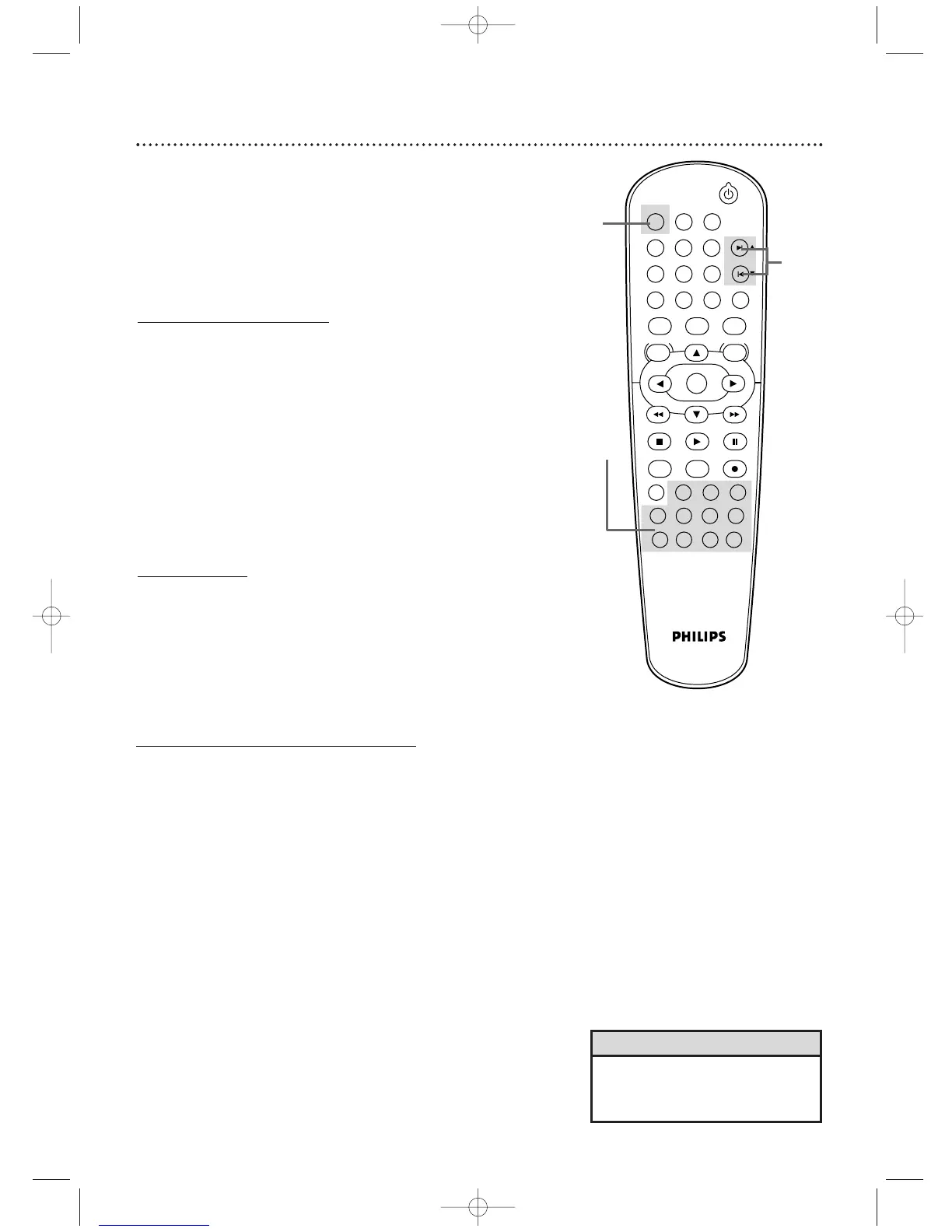
There are three ways to play an Audio CD, MP3, and Video CD
(without PBC) at a specific Track: Use the Number buttons, the
SEARCH button, or SKIP
∑/CH o or SKIP w/CH p.
● Before you begin, press DVD so the DVD light appears on the
front of the DVD/VCR.
A
Using the Number Buttons
Press the Number buttons to enter a Track number. Play
will
start at the selected Track.
For Tracks 10 and above, press the +10 button so the Search display
(TR _ _ /12 - an example of total tracks) appears on the TV. Press the
Number button of the first digit, then press the Number button of the
second digit. For example, to play Track 26, press +10, then
Number 2, then Number 6.
For single-digit Tracks (1-9), press a single Number button.
If you enter a Track number that is not available on the Disc, play
will not begin (or the current Track will continue to play).
B
Using SEARCH
Press SEARCH so the Track Search display (TR) appears.
Within 30 seconds, press the Number buttons to select the
Track number. Play will begin at the selected Track. For a single-
digit Track (1-9), enter a zero first. For example, to play Track 5, press
0, 5. You do not have to use the +
10 button in Search Mode.
C
Using SKIP
∑∑
/CH
oo
or SKIP
ww
/CH
pp
During play, press SKIP
∑∑
/CH
oo
to skip the current Track
and move to the next Track.
The Track number will appear
briefly on the DVD/VCR display panel.
Or, during play, press SKIP
ww
/CH
pp
to return to the
beginning of the current Track. Press SKIP
ww
/CH
pp
repeatedly to go to previous Tracks. The Track number will
appear briefly on the DVD/VCR display panel.
50
Track Playback
•You cannot use SKIP
3
/CH
o
to
go from the last Track on the Disc
to the first Track.
Helpful Hint












 To Next Page