2
48
Fast Forward/Reverse Search
1
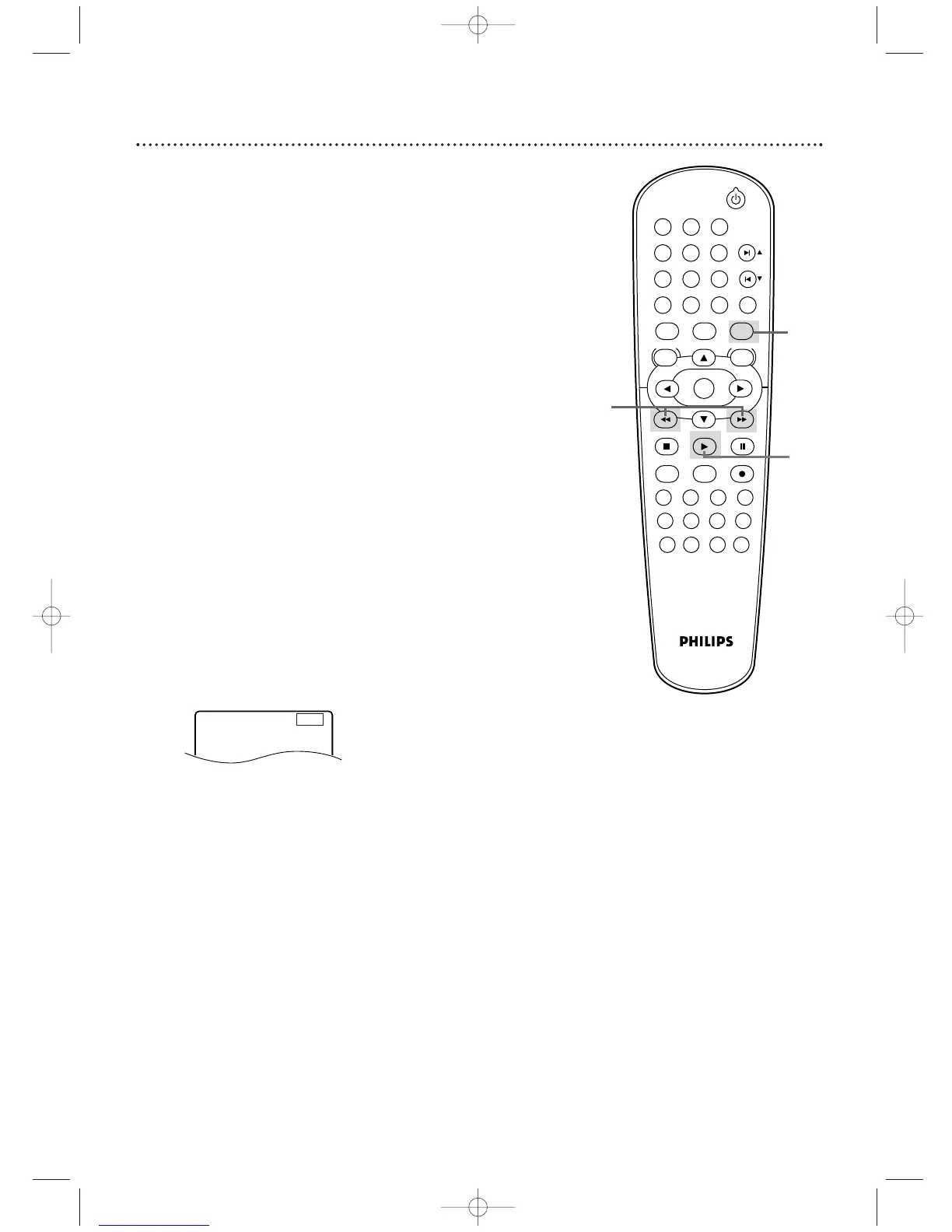
Press DVD to put the DVD/VCR in DVD mode.The DVD
light will appear on the front of the DVD/VCR.
2
During playback, press g or h.
Use g for a
forward search. Press h for a reverse search.
●
During DVD playback, pressing g or h will forward
or reverse the picture at approximately 2, 8, 50, or 100
times the normal playback speed.The speed may vary
depending on the Disc.
Or,
g
1,
g
2,
g
3, or
g
4 will indicate fast
forward searching.
An
h
1,
h
2,
h
3, or
h
4 will appear briefly on
the TV screen to indicate fast reverse searching.
Sound will be mute during searching.
● For Audio CDs, the approximate searching speed is 16
times the normal play speed.An g or h will appear
briefly on the TV screen. Sound will be intermittent
during searching on an Audio CD.
● During Video CD play, pressing g or h will forward
or reverse the picture at approximately two, eight, or 30
times the normal play speed.The speed may vary
depending on the Disc.
Or, g 1, g 2, or g 3 will indicate fast forward
searching.
An h 1, h 2, or h3 will appear briefly on the TV
screen to indicate fast reverse searching.
● For MP3, the approximate search speed is eight times the
normal play speed.An
g or h will appear briefly on
the TV.
3
Press PLAY B to return to normal playback.












 To Next Page