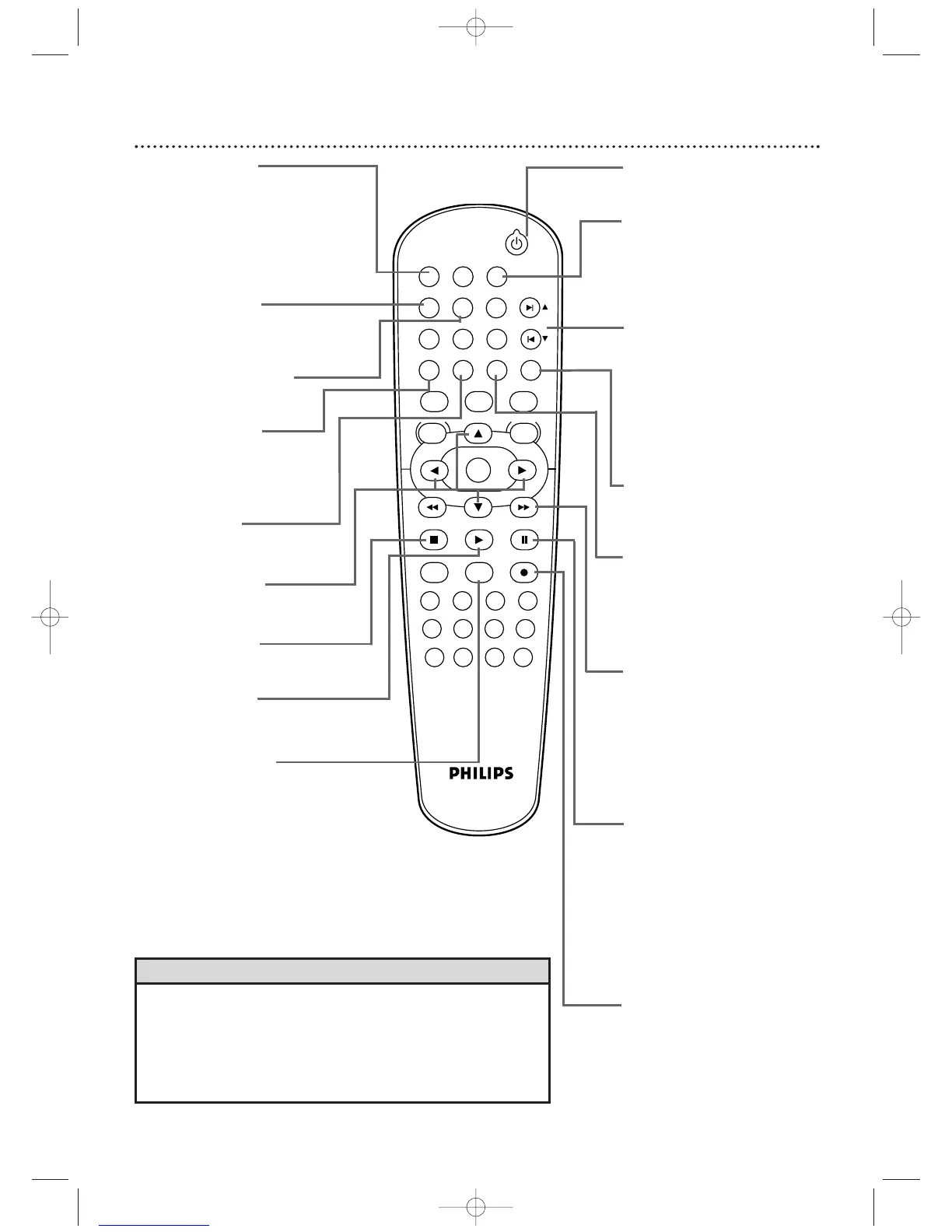
Remote Control
23
• For DVD Player features, press DVD before pressing other buttons.To
put the DVD/VCR in DVD mode, press DVD or SOURCE so the DVD
light appears on the front of the DVD/VCR.
• For VCR features, press VCR before pressing any other buttons.To put
the DVD/VCR in VCR mode, press VCR or SOURCE so the VCR light
appears on the front of the DVD/VCR.
Helpful Hints
STANDBY-ON
yy
Button
Press to turn the power on or off.
sB KLButtons
Press to select an item in a
menu.
g (Fast Forward) Button
In DVD mode, press to fast forward
the Disc. Details are on page 48. Press
when DVD or Video CD playback is
paused to start slow motion playback.
Details are on page 58.
In VCR mode, press to fast forward
the tape. Details are on page 42.
DISPLAY Button
In VCR mode, press to see
status displays. Details are on
page 30. In DVD mode, press
to access Disc information.
Details are on page 68.
REPEAT Button
Press to play a Track,Audio CD,
Title, or Chapter repeatedly.
Details are on page 52.
A-B REPEAT Button
Press to set up A-B Repeat.
Details are on page 52.
RETURN Button
Press to return to the
previous level of the DVD
Player’s Setup menu or to
remove the Setup menu.
SKIP
∑∑
/CH
oo
and SKIP
ww
/
CH
pp
Buttons
In DVD mode, press to skip
Chapters or Tracks. In VCR
mode, press to change TV
channels at the DVD/VCR.
Press to adjust tracking.
Details are on page 43.
RECORD I Button
Press to start a VCR
recording. Details are on page
31.Press repeatedly to start a
One-Touch Recording.
Details are on page 33.
SEARCH Button
In DVD mode, press to search
for a specific
Title/Chapter/Track/Time. Details
are on pages 49-50.
In VCR mode, press for a Time
Search or an Index Search.
Details are on page 41.
SLOW Button
Press to view a videotape in slow
motion. Details are on page 42.
CLEAR/RESET Button
Press to remove VCR menus.
Press to reset the tape counter.
Details are on page 40.
Press to reset a menu item in
DVD mode.
PAUSE k Button
Press to pause Disc playback.
Press repeatedly to advance
the DVD or Video CD picture
step by step (or one frame at
a time). Details are on page 51.
Press to pause or resume VCR
recording. Details are on page
31. Press to pause a tape.
Details are on page 42.
STOP C Button
Press to stop Disc playback,
tape playback, or recording.
MARKER Button
Press to see the Markers, which give
you quick access to points you
select on a Disc.
Details are on page 53.
TITLE Button
Press to see a DVD Title
menu. Details are on page 47.
PLAY B Button
Press to begin Disc or tape
playback.












 To Next Page