Videotape Recording
31
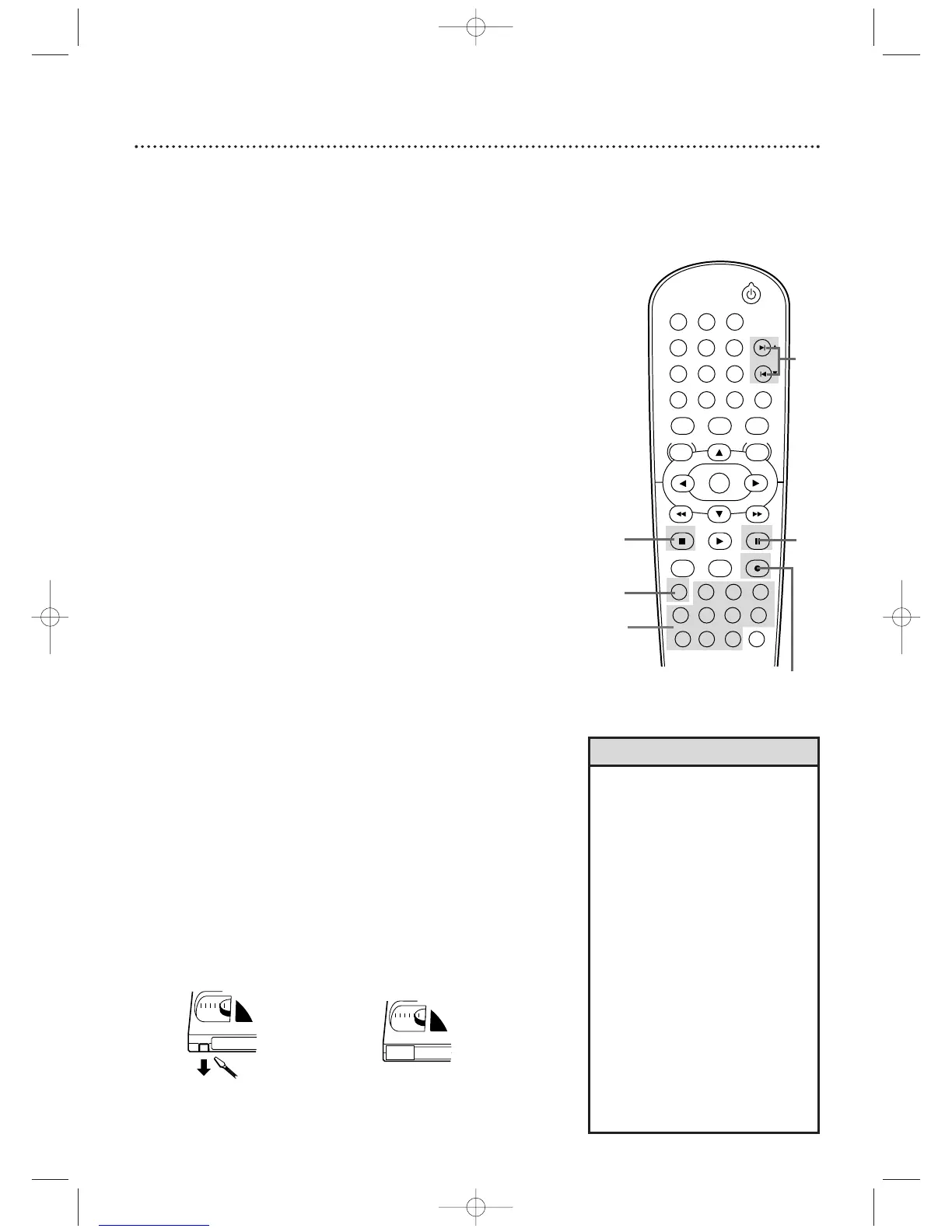
Read and follow the steps below to record a television program
onto a videotape. Before you begin, make sure the DVD/VCR is in
VCR mode. Press VCR so the VCR light appears on the front of
the DVD/VCR.
1
Turn on the TV and set it to channel 3 or 4 or the
Video In channel. If you connected the DVD/VCR to the
TV using the supplied audio and video cables, select your
TV’s Video In channel. Details are on page 10.
If you connected the DVD/VCR to the TV using the
supplied RF coaxial cable, choose channel 3 (or 4) at the TV.
Details are on pages 7-9.
2
Insert a tape with its record tab intact into the
cassette compartment of the DVD/VCR. If tape
playback begins, press STOP C.
3
Press SPEED until the desired tape speed (SP or
SLP) appears briefly on the screen. Details about tape
speed are on page 71.
4
Press SKIP
∑∑
/CH
oo
or SKIP
ww
/ CH
pp
or the
Number buttons to select the TV channel to
record.
5
Press RECORD I to start recording. REC will appear
on the DVD/VCR’s display panel.
6
To pause the recording, press PAUSE k once. REC
will flash.
To r esume recording, press RECORD I or
press PAUSE
k again. REC will reappear.
7
To stop recording, press STOP C.
Recording Prevention
Video cassettes have record tabs to ensure that recordings are
not accidentally erased.
1
To prevent recording, break off the tab with a
screwdriver.
2
To allow recording, cover the hole with clear tape.
• Other recording options are on
pages 32-38.
• The VCR will record in a preset
volume.
• Pause will switch to Stop after five
minutes to protect the VCR and
the tape from damage.When a
recording is paused, review the
pause time remaining with the
■
marks on the screen. Each
■
mark equals one minute
remaining. During the last minute
of paused recording, the
■
mark
will flash.
• If any menu is on the TV screen,
the RECORD
I
button on the
remote does not function. Press
CLEAR/RESET to remove the
menu.Then, press RECORD
I
.Or,
use the RECORD
I
button on the
front of the DVD/VCR.
Helpful Hints
1
Turn on the TV.
2
Insert a tape in the
DVD/VCR.
Remove the
tab to prevent
recording.
Cover the
hole to allow
recording.












 To Next Page