56
Parental Levels
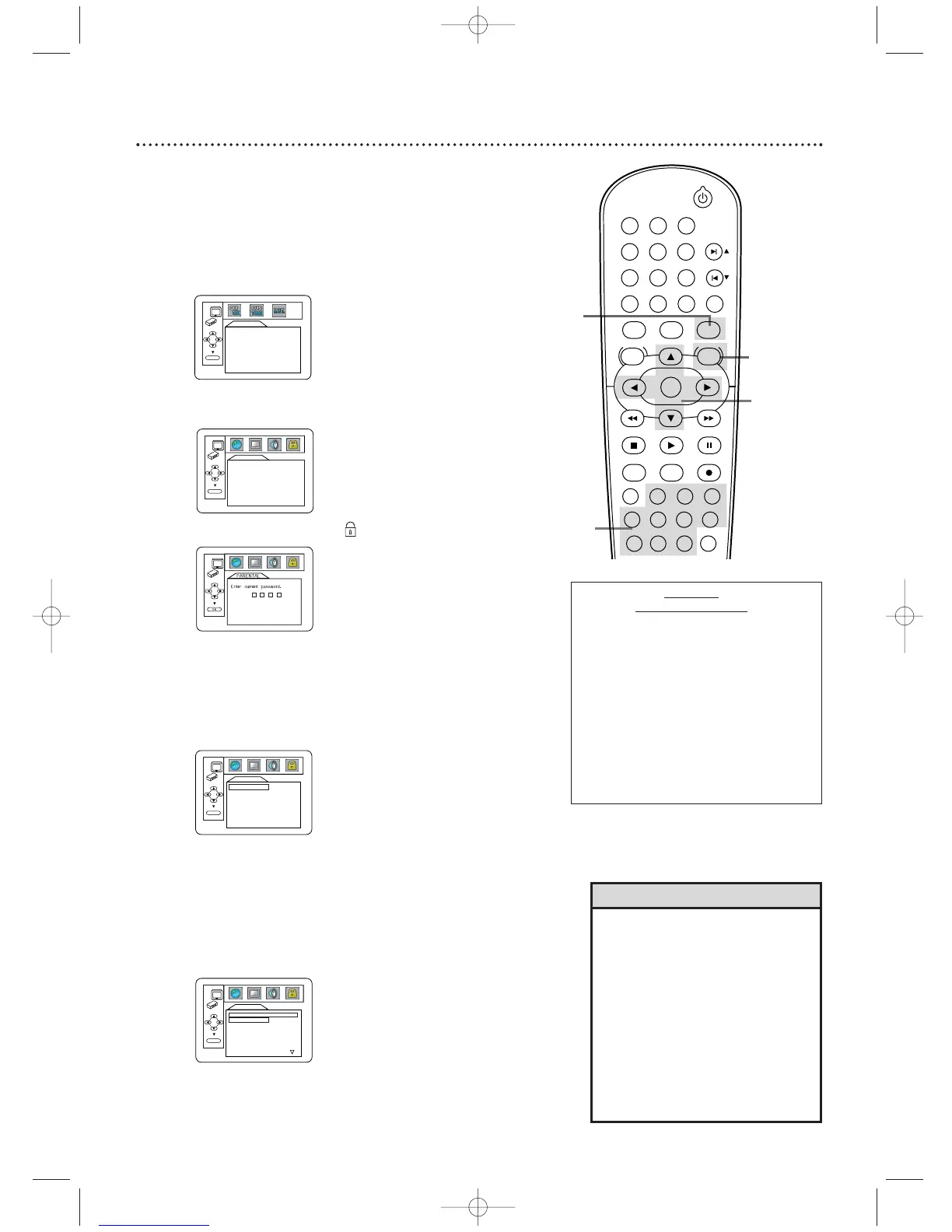
Follow these steps to set the rating level for your DVDs. DVDs
whose ratings exceed the level you set will not play.
1
Press DVD to put the DVD/VCR in DVD mode. The
DVD light will be on. Press STOP C to stop Disc playback
if necessary.
2
Press SYSTEM/MENU.
5
Press the Number buttons to enter your four-digit
password.
6
Press o or p to select PARENTAL LEVEL, then
press OK.
QUICK SETUP
PLAYER MENU ENGLISH
TV ASPECT
4:3 LETTER BOX
DOLBY DIGITAL ON
OK
7
Press o or p to select a level, then press OK. The
rating levels continue on two menu screens. Press o or p
repeatedly to move to the next or previous screen to find
the rating level you want.
After making your selection, the previous menu will appear.
The level you selected will appear beside PARENTAL
LEVEL.
PARENTAL
CHANGE
OK
PARENTAL LEVEL ALL
PARENTAL
PARENTAL LEVEL
ALL
8
7 [NC-17]
6 [R]
5
4 [PG13]
3 [PG]
OK
• When you try to play a DVD whose
rating exceeds the level you set, an
on-screen message will indicate the
DVD cannot play. Remove the DVD,
then set PARENTAL LEVEL to ALL.
Reload the DVD and begin
playback. Some DVDs may let you
enter your four-digit password to
begin playback. Follow the on-screen
messages as prompted.
• You cannot use the default password
(4737) to play a DVD.
Helpful Hints
• ALL - Parental
Controls is
inactive; all discs
can play.
•8 - Adult material
•7 - NC-
1
7 - Not
appropriate for
children under
1
7
•6 - R - Restricted;
parental approval
required for
viewers under
1
8.
•4 - PG
1
3 -
Unsuitable for
children under
1
3
•3 - PG - Parental
Guidance
suggested.
•
1
- G - General
Audience;
recommended for
all ages.
3
Press s or B to select CUSTOM, then press OK.
8
Press SYSTEM/MENU to remove the menu.
3-4,
6-7
LANGUAGE
AUDIO ORIGINAL
SUBTITLE OFF
DISC MENU ENGLISH
PLAYER MENU ENGLISH
OK
RATING
EXPLANATIONS
4
Press s or B to select (the lock), then press OK.
5
1
2,8
STANDBY-ON
PLAY
DVDVCR VCR/TV
OK
MENU MENU
DISC/VCR
RETURN TITLE
A-B
CLEAR/RESET SLOW
SUBTITLE ZOOM
ANGLE
REPEAT REPEAT
AUDIO
SEARCH MODE
DISPLAY
SKIP / CH
SYSTEM
PAUSESTOP
MARKER RECORDTIMER SET
SPEED
1 2 3
7
6
5
4
8
9
0
+10
H9622MD(EN)47_78.qx4 04.4.8 5:04 PM Page 57












 To Next Page