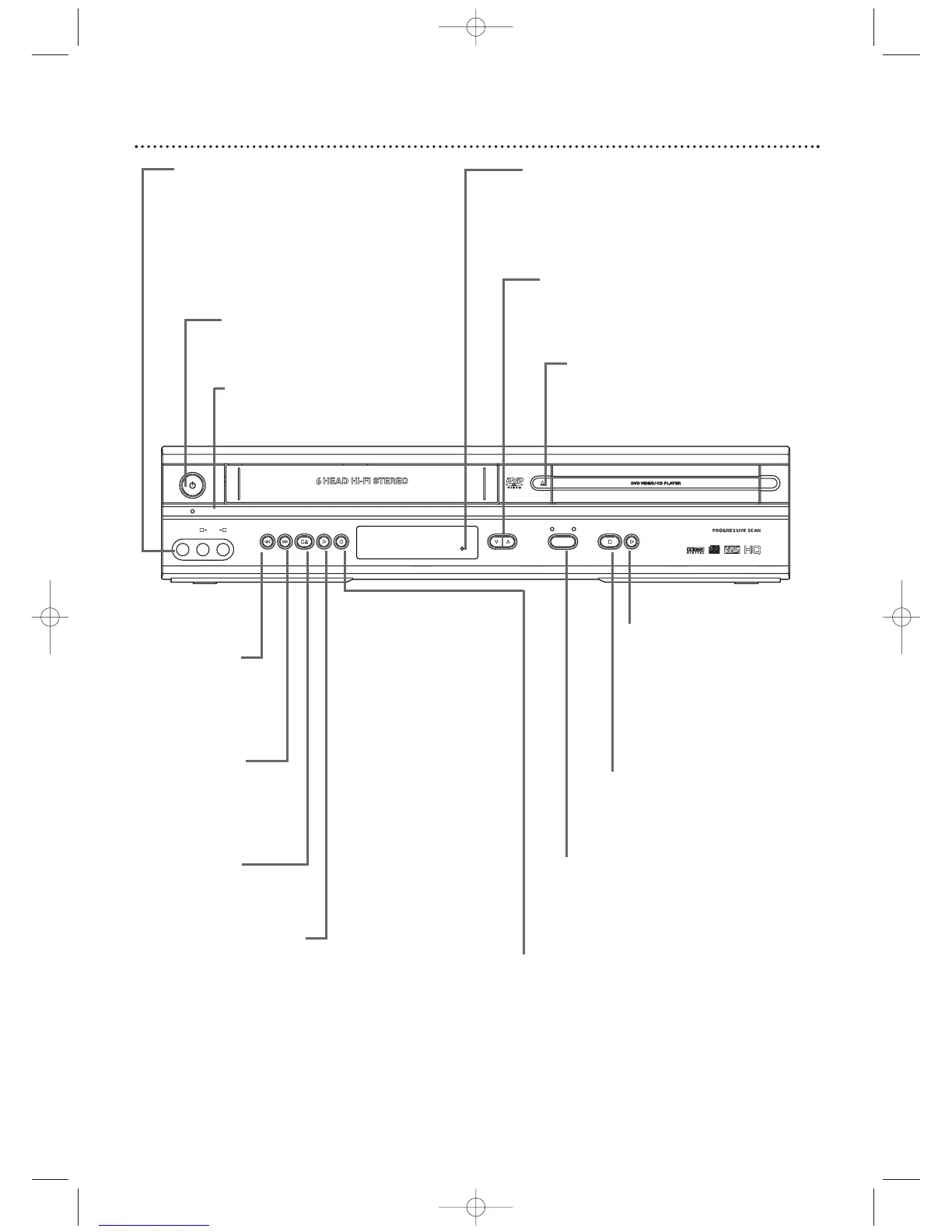
OPEN/CLOSE A Button (DVD)
Press to open or close the Disc tray.
CHANNEL op Buttons
Press to select TV channels
at the VCR.
PLAY B Button (VCR)
Press to play a video cassette.
Press to release Slow, Search, or
Still mode and return to playback.
Details are on page 42.
STOP/EJECT C A
Button (VCR)
Press once to stop tape
playback.When play is stopped,
press to eject the tape.
RECORD I button (VCR)
Press once to start a recording.
Press repeatedly to start a One-Touch
Recording. Details are on page 33.
Remote Sensor
Receives a signal from your remote control so
you can work your DVD/VCR from a distance.
Point the remote here, not at your TV.
STANDBY-ON
yy
Button
Press to turn the power on
or off.
POWER ON Light
Appears when the DVD/VCR
power is on
AUDIO and VIDEO In Jacks
Connect audio and video cables
from a camcorder,VCR, etc. here.
This will be useful if you want to
copy a videotape or watch material
that is playing on other equipment.
Details are on page 34.
STOP C Button (DVD)
Press to stop Disc playback.
Details are on page 18.
PLAY B Button (DVD)
Press to start Disc playback.
Details are on page 18.
Press and hold for more
than five seconds to disable
Progressive Scan.
Details are on page 6.
SOURCE Button
Press to select DVD mode or VCR
mode.The DVD light appears in DVD
mode.The VCR light appears in VCR
mode.
REW h
Button (VCR)
Press to rewind
the tape. Details
are on page 42.
F. FWD g
Button (VCR)
Press to fast forward
the tape. Details are
on page 42.












 To Next Page