Parental Controls Password 5
5
Parental Controls prevents viewing of DVDs that exceed your rating
limits.This feature will not limit viewing if the DVD is not rated or
coded. Check your DVDs and settings before letting children access
the DVD/VCR. Follow these steps to change your password.
1
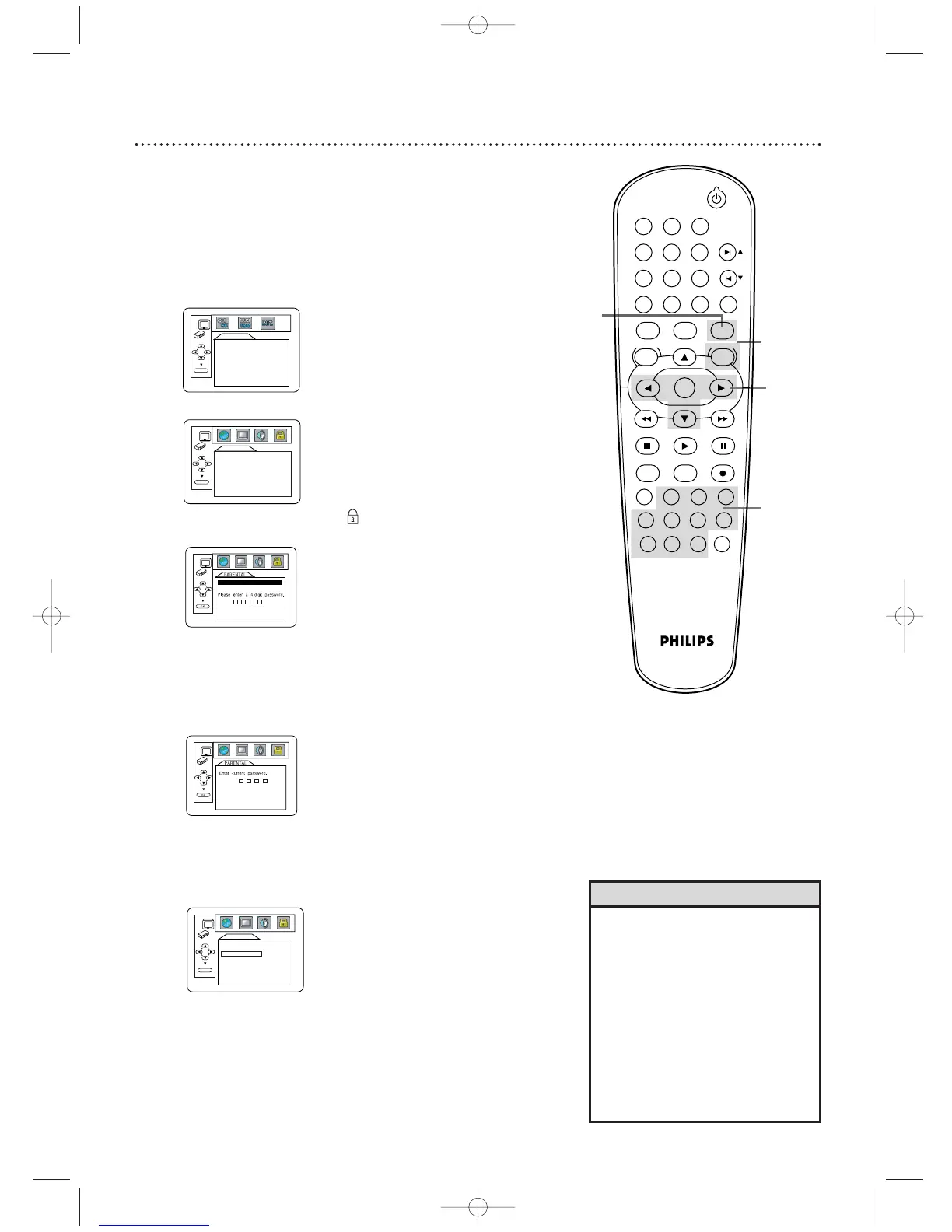
Press DVD to put the DVD/VCR in DVD mode.The DVD
light will be on. Press STOP C to stop Disc playback.
2
Press SYSTEM/MENU.
4
Press s or B to select (the lock), then press OK.
The first time you set a password, this menu will appear.
Press the Number buttons to enter a four-digit
password. The password will appear on the screen.Write it
down so you don’t forget it.
Press OK.You are finished! Go to step 7.
If you have set a password before, this menu will appear.
Press the Number buttons to enter your current
four-digit password. Asterisks (*) will appear instead of
your password.This protects its identity.
5
Press p to select CHANGE, then press OK.
6
Press the Number buttons to enter a four-digit
password. The password numbers will appear on the
screen.Write down the password so you will not forget it.
Press OK. The previous menu will reappear.
7
Press SYSTEM/MENU to remove the menu.
• The default password is 4737. If
you forget your password, press
Number buttons 4, 7, 3, 7 at step
4.You will be prompted to enter a
new four-digit password. Use the
Number buttons to enter a new
four-digit password, then press OK.
PARENTAL LEVEL will reset to ALL.
See page 56 to reset PARENTAL
LEVEL as you desire.
• A power failure will not erase your
password.
Helpful Hints












 To Next Page