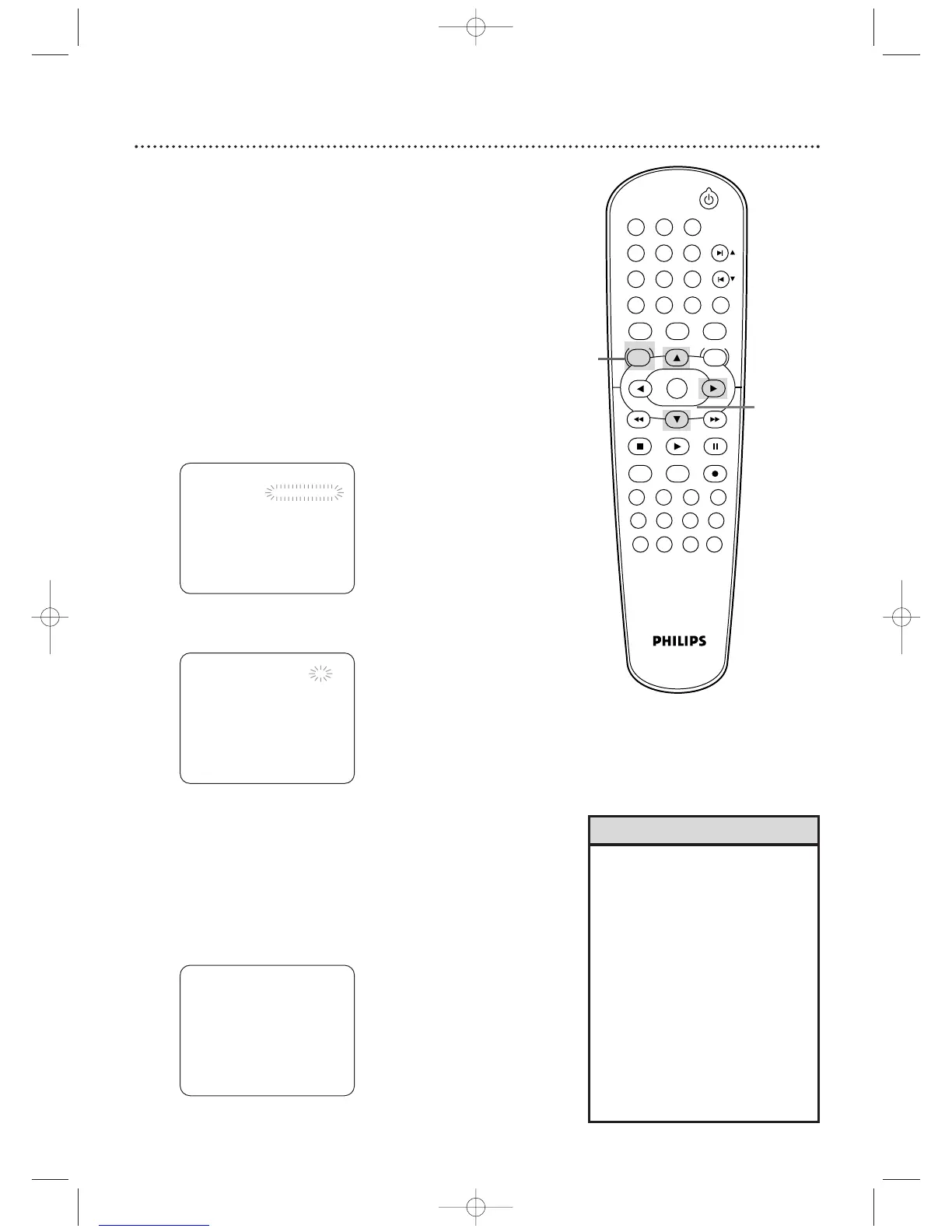
Follow the steps below to program the VCR of the DVD/VCR to
record TV programs while you’re away from home. Before you
begin:
● Set up the TV channels at the DVD/VCR. Details are on page 25.
● Set the clock. Details are on pages 27-28.
● Put a tape in the cassette compartment of the DVD/VCR. Make
sure the tape’s record tab is intact and the tape is long enough
to record the program(s).
● Press VCR so the VCR light appears on the front of the
DVD/VCR.
1
Press DISC/VCR/MENU so MENU appears.
2
Press
o or p
to select TIMER PROGRAMMING.Then,
press
B
. Program numbers that do not have a timer recording
stored will flash.
TIMER PROGRAMMING
PROG. 12345678
DATE
START TIME
END TIME
CHANNEL
REC SPEED
3
Press o or p to select an empty program.Then,
press
B.
PROGRAM NUMBER 1
B ONCE
DAILY
WEEKLY
4
Press o or p to select ONCE, DAILY, or WEEKLY.
Then, press B.
● ONCE - The VCR will record a TV program on any day you
choose, up to
12 months away.
● DAILY -
The VCR will record a TV program at the same time
on the same channel every day, Monday through Friday.
● WEEKLY - The VCR will record a TV program at the same
time on the same channel every week, for example, every
Monday.
• You cannot access the TIMER
PROGRAMMING menu at step 2
if the clock is not set.The CLOCK
SET menu will appear. Follow the
steps on pages 27-28 to set the
clock.
• Only programs that will air Monday-
Friday can be recorded on a DAILY
basis. If you select DAILY at step 4,
then enter a Saturday or Sunday
DATE at step 5, the correct program
will not be recorded.The VCR will
alter the recording date and record
a different program than the one
you intended.
Helpful Hints
2-4
1












 To Next Page