DISPLAY
TV ASPECT
4:3 LETTERBOX
STILL MODE AUTO
ANGLE ICON ON
AUTO POWER OFF
ON
PROGRESSIVE OFF
OK
DISPLAY
TV ASPECT
4:3 LETTERBOX
STILL MODE AUTO
ANGLE ICON ON
AUTO POWER OFF
ON
PROGRESSIVE OFF
OK
6
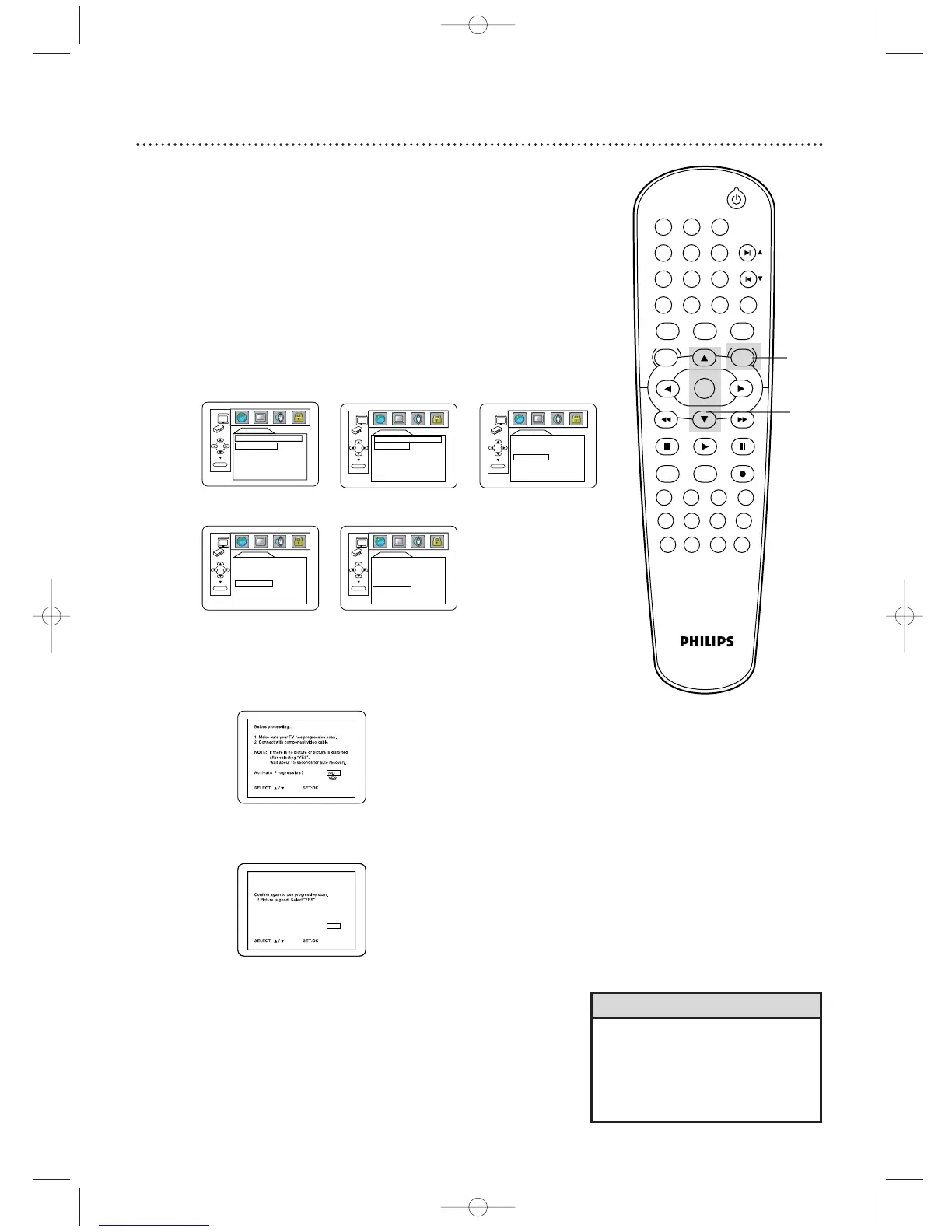
Press SYSTEM/MENU to remove the menus.
● If
PROGRESSIVE is ON, this message appears:
Press
o or p to make a selection, then press OK. If
you select NO, the menu disappears and PROGRESSIVE is
OFF. If you select YES, this appears:
Confirm your setting, then press OK. The menu will
disappear and PROGRESSIVE will be ON.
If you do not press any buttons for 15 seconds, the
Progressive Scan will switch to OFF.
DISPLAY
TV ASPECT
4:3
LETTER BOX
4:3
PAN & SCAN
16:9
WIDE
OK
TV ASPECT ANGLE ICON
PROGRESSIVE
5
● If you selected ANGLE ICON, press OK repeatedly
to turn it ON or OFF.The default setting is ON. Choose
ON to see the Angle icon when multiple camera angles
are available during DVD playback. Details are on page 54.
Choose OFF to disable the Angle icon.
● If you selected AUTO POWER OFF, press OK
repeatedly to turn it ON or OFF.The default setting is
ON. Choose ON if you want the DVD/VCR to switch to
VCR mode automatically if there is no activity at the
DVD Player for 35 minutes.
● If
you chose PROGRESSIVE, press OK repeatedly to
turn PROGRESSIVE ON or OFF.The default setting is
OFF. Choose ON if your TV has Progressive Scan and if
the TV is connected to the Player’s COMPONENT VIDEO
OUT jacks. Choose OFF otherwise.
6
AUTO
FIELD
FRAME
OK
DISPLAY
STILL MODE
STANDBY-ON
PLAY
DVDVCR VCR/TV
OK
MENU MENU
DISC/VCR
RETURN TITLE
A-B
CLEAR/RESET SLOW
SUBTITLE ZOOM
ANGLE
REPEAT REPEAT
AUDIO
SEARCH MODE
DISPLAY
SKIP / CH
SYSTEM
PAUSESTOP
MARKER RECORDTIMER SET
SPEED
1 2 3
7
6
5
4
8
9
0
+10
DISPLAY
TV ASPECT
4:3 LETTERBOX
STILL MODE AUTO
ANGLE ICON ON
AUTO POWER OFF
ON
PROGRESSIVE OFF
OK
AUTO POWER OFF
•You can set PROGRESSIVE to OFF
either in the DISPLAY menu or by
pressing and holding the PLAY
button on the front of the Player
for more than five seconds.
Helpful Hints
Confirm again to use progressive scan.
If Picture is good, Select “YES”.
SELECT: K / L SET:OK
NO
YES
NO
YES
H9622MD(EN)47_78.qx4 04.4.8 5:04 PM Page 65












 To Next Page