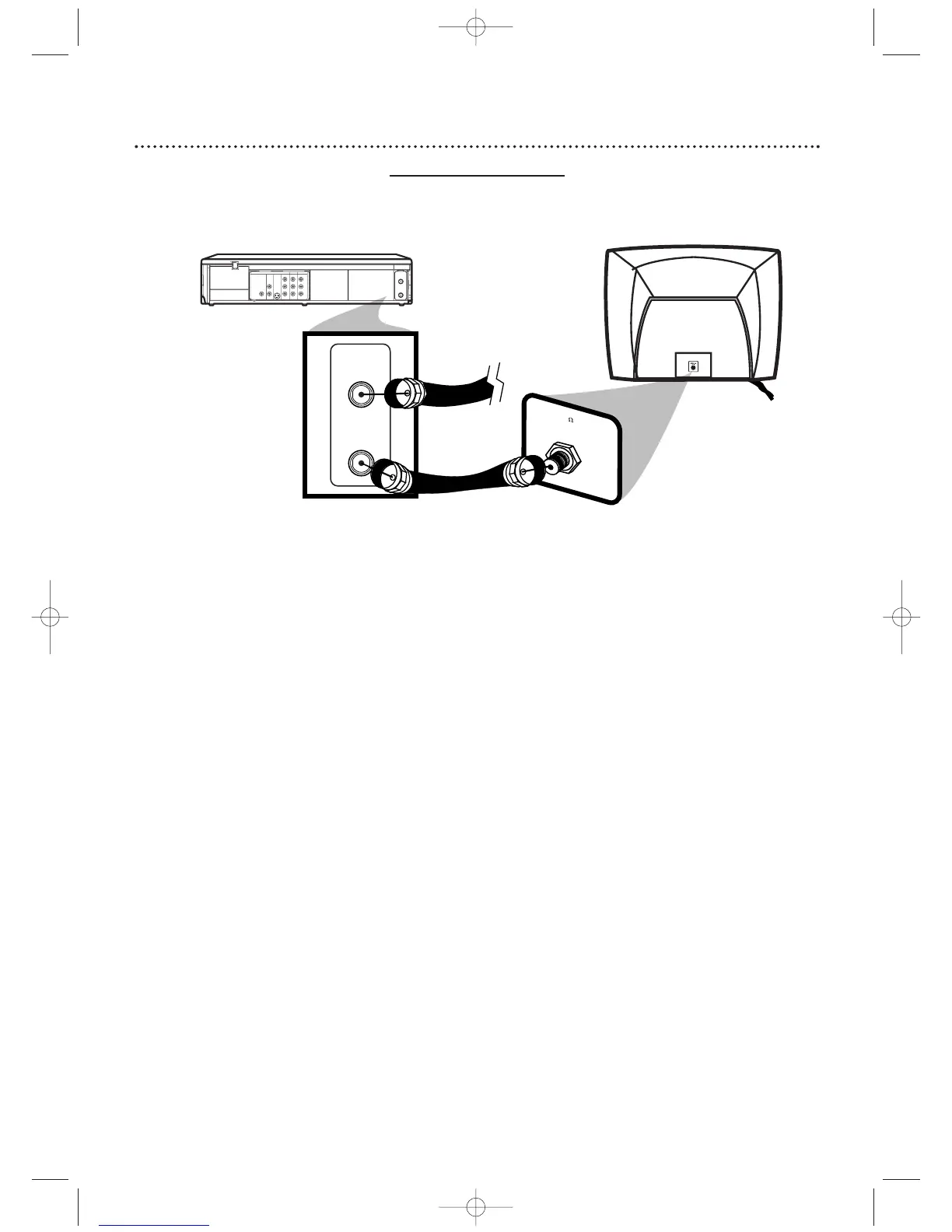
Black RF
coaxial cable
(supplied)
Antenna or
Cable TV
signal
Antenna In Jack
(on back of TV)
example only
1
2
Hookups (cont’d)
7
1
Disconnect the antenna or Cable TV signal from your TV and
connect it to the ANT-IN (Antenna In) jack of your DVD/VCR.
2
Connect the supplied black RF coaxial cable to the ANT-OUT
(Antenna Out) jack on the back of the DVD/VCR and to the
ANTENNA IN JACK on the TV. The ANTENNA IN jack on the TV may be
labelled TV IN, RF IN, 75Ω (ohm), or ANT-IN. See your TV owner’s manual for
assistance.
3
Plug in the power cords of the TV and the DVD/VCR.
4
Set your TV to channel 3 or 4. The DVD/VCR’s output channel is 3 when
you purchase it. So, set your TV to channel 3 when the DVD/VCR is new.
If you cannot use channel 3 at your TV, you can change the DVD/VCR’s output
channel to channel 4.To do so, press the VCR button to put the DVD/VCR in
VCR mode.The VCR light will be on the front of the DVD/VCR. Insert a
videotape and press PLAY B to start playback. During playback, press and
hold the (VCR) PLAY B button on the front of the DVD/VCR for
three to five seconds. Each time you do this, the DVD/VCR’s output
channel switches between 3 and 4, and the selected channel number appears
on the display panel. Change your TV to channel 3 or 4 accordingly. (You
cannot change the DVD/VCR’s output channel while adjusting tracking
manually. Press STOP C to stop play and cancel manual tracking, then press
PLAY B to resume playing and change the output channel.)
There is not a channel 3/4 switch on the DVD/VCR (as customary with most
VCRs).
5
You are ready to turn on the DVD/VCR. Go to page 16 before
turning on the DVD/VCR.
DVD/VCR to TV only
Simplest connection using only the supplied black RF coaxial cable
This connection will let you use the features of both the VCR and the DVD Player.












 To Next Page