Title Service Manual, LPCR2 Page
Service Product Drawing
3323299
B
Released State Date 11/14/2017
7000545 Revision A
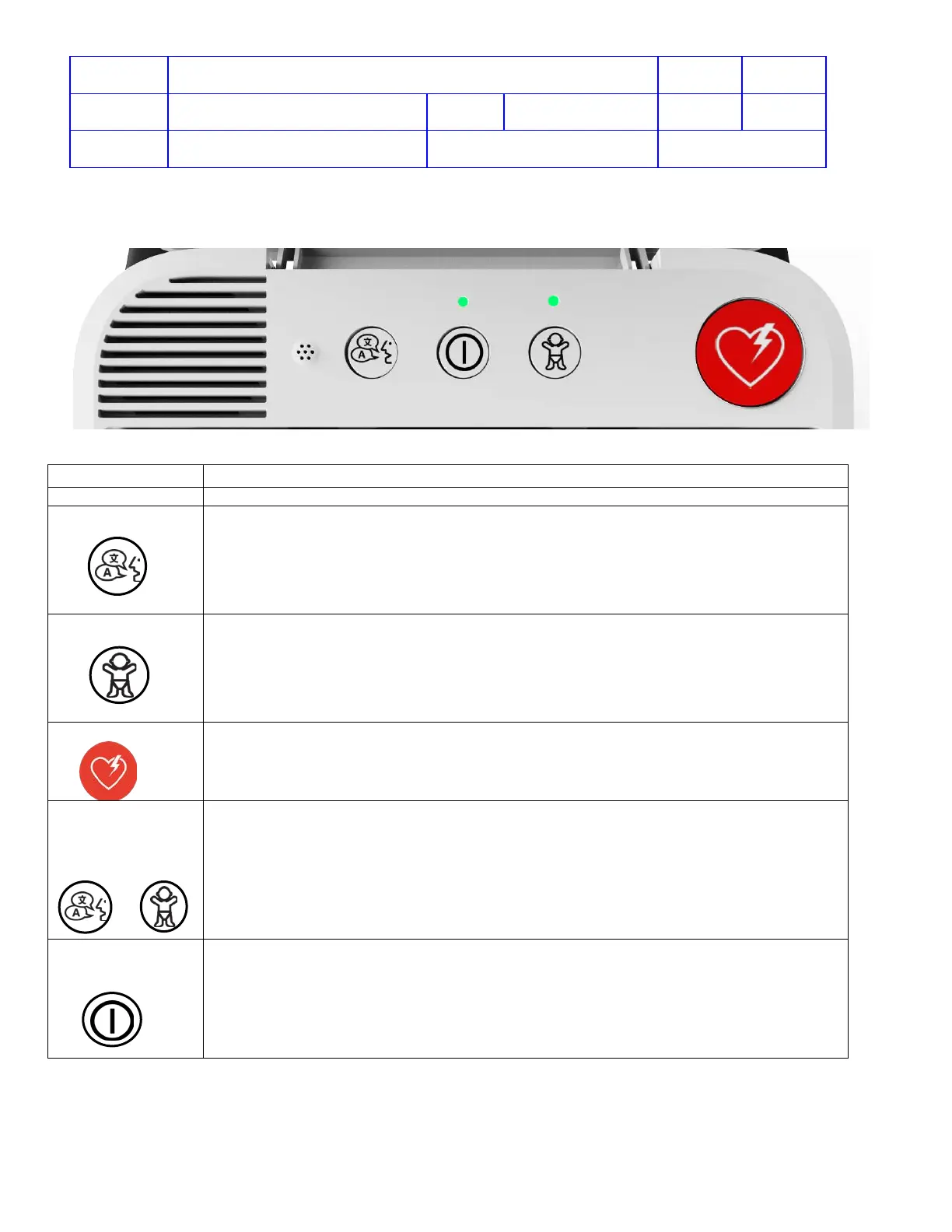
Modes of Operation
AED turns on and starts talking.
Button
Allows user to change the voice prompts to different language if a dual-language is
installed on the device. A voice prompt will confirm language selection. At the next use,
the device will power on in the language designated as primary.
Child mode/Adult mode button is a toggle switch to change between Child and Adult.
Child mode: When pressed it once, a voice prompt will announce “Child Mode”.
Defibrillation shocks will be delivered at reduced energy levels, and CPR coaching
prompts will change.
Adult mode: Press this button again to switch back to “Adult Mode”, if needed.
Defibrillation shocks will be delivered at adult energy levels.
After the electrode pads are applied, when a shockable rhythm is detected,
Fully automatic mode: AED delivers a shock automatically.
Semi-automatic mode: requires the responder to press the shock button.
Both modes have voice instructions that guide the responder through the event.
Button +
CHILD mode
Button
+
Open the Lid. When the voice prompts start, press and hold LANGUAGE and CHILD
buttons simultaneously for at least 2 seconds. The device will enter Data mode for
device readiness troubleshooting, wireless status, LIFELINK/LIFENET check-in, or to
apply software updates.
Button
The defibrillator turns on automatically when the lid is opened. Press and hold the
ON/OFF button for 3 seconds to turn the defibrillator off. Press again to turn the
defibrillator back on. The green LED is illuminated when the defibrillator is on.












 To Next Page