Title Service Manual, LPCR2 Page
Service Product Drawing
3323299
B
Released State Date 11/14/2017
7000545 Revision A
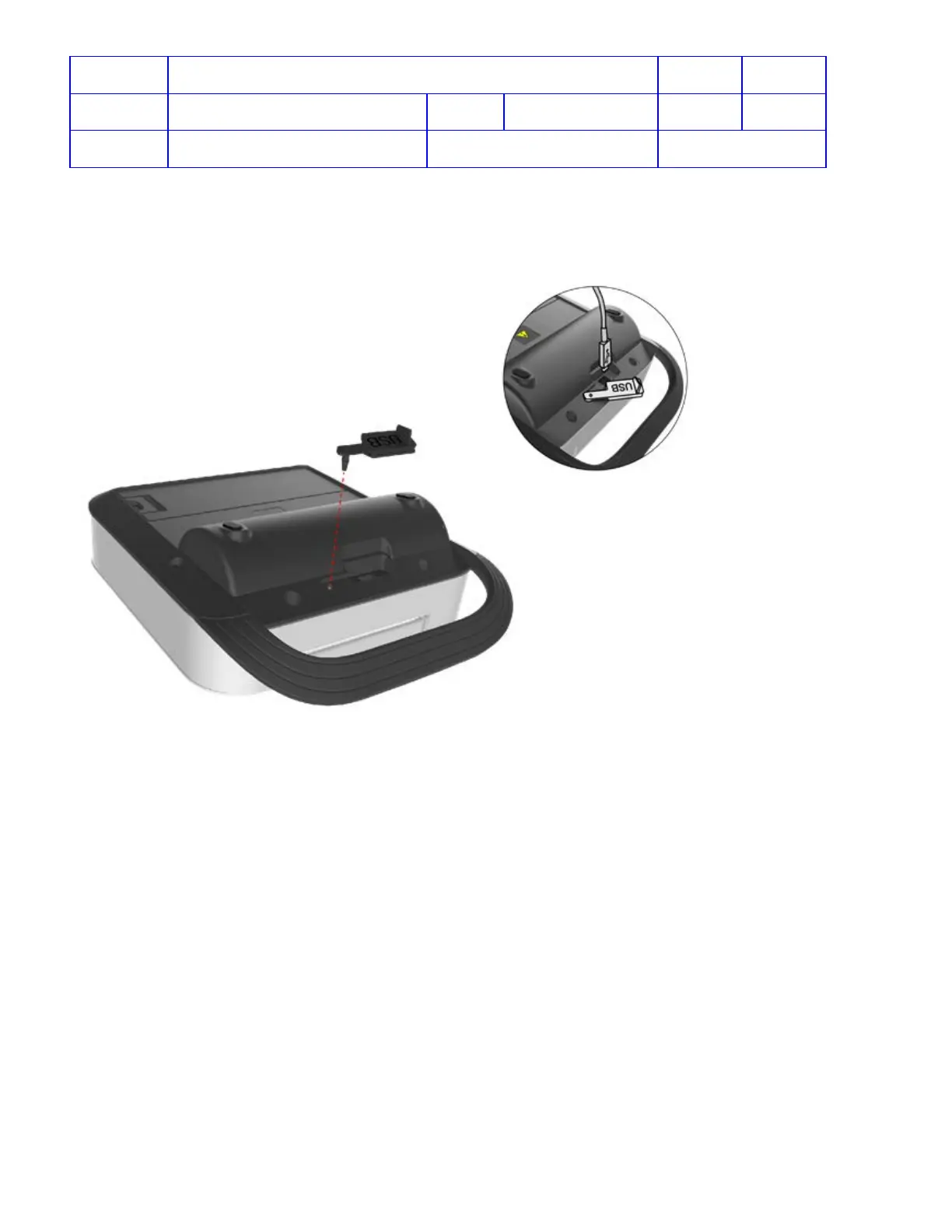
USB Cover Replacement
Install USB Cover onto Rear Case by inserting prong into small hole and push it all the way in.
Battery Replacement
To replace the Battery:
1. Remove the old battery.
2. Insert the new battery.
3. Open the lid and wait for voice prompt to start (important to do this step because when lid is open, device will
start a self-test to register the new battery).
4. After hearing the voice prompt, close the lid.
5. Check device readiness light is flashing in green every six seconds.
Note:
It is important to open the lid after insert a new battery because when the lid is opened,
the device will perform a self-test
and recognize that a new full battery has been installed and reset the device readiness status. If this step is not performed,
device readiness will not be updated and the readiness light will not be flashing in green every six seconds until next
self-test is run.
Electrode Replacement
The electrode tray must be replaced if any of the following occur:
• The seal on the tray is broken
• The electrodes are used
• The Use By date (shown next to the hourglass symbol) has passed












 To Next Page