Title Service Manual, LPCR2 Page
Service Product Drawing
3323299
B
Released State Date 11/14/2017
7000545 Revision A
Initial Device Setup Overview
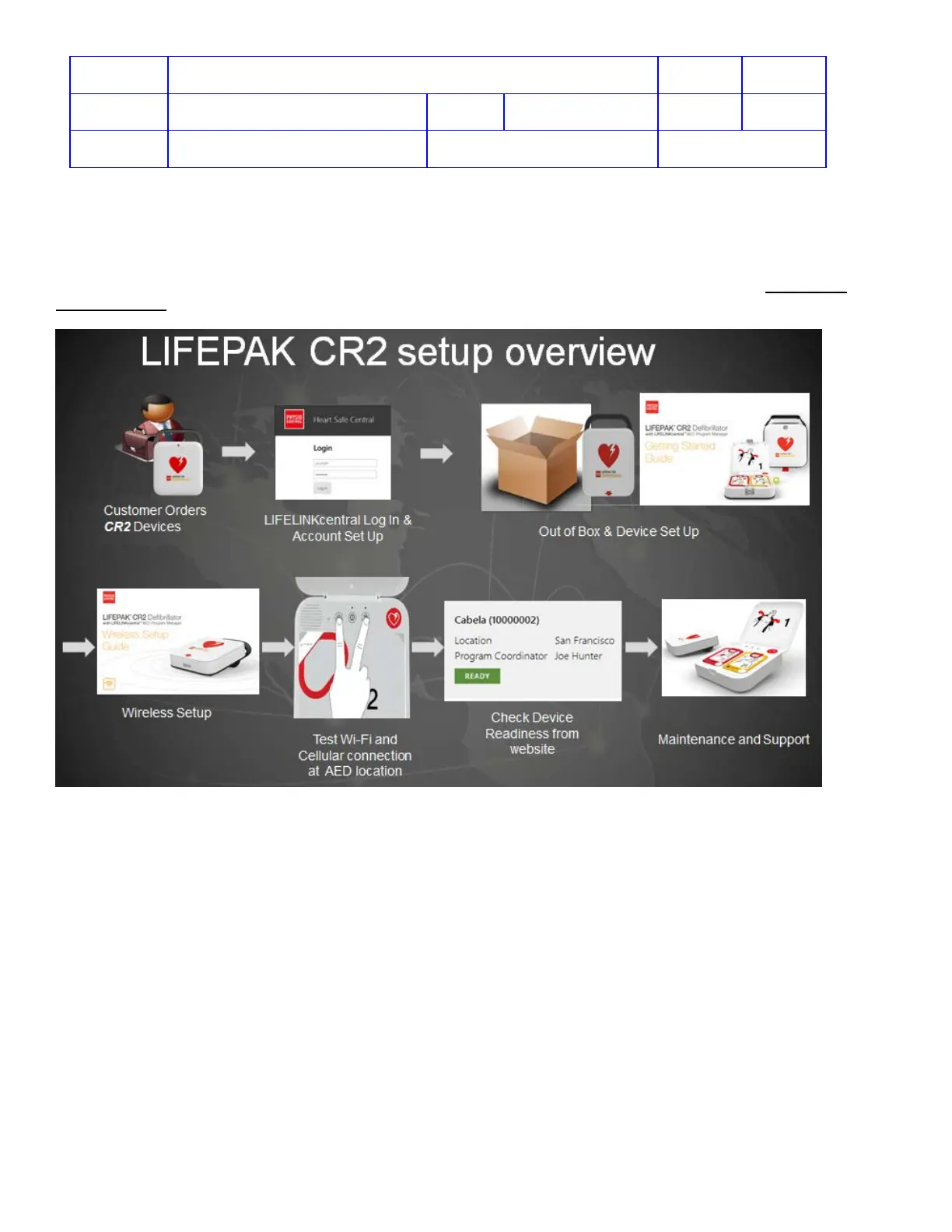
The following diagram describes the initial device setup steps performing by the customers upon receiving the CR2.
The printed literatures within the shipping box are designed to help the customers to perform device setup to bring the
device to Ready state. A list of regional service contact phone numbers is included in the shipping box,
Contacting
Physic-Control.
1. Unpack the box.
2. Find printed literature: Operating Instructions, Getting Started Guide, and Wireless Setup Guide
3. Follow the Getting Started Guide to bring the device to Ready state.
4. For Cellular or Wi-Fi capable device, follow the Wireless Setup Guide to set up the wireless connection.
5. Test the device Wi-Fi or Cellular connection at the device installation location.
6. Check device readiness status from LIFELINK or LIFENET website.












 To Next Page