Title Service Manual, LPCR2 Page
Service Product Drawing
3323299
B
Released State Date 11/14/2017
7000545 Revision A
Viewing LIFEPAK CR2 Log Files
Overview: To view CR2 device log files, service personnel will need to have LIFENET or LIFELINK accounts.
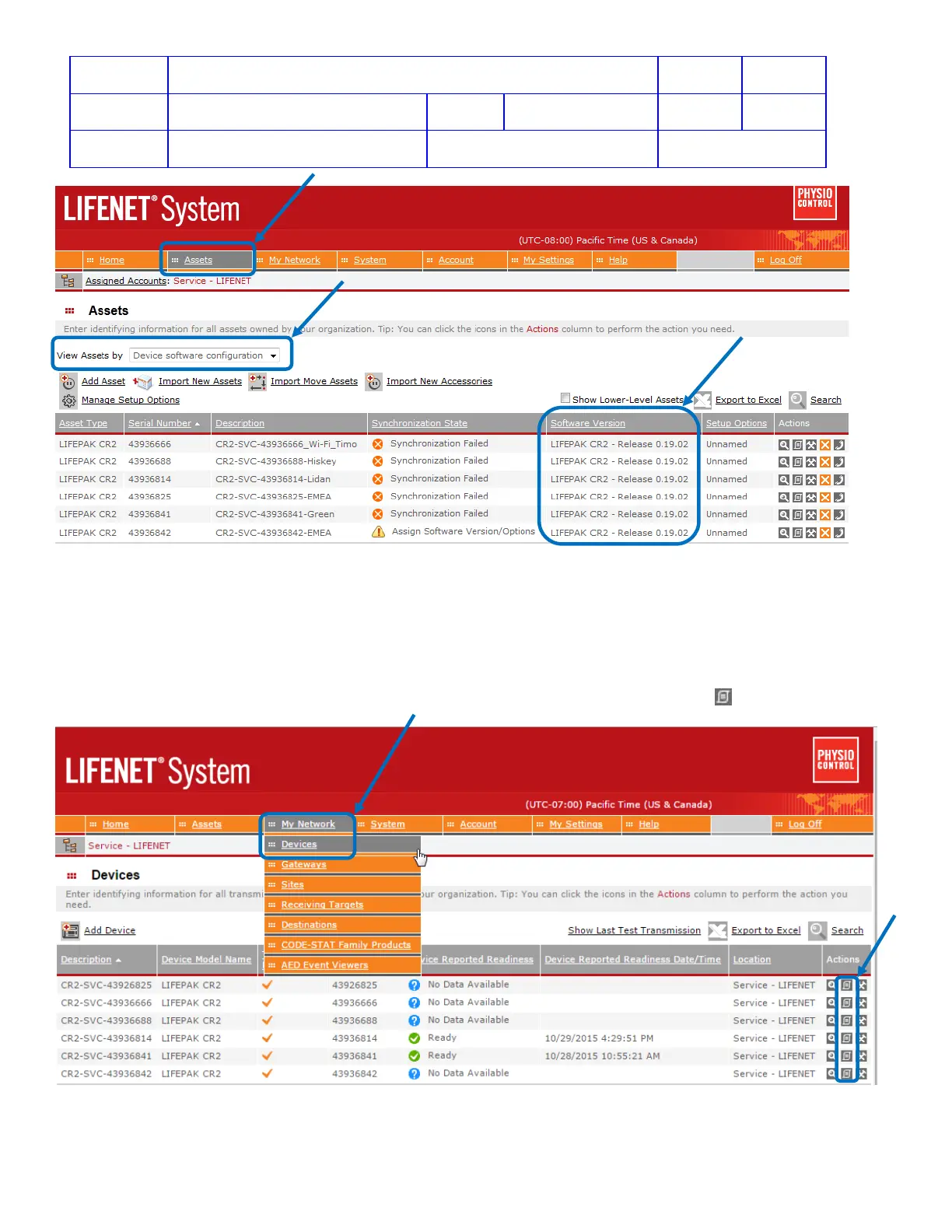
View Log from LIFENET System
From My Network menu, click Devices. In the Actions column, select the device row and click to open the View
Device Log page.
On the View Device Log page, you can view logs available for the selected device, depending on the device type.












 To Next Page