Title Service Manual, LPCR2 Page
Service Product Drawing
3323299
B
Released State Date 11/14/2017
7000545 Revision A
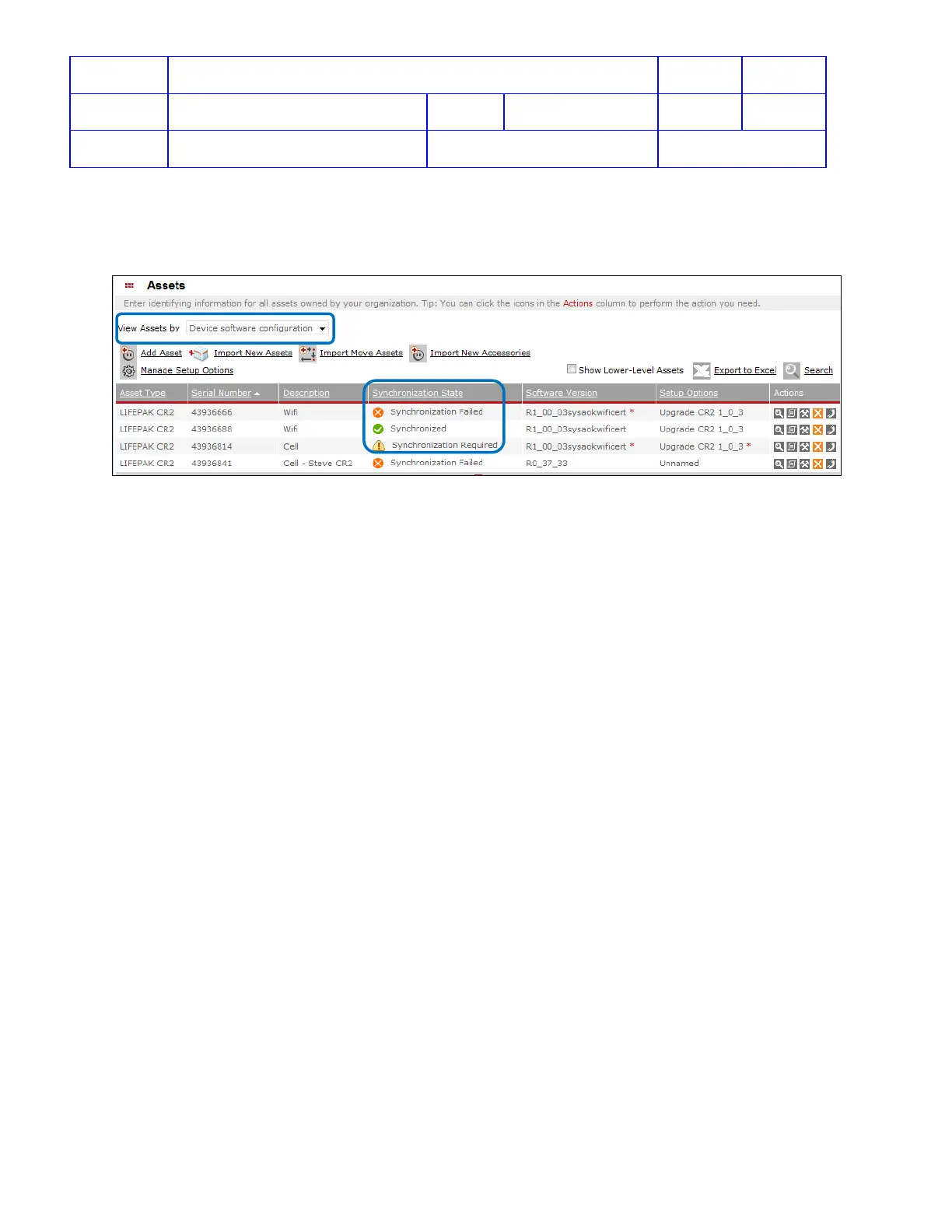
Monitor Update Status from LIFENET:
To check if update has been applied to the device, from Assets -> from View Assets by dropdown menu -> select
Device software configuration -> look at Synchronization State for update status.
• Synchronization Failed – means update has been perfrom with error. Try again or call SmartDesk for
support;
• Synchronized – means update has been performed and it is sucessful;
• Synchronization Required – means update has not been performed. waiting for LIFENET check-in to
apply update to the device;
View Software Version
Overview: Because all CR2 devices are registered either in LIFELINK or LIFENET, and the only way to update
software is from LIFELINK or LIFENET, therefore, the software version on CR2 device can be viewed from LIFELINK
or LIFENET.
View device software version from LIFELINK
1. login to LIFELINK
2. On the main menu, click Equipment.
3. Point to highlight a device, and then click to open the Equipment view.
4. Scroll down to view the software version for the SN












 To Next Page