Title Service Manual, LPCR2 Page
Service Product Drawing
3323299
B
Released State Date 11/14/2017
7000545 Revision A
Monitor Update Status from LIFELINK:
1. Login to LIFELINK website
2. Click on Sites from left menu
3. Highlight a site and click to open the Site view
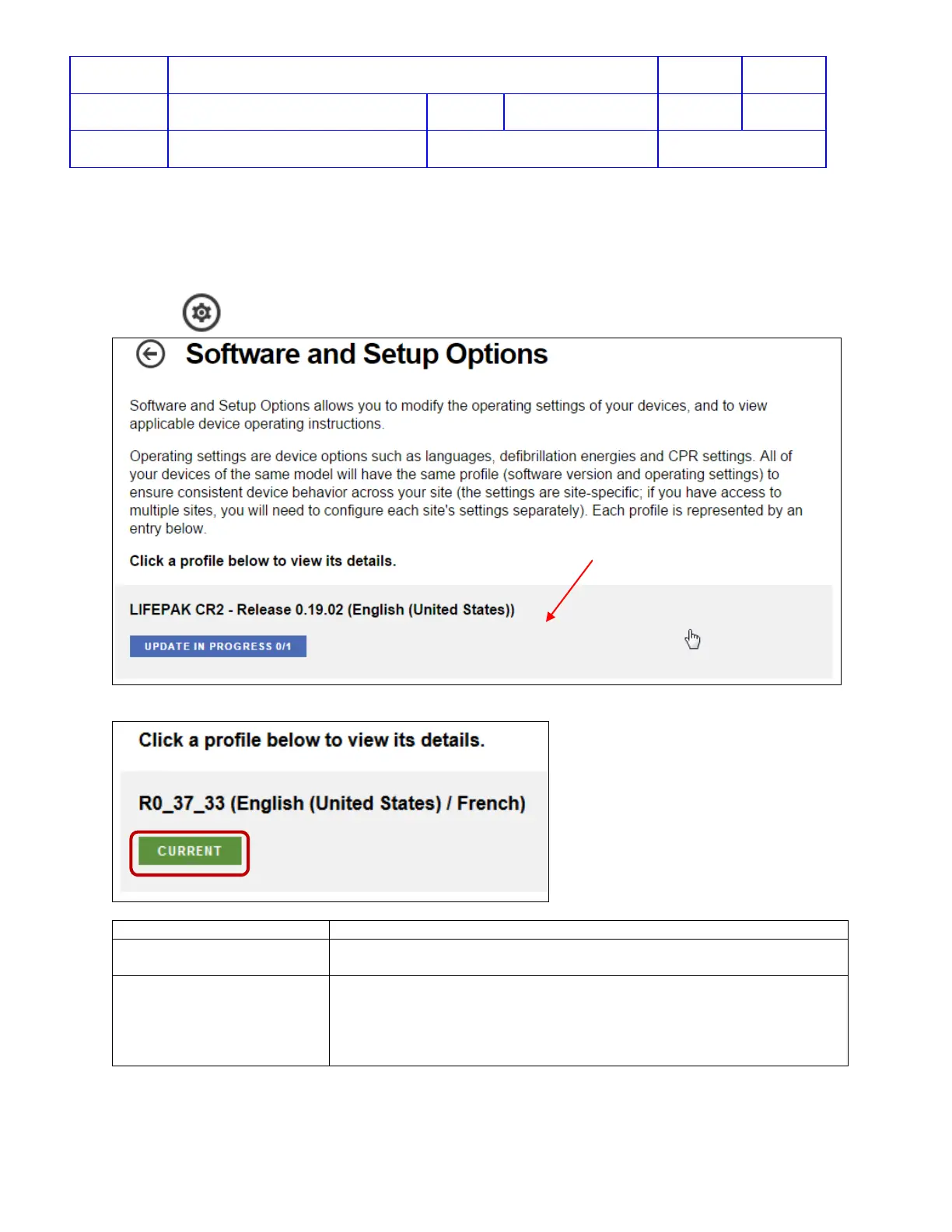
4. Click icon
Software and Setup Options to open available profile view
5. If all devices in the site have been updated to one profile, the status will be shown CURRENT.
6. The status of the profile will be one of the following:
All devices at this site have been updated to this profile
A new version of software is available for devices at this site. Click
this profile to authorize the update.
A software update has been authorized for this site or setup options
have changed, and at least one of the devices still needs to be
updated. N indicates the number of devices that have already been
updated and M indicates the total number of devices assigned to the












 To Next Page