Title Service Manual, LPCR2 Page
Service Product Drawing
3323299
B
Released State Date 11/14/2017
7000545 Revision A
Monthly Auto-Check-In
Overview: This session explains how often and when the CR2 will send device data to LIFELINK or LIFENET System
to update device status.
The CR2 will send data when any of the following events occur:
1. Monthly Auto Check-In (initiated by the CR2) - The CR2 automatically runs the monthly self-test and checks in
to LIFELINK or LIFENET to update device status
2. Manual check-in (initiated by a user) – replace the battery with a new battery
3. AED in use (lid opened)
4. AED event complete and lid closed
5. Self-Test failed (daily, weekly, monthly)
NOTE:
1. Device status on LIFELINK or LIFENET is not a real time status. To conserve device battery, the
communication between device to LIFELINK or LIFENET will only happen in above five cases.
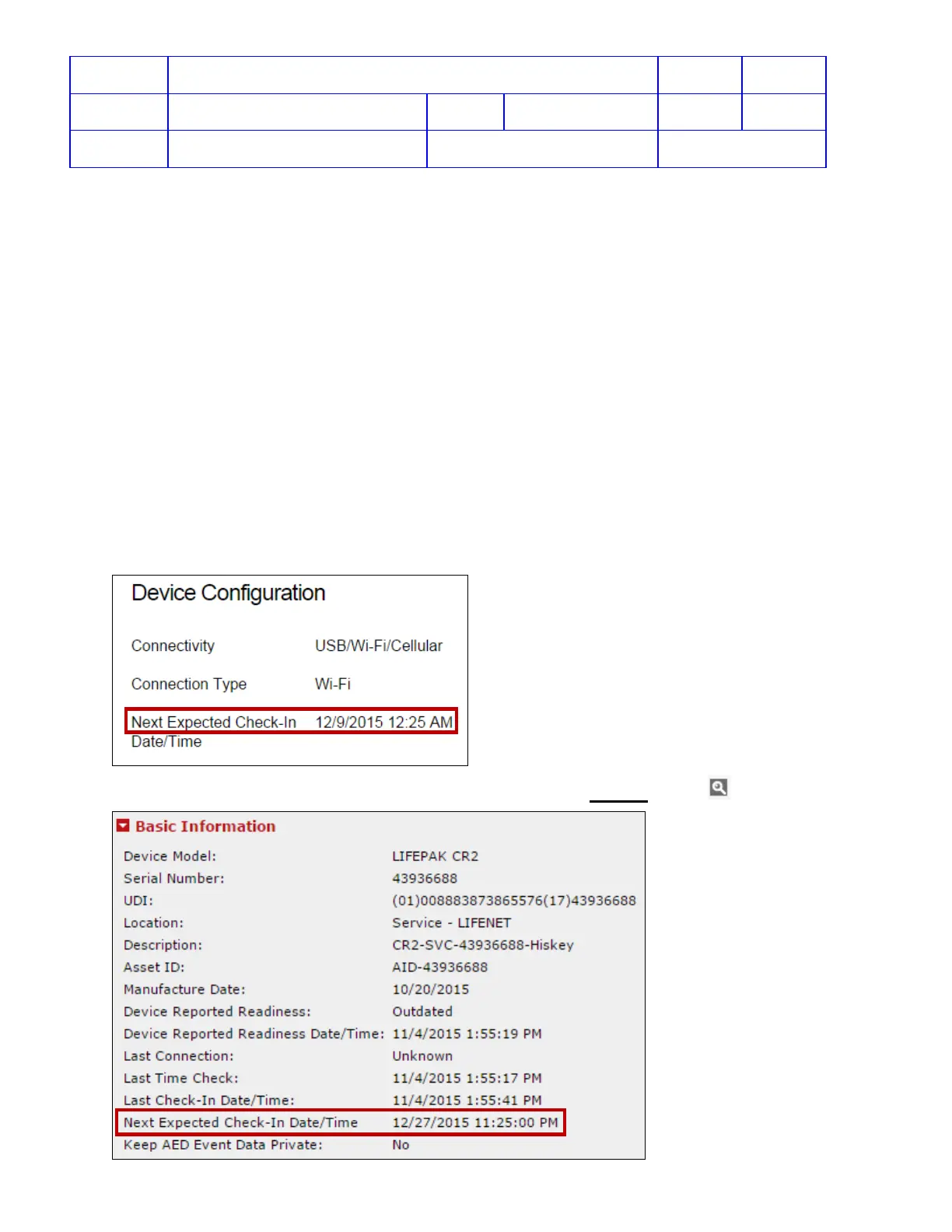
2. The Monthly Auto-Check-In date is set in each CR2 during manufacturing. It cannot be changed. To view the
monthly Check-In date on the CR2, log in to LIFELINK and go to Equipment view.
3. In LIFENET, Next Expected Check-In Date/Time can be viewed from Devices View > View Device Details












 To Next Page