Title Service Manual, LPCR2 Page
Service Product Drawing
3323299
B
Released State Date 11/14/2017
7000545 Revision A
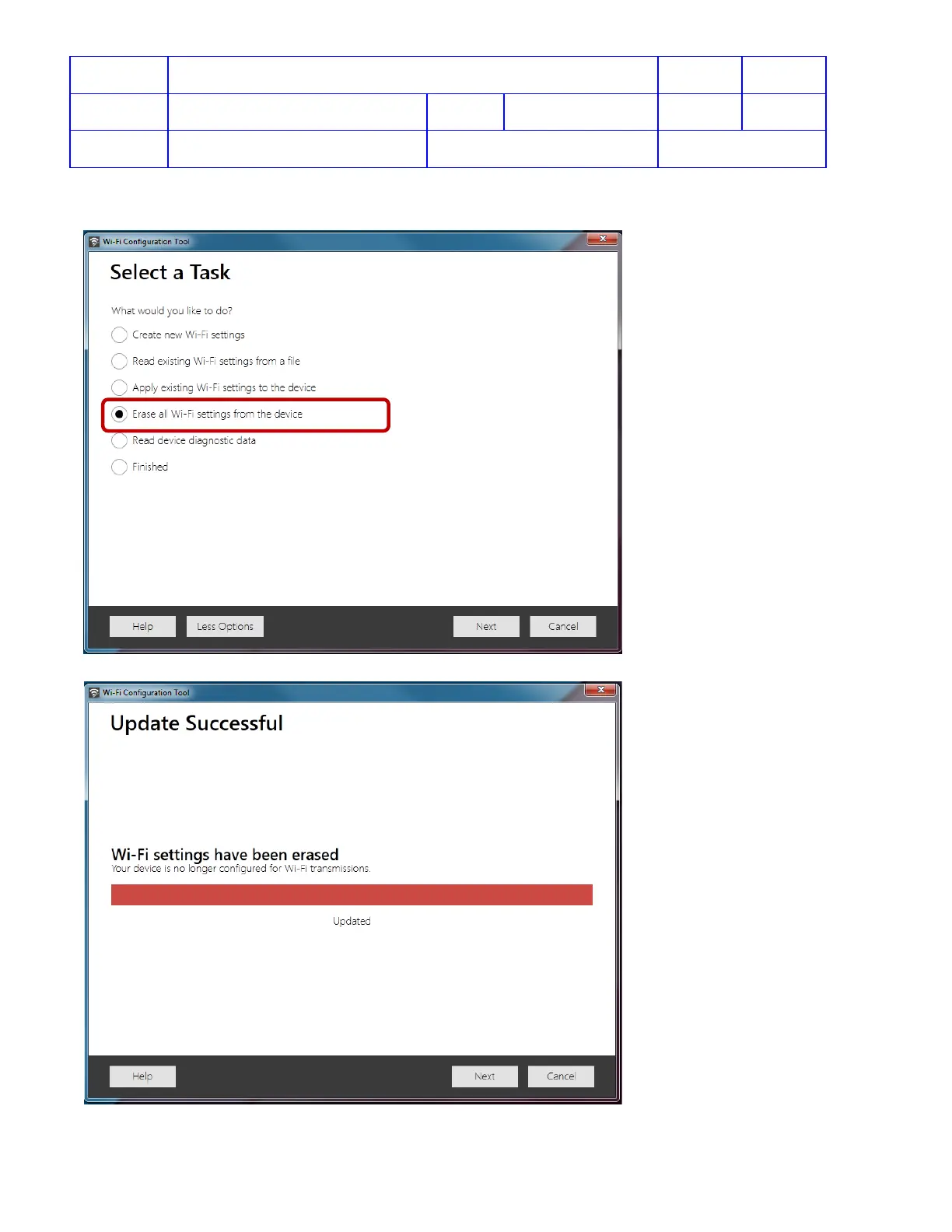
5. To remove Wi-Fi settings from the CR2, select More Options > Erase all Wi-Fi settings from the device >
Next. The Wi-Fi settings on the CR2 will be erased and the Update Successful screen will appear.
6. Click Cancel to exit the Wi-Fi Configuration Tool.












 To Next Page