8.3
Appendices
Pinnacle Operators Manual
Pickering Laboratories Inc.
5.1.4 Connect the outlet of Valve Port 2 directly to your flow meter. Use Valve 1 when testing Pump 1
and use Valve 2 when testing Pump 2.
5.1.5 Disconnect the analytical column to the Pinnacle PCX. This is the blue PEEK tubing that goes
into the first mixing tee. Replace the blue peek tubing with a plug into the mixing tee. This will
prevent any leaking out of the mixing tee. At this point the analytical column is completely
disconnected from the Pinnacle PCX.
5.1.6 Open the Pinnacle Control Software and configure the instrument to have no connection to
the HPLC. This will allow you to operate the Pinnacle without experiencing a time-out error due
to no injection signal from the HPLC.
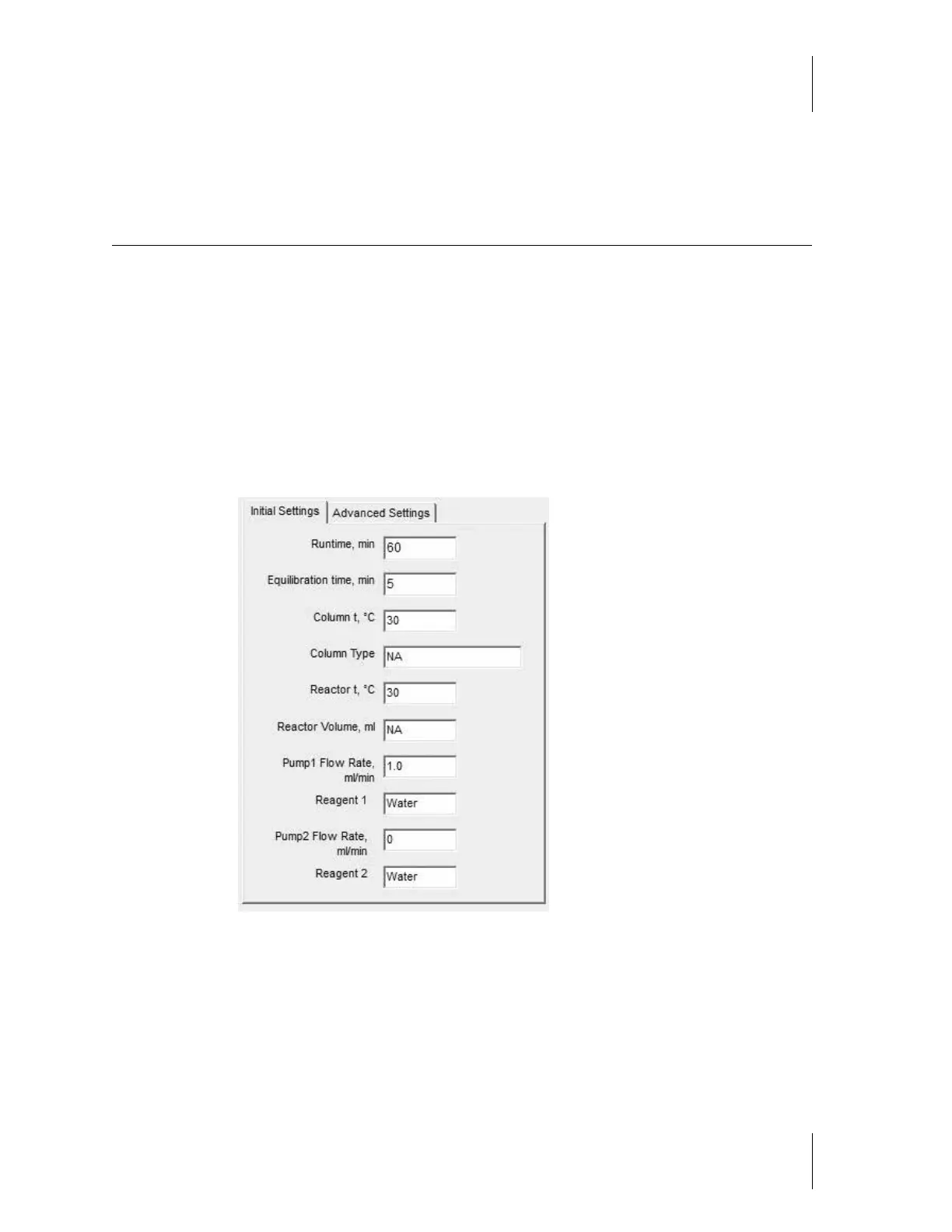
5.1.7 Create a method with the following parameters:



 To Next Page