33
Notice:
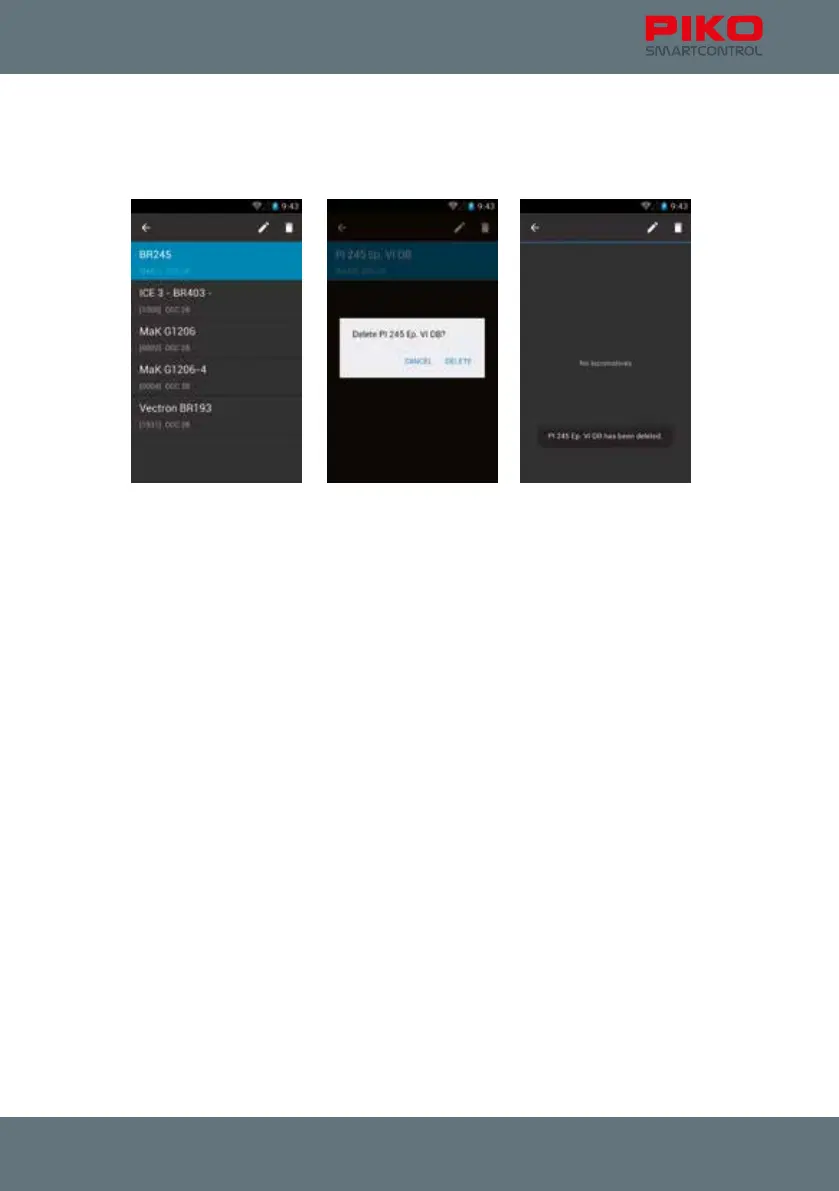
The locomotive list also provides the built-in Android system menu. If you press on a locomotive for
a little bit longer the status bar on top will change. It will show the options “back” (arrow left), “edit“
(pencil) and “delete” (trash bin). You can leave the menu with the hardware back-button.
When touching „edit“ you will be redirected to the „edit locomotive“ menu.
If you want to delete an item, you will be asked to conrm.
If item is deleted:
After an item is deleted you will remain in the current menu. To get back to the control panel or another
menu you have to touch the „back-arrow“ or the hardware back-button rst.



 To Next Page