57
6.3 Personalize your devices
Besides apps you can also put les on the device with the help of a computer. Just connect your PIKO
SmartControl
®
to the computer via USB cable. Usually the device should install its drivers automatically
on the computer. Once that is nished you can use the PIKO SmartControl
®
like an external hard
drive and put les on it. Please be smart when putting les on it – music should be in the folder media,
pictures in pictures and so on.
Please also note the information about memory usage above.
Notice:
The USB cable should have data transfer capability. USB-B isn’t suitable for le transfer!
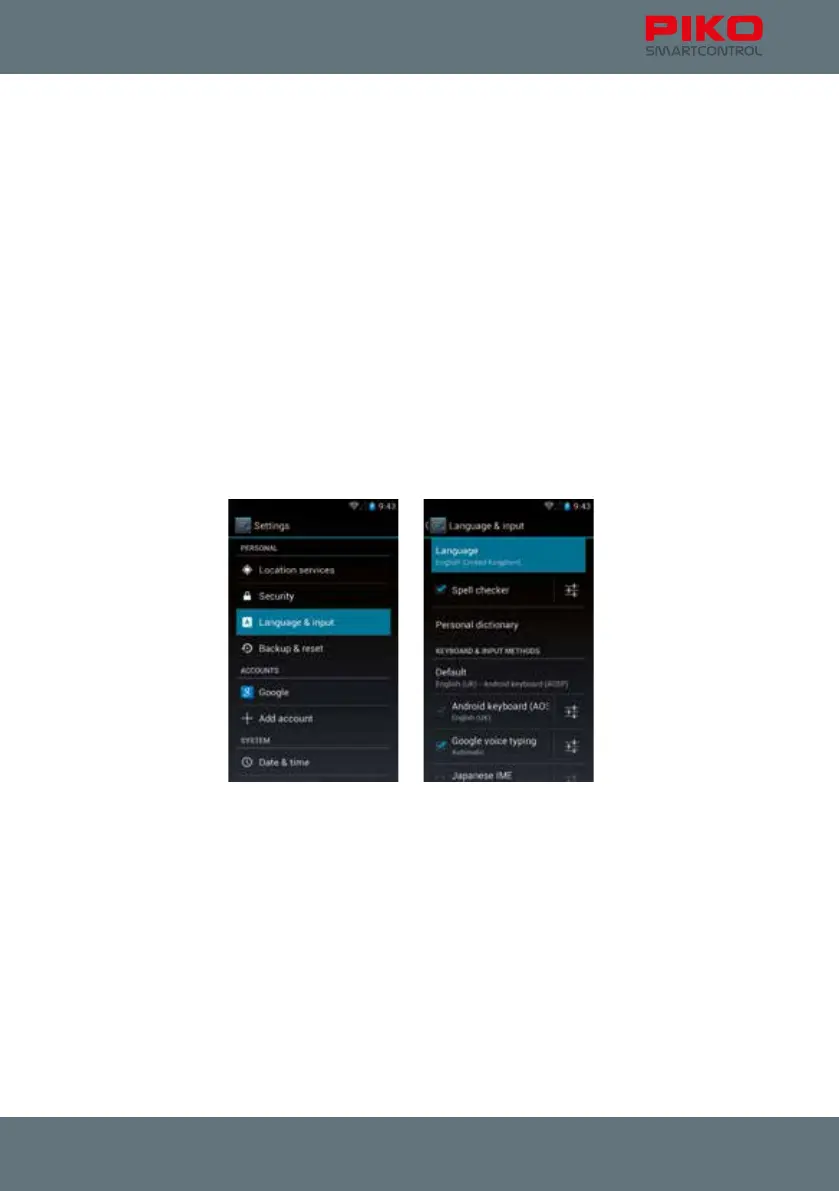
6.4 Changing the system language
To change the language of the PIKO SmartControl
®
, please go to the main menu, then to settings and
look for the „Personal“ menu. There you will nd “Language and Input”.
In the “Language” you will nd a list of the available languages. Choose your desired language.
Please note that the PIKO SmartControl
®
App may not be available in all languages.



 To Next Page