System
30
Additional menus in the control panel
You can access more options via the hardware menu-button or with
:
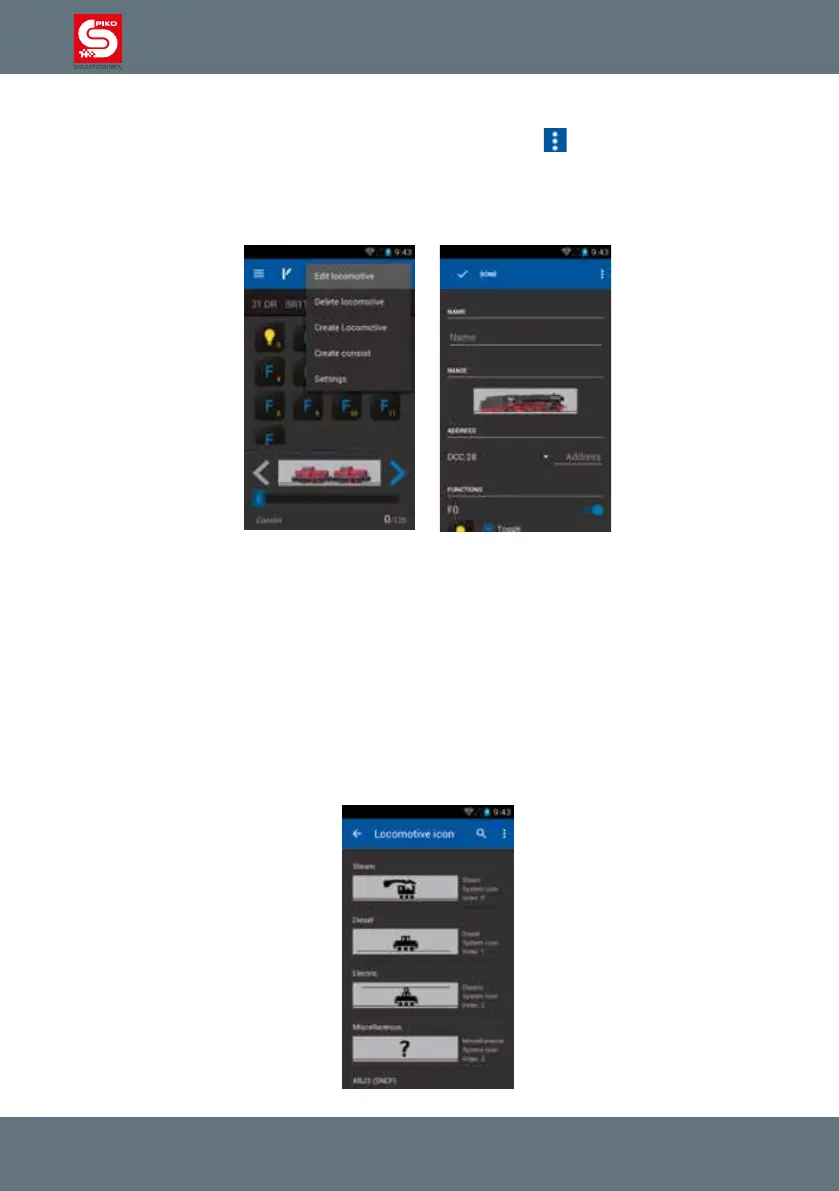
4.2.1 Edit locomotive
Here you can edit the currently selected loco from the control panel.
You can change the name, the loco’s picture/symbol, the address and the available functions.
To change the name touch the line below „name“. The Android keyboard will show up and you can edit
the name.
Once you entered the name you can touch a free area on the display (not the keyboard) or use the
hardware back button to remove the keyboard.
If you want to enter the address right after entering the name you can use the “next” button of the
keyboard (blue, bottom right). The cursor will be redirected to the address eld automatically.
Please pay attention to the cursor-position, it may be in front of the number or behind it.
Change locomotive picture
In order to change a locomotive’s picture just touch the current picture in this menu.
An overview of all available pictures will open. Here you can choose your desired picture. Just select
the picture you want to use.



 To Next Page