27
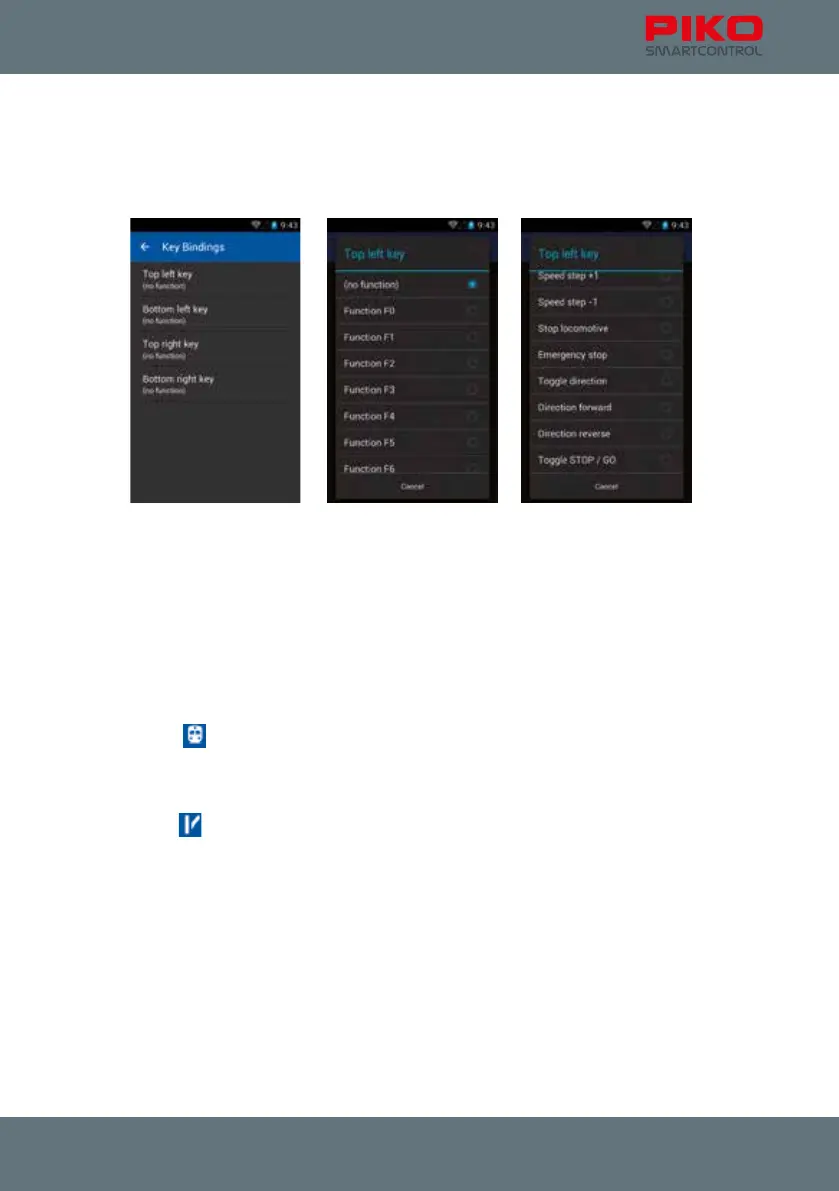
Key Bindings
Here you have the option to assign functions to the four buttons along both sides of the PIKO
SmartControl
®
.
You can choose from all 28 functions, change driving steps or direction, do an emergency stop or
choose to add no function.
About PIKO SmartControl
®
Here you can nd information about which version of the application is installed on your device.
Please check our webpage for updates frequently!
Open-Source-Licenses
Here you can nd license information for the included software.
4.1.2 Main-pages of the PIKO SmartControl
®
app
The control panel
This is the center of your PIKO SmartControl
®
app. From here you can control all locos, edit them,
create new ones or delete existing ones. Speed and functions can be changed with one touch as well.
The switch panel
Here you can create switch panels from all types of accessories or magnetic accessories.
Read and Write CV’s (via menu button)
As with any other digital command station you can read and write CV’s here.
To get more information what CV’s to program and appropriate values see your decoder’s instructions.
Please note that programming uses the “PROG”-connection of the PIKO SmartBox
®
.



 To Next Page