System
60
7.3 Manage installed apps
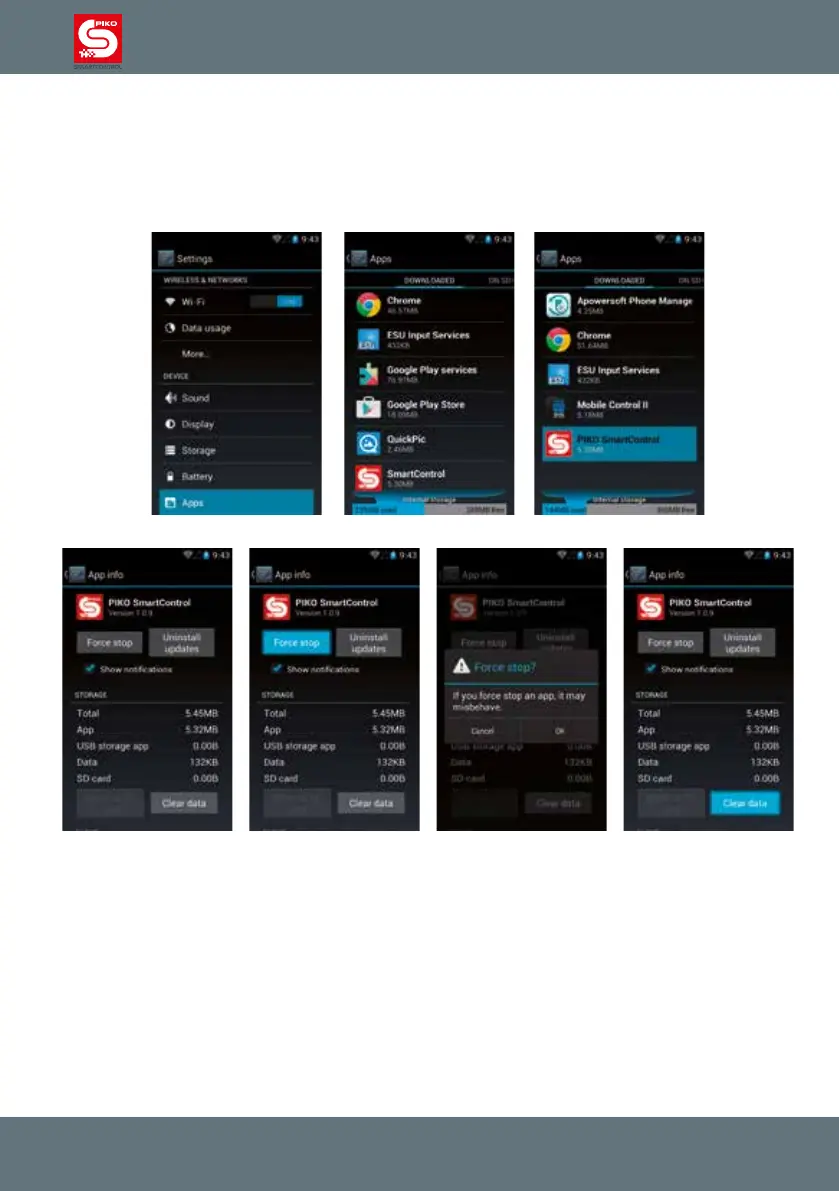
Google’s Android offers a comfortable way to check on and manage the installed applications.
Go to main menu -> device -> Apps to get an overview of the installed apps.
If an app causes problems you can quit it, remove its data or uninstall it completely.
Please take care in this menu, otherwise data may be lost.
If you clear the data of the PIKO SmartControl
®
app, all settings and data on this device will be
removed (within the PIKO SmartControl
®
app). Only some information can be restored from the PIKO
SmartBox
®
later, so please take care here. Updates may require you to use this function.



 To Next Page