System
24
4. PIKO SmartControl
®
App
With the help of the PIKO SmartControl
®
App you will be able to easily control everything on your
layout. Once you studied the feature overview on the following few pages it is time to play!!
Starting the PIKO SmartControl
®
App
Google
®
s Android system offers the option to start applications from different locations.
The simplest way is to touch the Application on the home screen, where you will arrive after the system
nished booting.
You will also nd the app in the main menu. This is the main link, that cannot be removed. All other
links, like those on the home screen, can be deleted or moved to other positions.
More information about those functions can be found in chapter „more detailed Tipps for the PIKO
SmartControl
®
App“.
Choosing a command station / setting up a connection between PIKO SmartControl
®
and PIKO
SmartBox
®
When starting the PIKO SmartControl
®
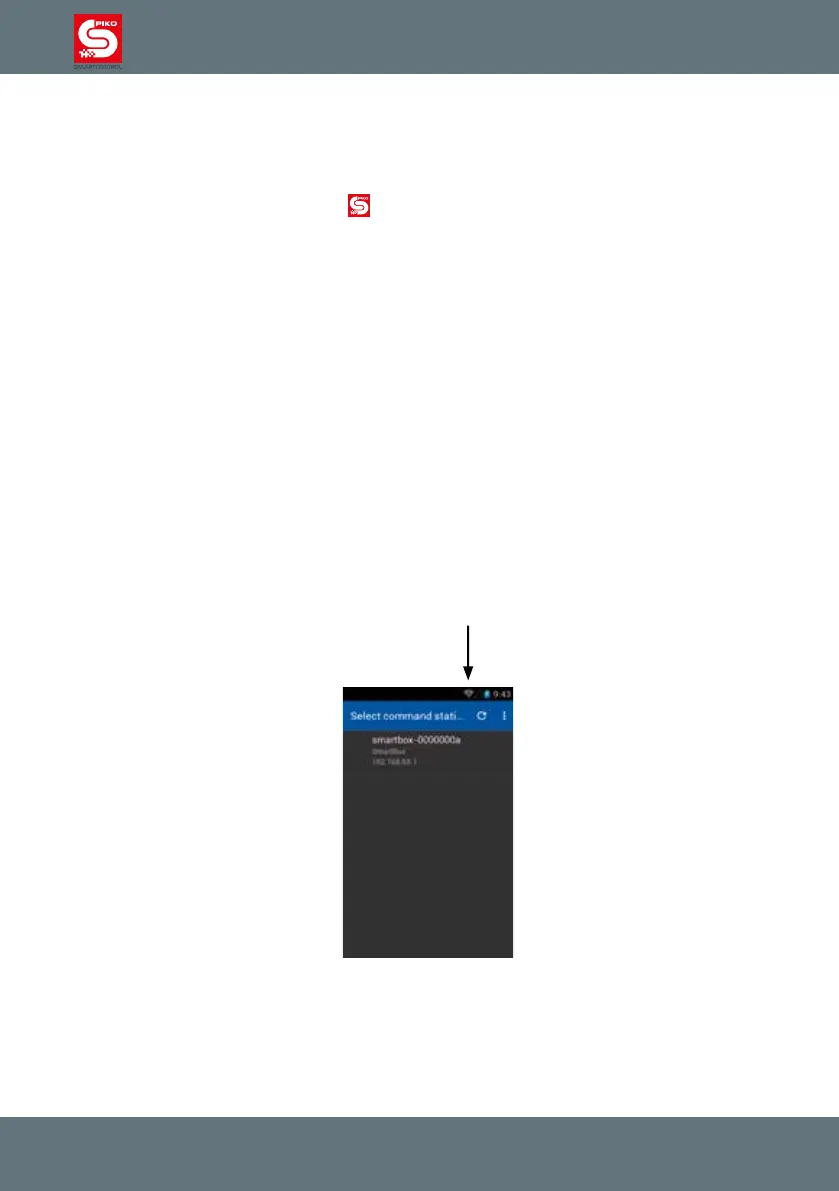
app for the rst time the system will ask you to choose a
command station.
If your PIKO SmartBox
®
is already activated and the WiFi of your PIKO SmartControl
®
is activated,
you will see your PIKO SmartBox
®
on this screen. Just touch it once. Now you will be redirected to the
control panel.
If no connection is available or if the connection fails, please check your WiFi settings (The WiFi-
symbol on the PIKO SmartControl
®
status bar must be visible)



 To Next Page