System
64
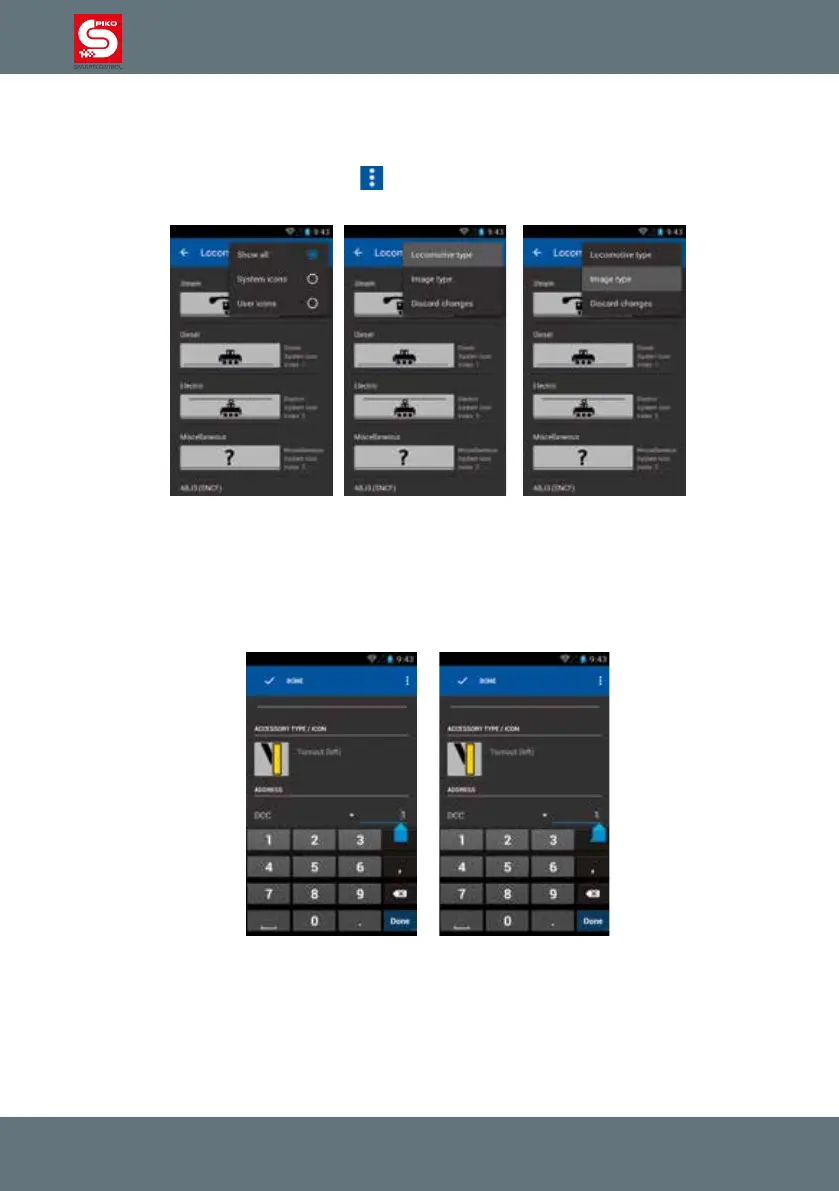
In the edit locomotive menu when editing the loco picture, you can sort the available pictures by
locomotive type or origin of the picture.
Press the loco picture in the editing menu. You will enter the picture archive.
Now press the menu button in the display
. You can sort the pictures by steam, diesel, electric or
others.
Be mindful about the cursor position when editing text.
If it is on the left of a number or letter you can’t delete that number or letter. Press the line again and
a blue arrow below the cursor will appear. You can touch it and slide the cursor to the right side of the
character. Now you can use backspace on the Android keyboard to delete the existing character and
enter a new one.
The same function is also available for the switch panel.



 To Next Page